3D New Era AI MCP Server
com.3dneweraai/newera
AI-powered home design editor: draw floor plans, furnish rooms, design joinery, check lighting and render photos live.
What is the 3D New Era AI MCP server?
3D New Era AI is an open-source home design and interior design editor written in Rust that ships with an MCP server, allowing Claude, ChatGPT, Cursor and other AI agents to collaboratively design homes. The AI can draw walls, furnish rooms, create joinery, verify lighting against standards, and render photorealistic images while changes appear live on screen.
3D New Era AI is a Sweet Home 3D alternative for Windows, macOS, Linux and browsers that lets you design homes with AI assistance. The MCP server enables your AI agent to draw floor plans, place furniture, design parametric cabinetry, check ergonomics and lighting against building codes, and render photos—all while you see changes in real time and can undo any step.
How to install 3D New Era AI
Copy-paste configuration for popular MCP clients.
Tools & capabilities
Tools this server exposes to the agent.
home— Compact state of the project with counts, bounds and room areascreate— Create walls, rooms, dimensions, labels, roofs with skylights and solidsupdate / move / delete— Edit any element by idarrange— Copy in rows, rotate, mirror, group/ungroup and set drawing orderedit_walls— Split or join walls on one lineedit_home— Set project name, compass direction, building code jurisdiction and occupantsbackground / edit_background— Import scanned plans at real scale and auto-detect wallscatalog / place— Search parametric catalog and place furniture, doors, windows and finishesjoinery— Create parametric cabinets, slatted panels, countertops with cutouts, plaster coves and modular sofascabinet_run— Fill a wall with evenly-sized cabinet modules around doors, windows and cornersembed— Set sinks or cooktops into countertops or ovens into cabinet niches with exact cutoutsfit_roof— Make walls, glass and panels follow the roof shape abovecut_list— Export joinery boards, edge banding and hardware as CSV or DXF/SVG sheetslayout— Check for overlaps, pieces in walls, blocked doors and pieces outside roomsergonomics— Review circulation, occupancy, kitchen triangle, wheelchair turning space and ceiling heightslighting / edit_lighting— Calculate lux per room by photometry against NBR ISO/CIE 8995-1 and place fixtureselectrical / plumbing— Create electrical and plumbing projects over the floor planmeasure— Check free floor space, gaps between pieces and growth potentialmodel— Inspect imported OBJ/glTF/GLB files for unit, size, triangles, materials and clashesedit_model— Swap model files, change materials or parts by name
Use cases
- Design a complete home floor plan with walls, doors and windows, then furnish it with AI-selected furniture and render photorealistic images
- Create parametric cabinetry and joinery (wardrobes, kitchen cabinets, slatted panels) and export cut lists for a workshop to build
- Verify a design meets building codes and ergonomic standards (lighting levels, circulation space, wheelchair access) and get AI-suggested fixes
- Import a scanned floor plan at real scale and have AI detect walls, then design electrical and plumbing systems over the plan
- Generate aerial views, elevations, sections and path-traced photos with realistic lighting and materials for client presentations
3D New Era AI MCP server FAQ
You can ask Claude, ChatGPT, Cursor or other MCP clients to design homes with you: draw floor plans, place furniture, design cabinetry, check lighting and ergonomics against building codes, and render photorealistic images. Every change appears live in the editor and is one Ctrl+Z away.
Yes. The desktop app and browser editor are free and open source with no account required. The hosted connector (https://mcp.3dneweraai.com/mcp) is free within a quota; see pricing on the website.
For Cursor: install the desktop app (one-line installer for Windows/macOS or download for Linux), then click the Cursor install badge in the README. For Claude Desktop: download newera-mcp.mcpb from the latest release and open it. For the hosted connector, add https://mcp.3dneweraai.com/mcp as a custom connector in Claude or ChatGPT.
No. The desktop app and browser editor are free and require no account. Only the hosted connector (for designing from chat with projects saved to your account) requires email sign-in.
Windows, macOS (Apple Silicon and Intel), Linux (x64) and any modern web browser. One-line installers are available for Windows and macOS; plain downloads and Homebrew are also supported.
Yes. You can import scanned floor plans at real scale (with calibration), and the background tool can auto-detect walls from the scan. It also opens Sweet Home 3D (.sh3d) projects directly.
README (reference)
Source of truth, from the repository.
3D New Era AI
English · Português (Brasil) · Website · Try it in the browser



An open-source home design, floor plan and interior design editor written in Rust, built so that your AI can design with you. It ships with a Model Context Protocol server: Claude, ChatGPT, Codex, Gemini, Cursor or any other MCP client draws the walls, furnishes the rooms, builds the joinery, checks lighting and ergonomics against real standards and renders the photos, while every change shows up live on screen and is one Ctrl+Z away.
A Sweet Home 3D alternative for Windows, macOS, Linux and the browser, in English, Portuguese, Spanish and French.
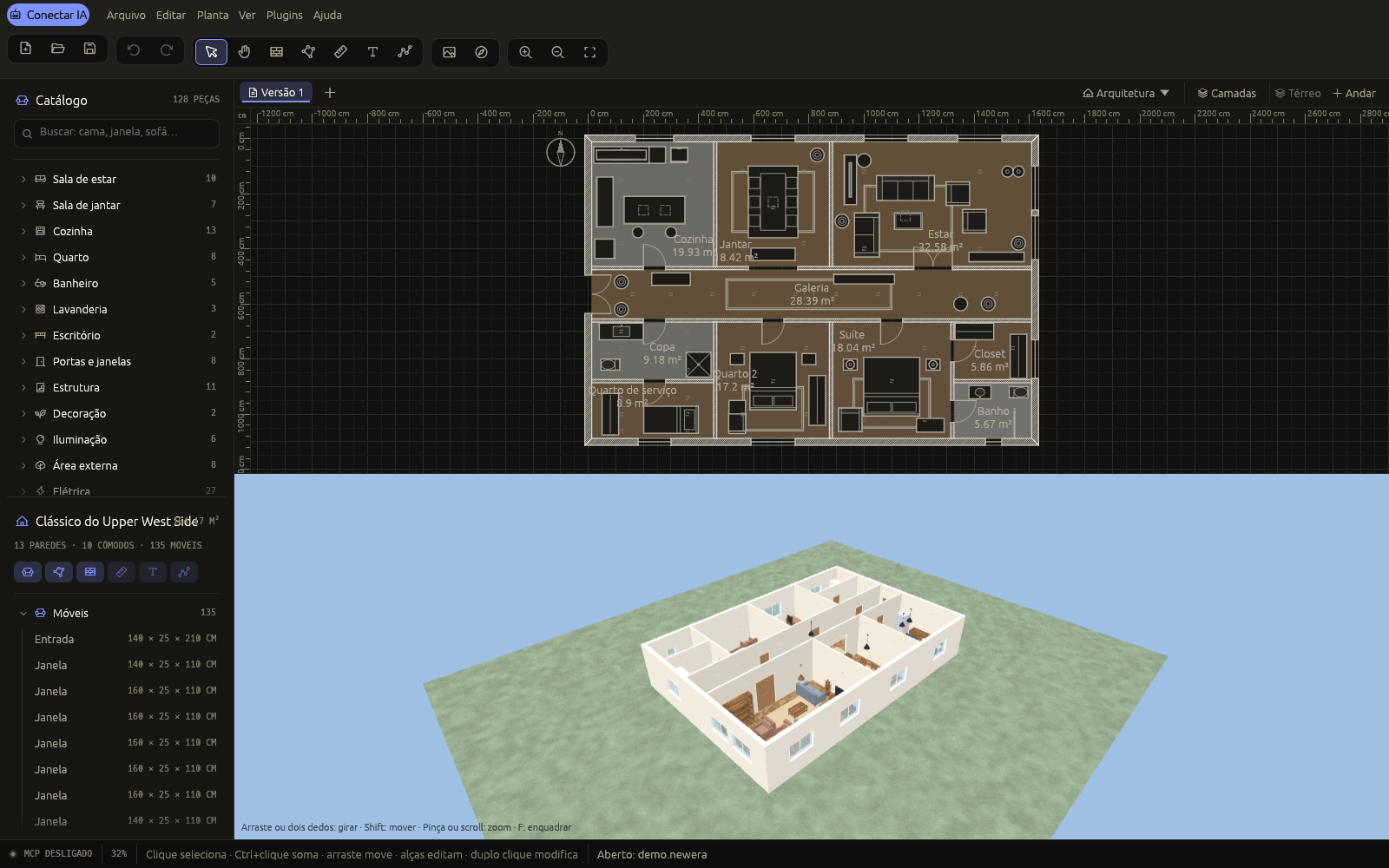
Three ways to use it
| What you get | Account | |
|---|---|---|
| Desktop app | The full editor on your machine, with a local MCP server at 127.0.0.1:7878. Nothing leaves your computer. | none |
| Browser editor | The same editor in a tab (WebGPU or WebGL). Switch on its MCP and your AI edits the tab's project. | none |
| Hosted connector | Add https://mcp.3dneweraai.com/mcp to Claude or ChatGPT and design from the chat, with projects kept in your account. | email sign-in |
The desktop app and the browser editor are free, open source and need no account. The hosted connector is free within a quota; see pricing.
Install
Windows — in PowerShell:
irm https://raw.githubusercontent.com/leandrodaf/3d-new-era-ai/main/scripts/install-windows.ps1 | iex
macOS (Apple Silicon and Intel) — in Terminal:
curl -fsSL https://raw.githubusercontent.com/leandrodaf/3d-new-era-ai/main/scripts/install-macos.sh | bash
or with Homebrew: brew install --cask leandrodaf/tap/3d-new-era-ai.
The installers work for your user only, with no administrator password: the app appears
in the Start menu or Launchpad, newera goes on your PATH, the MCP server is registered
in Claude Code and Codex if you have them, and running the same command again updates it.
Uninstall with install-macos.sh --uninstall, or from Settings → Apps on Windows.
Prefer a plain download?
| Windows (x64) | macOS Apple Silicon | macOS Intel | Linux (x64) |
|---|
The builds are not signed with a paid Apple or Microsoft certificate, so the system asks once:
- Windows: unzip and open
newera-gui.exe; if SmartScreen appears, click More info → Run anyway. - macOS: unzip and move 3D New Era AI to Applications, then right-click it →
Open → Open. On macOS 15 and later, open it once, then go to System Settings →
Privacy & Security → Open Anyway, or run
xattr -dr com.apple.quarantine "/Applications/3D New Era AI.app". - Linux:
tar xzf newera-linux-x64.tar.gz && ./newera/newera. Run./newera/install-desktop.shto add the menu entry, the icon and the.newerafile type (--uninstallundoes it).
The one-line installers skip these prompts.
</details>Connect your AI
Hosted, nothing to install. In Claude or ChatGPT, add a custom connector with the
address https://mcp.3dneweraai.com/mcp and sign in with your email. Step by step:
https://3dneweraai.com/connector/.
With the desktop app. The editor serves MCP at http://127.0.0.1:7878/mcp while it is
open (or run newera serve for no window). The AI menu, or the MCP chip in the status
bar, shows the snippet for your client, can register it for you, and lists the tools the
agent calls as it calls them.
From a browser tab. Open https://3dneweraai.com/app/ and switch the MCP on in the AI panel (Ctrl+Shift+M). The tab gets an address your AI can reach through a small relay, because a tab cannot listen on a port. The relay passes messages and stores nothing; the project stays in the tab, and the address stops answering when you switch it off or close the tab. Treat that address like a password. Video rendering is not offered there, since it would hold the tab for minutes.
Then just ask, for example: "Draw a 4 × 5 m bedroom with a door and a window, furnish it and render a photo."
Client setup
One click, with the app installed:



Claude Desktop: download newera-mcp.mcpb from the
latest release and open it.
Plugins with skills:
| Client | Command |
|---|---|
| Claude Code | /plugin marketplace add leandrodaf/3d-new-era-ai, then /plugin install 3d-new-era-ai-desktop@3d-new-era-ai (the app on your screen) or /plugin install 3d-new-era-ai@3d-new-era-ai (hosted) |
| Codex | codex plugin marketplace add leandrodaf/3d-new-era-ai |
| Gemini CLI | gemini extensions install https://github.com/leandrodaf/3d-new-era-ai |
Claude Code (already set up inside a clone of this repository by .mcp.json)
claude mcp add --transport http newera http://127.0.0.1:7878/mcp
Codex CLI
codex mcp add newera --url http://127.0.0.1:7878/mcp
Gemini CLI
gemini mcp add --transport http newera http://127.0.0.1:7878/mcp
VS Code (Copilot agent mode)
code --add-mcp '{"name":"newera","type":"http","url":"http://127.0.0.1:7878/mcp"}'
Cursor — ~/.cursor/mcp.json
{ "mcpServers": { "newera": { "url": "http://127.0.0.1:7878/mcp" } } }
Windsurf — ~/.codeium/windsurf/mcp_config.json
{ "mcpServers": { "newera": { "serverUrl": "http://127.0.0.1:7878/mcp" } } }
Claude Desktop without the bundle — Settings → Developer → Edit Config (needs
Node.js for the mcp-remote bridge)
{ "mcpServers": { "newera": { "command": "npx", "args": ["-y", "mcp-remote", "http://127.0.0.1:7878/mcp"] } } }
DeepSeek, Qwen, Llama and other models — the model does not matter, the app you chat
in does. Use one that speaks MCP: Cline or
Roo Code in VS Code, Cherry Studio,
LM Studio or opencode (opencode.json):
{ "mcp": { "newera": { "type": "remote", "url": "http://127.0.0.1:7878/mcp" } } }
Any other client — Streamable HTTP at http://127.0.0.1:7878/mcp, or stdio for
clients that start a process:
{ "mcpServers": { "newera": { "command": "newera", "args": ["mcp"] } } }
Over stdio, with the editor open the agent edits the plan in that window; with no window
(or newera mcp --standalone) it works on a project of its own.
Showcase
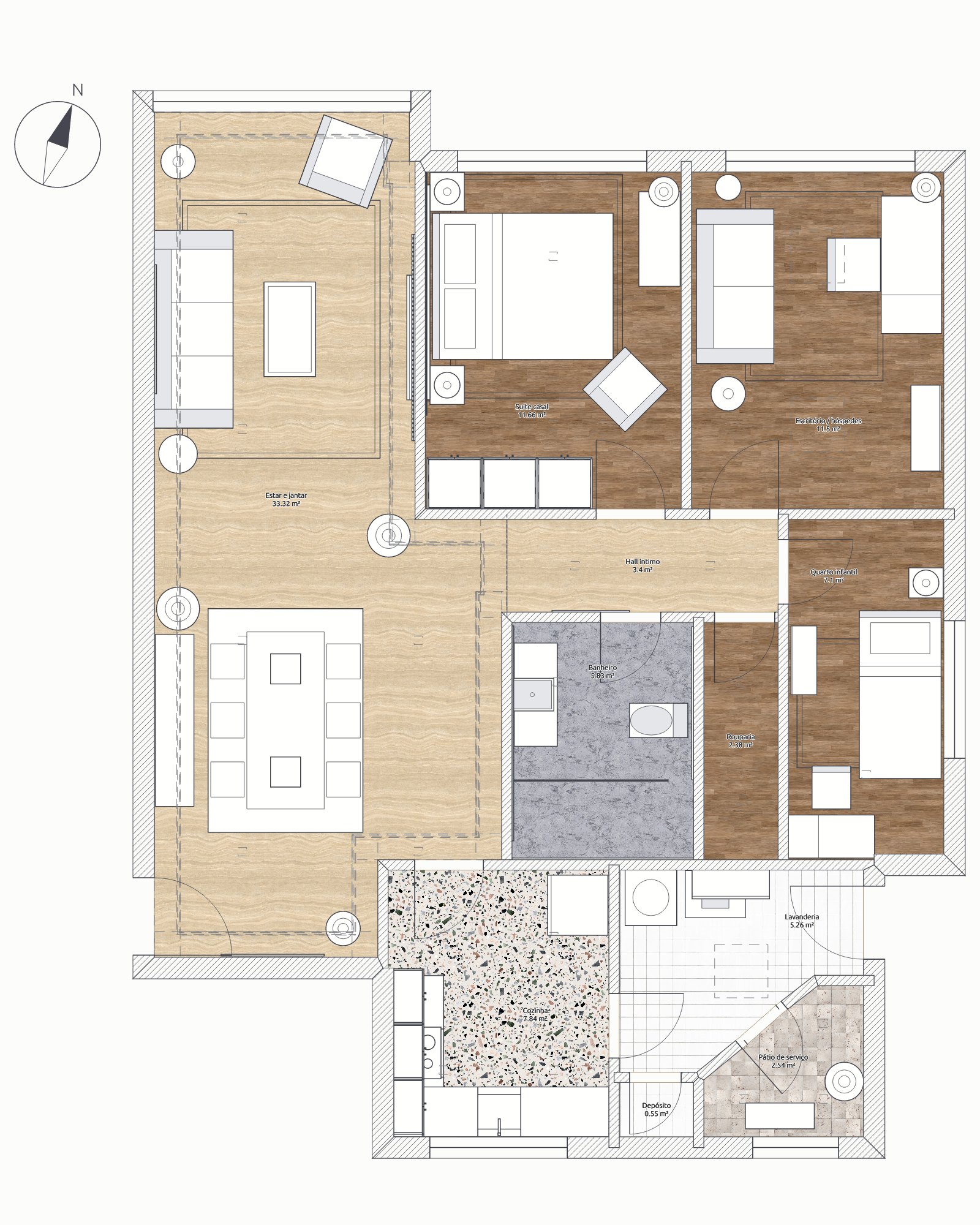
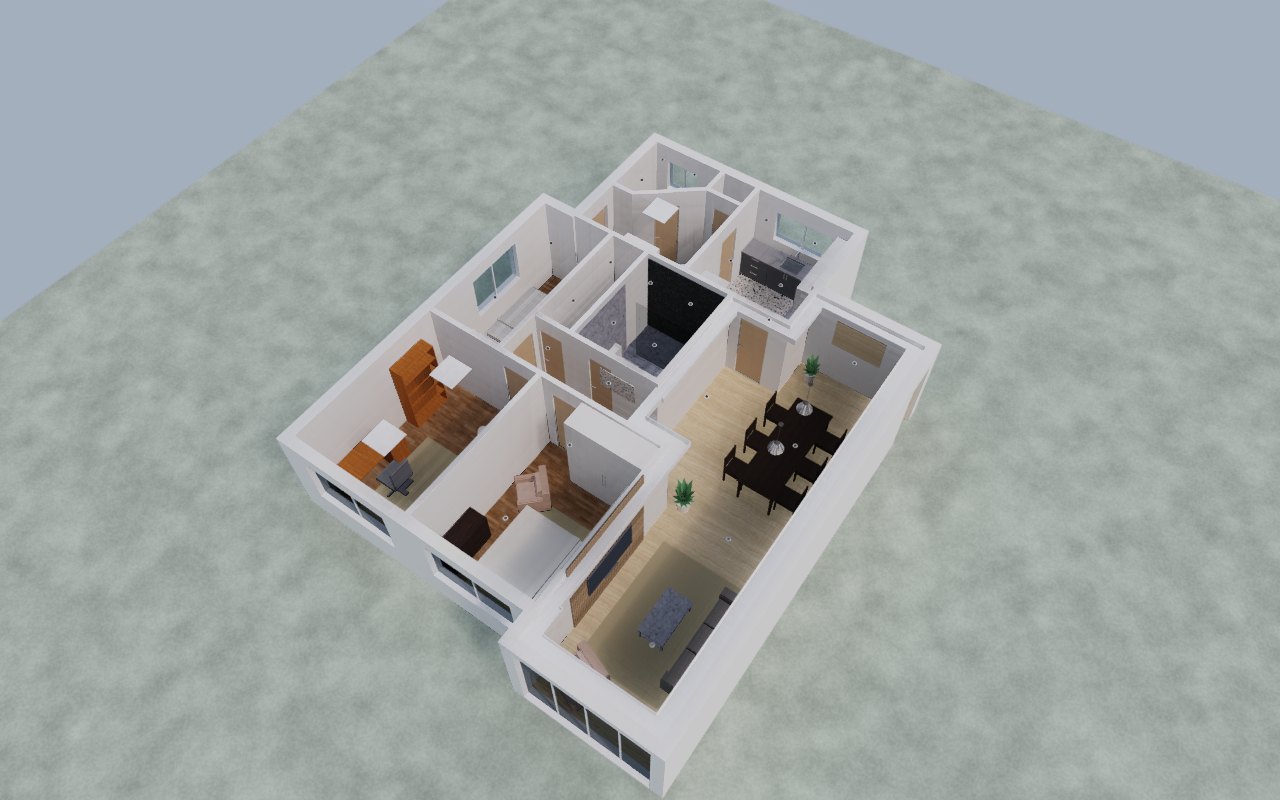
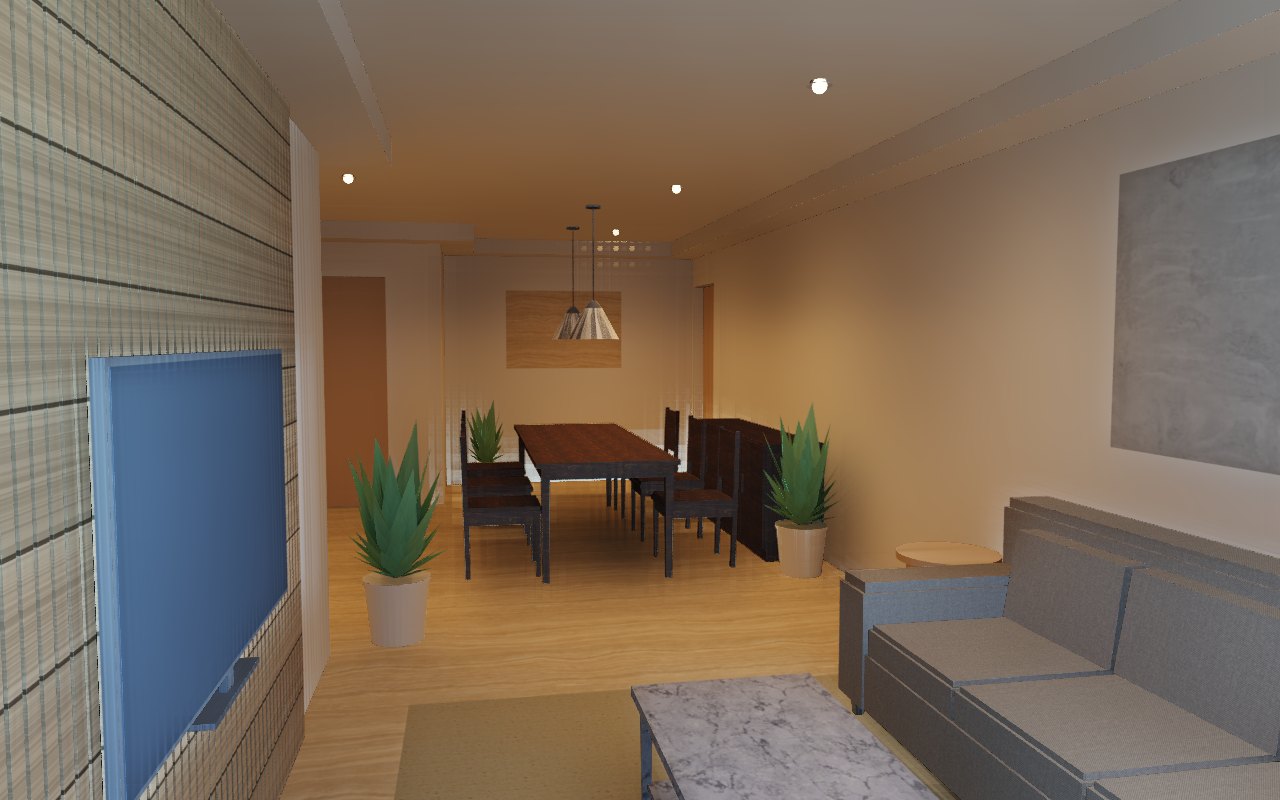
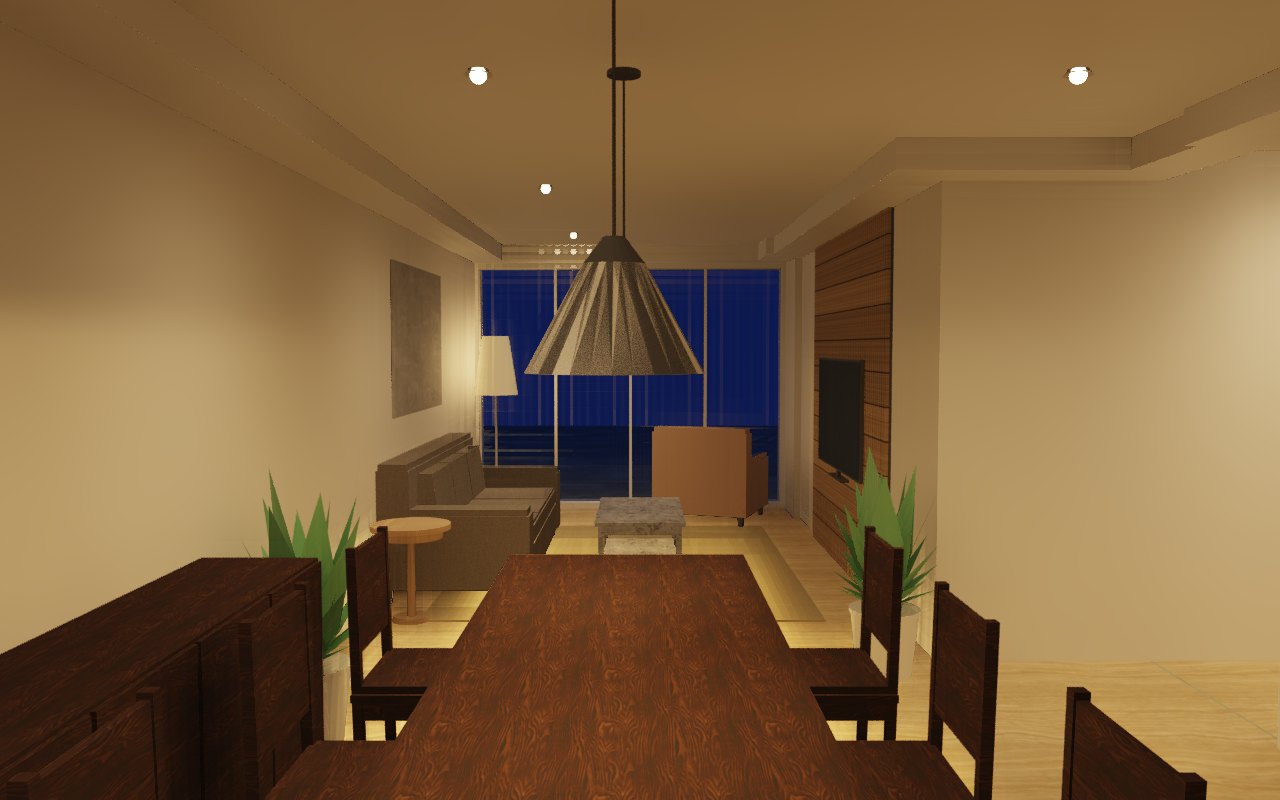
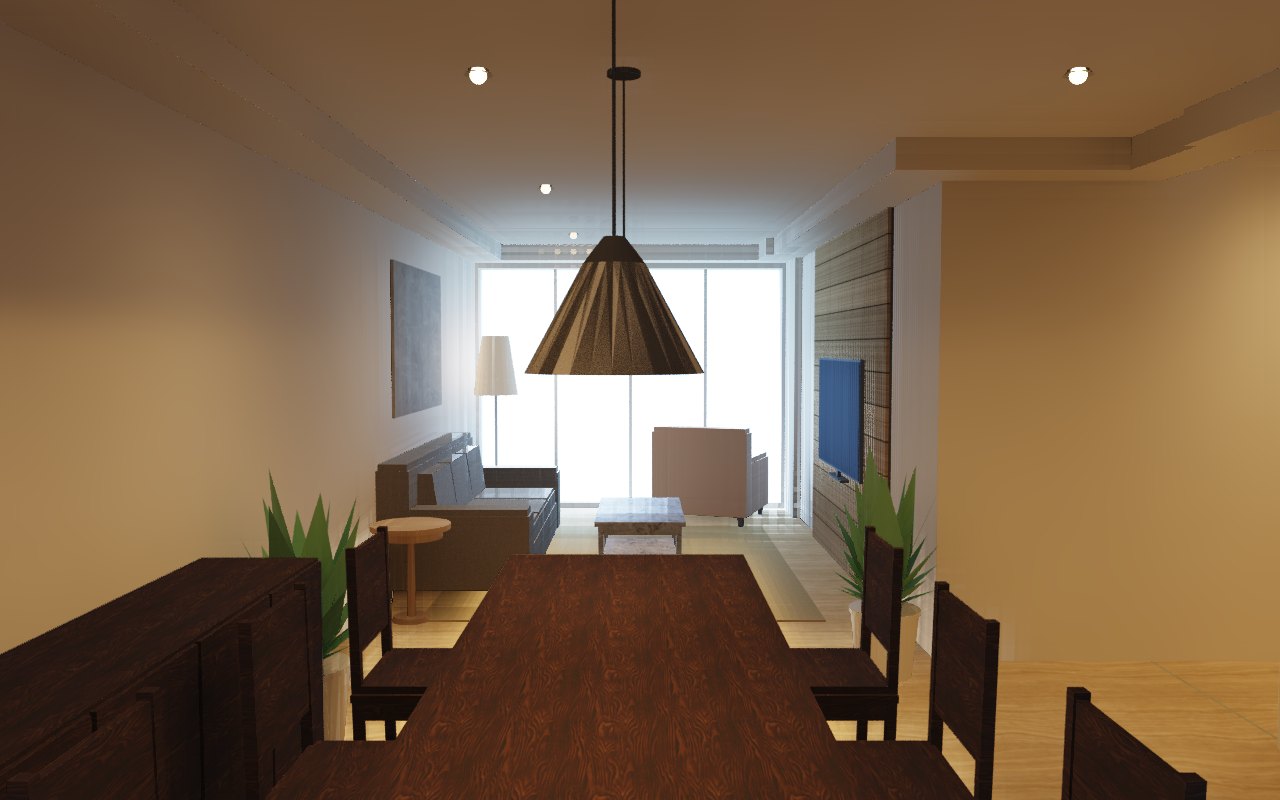
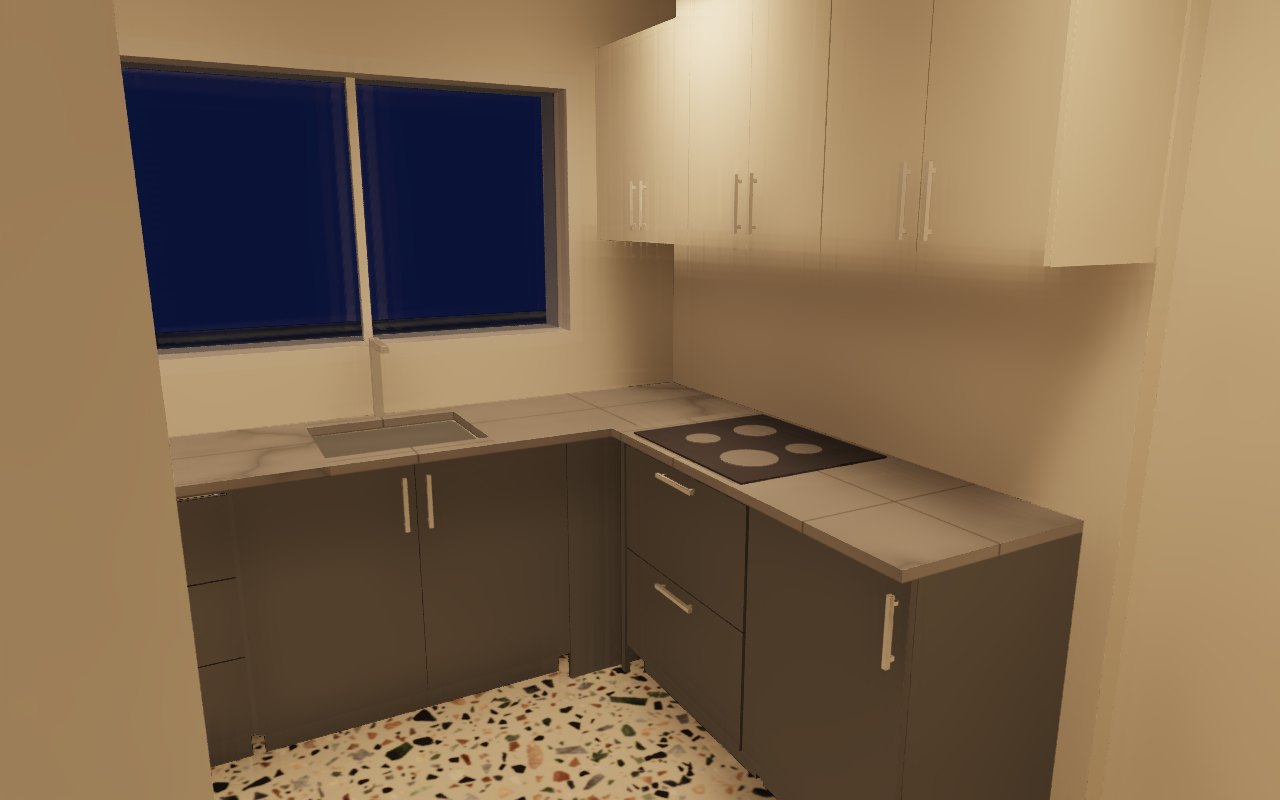
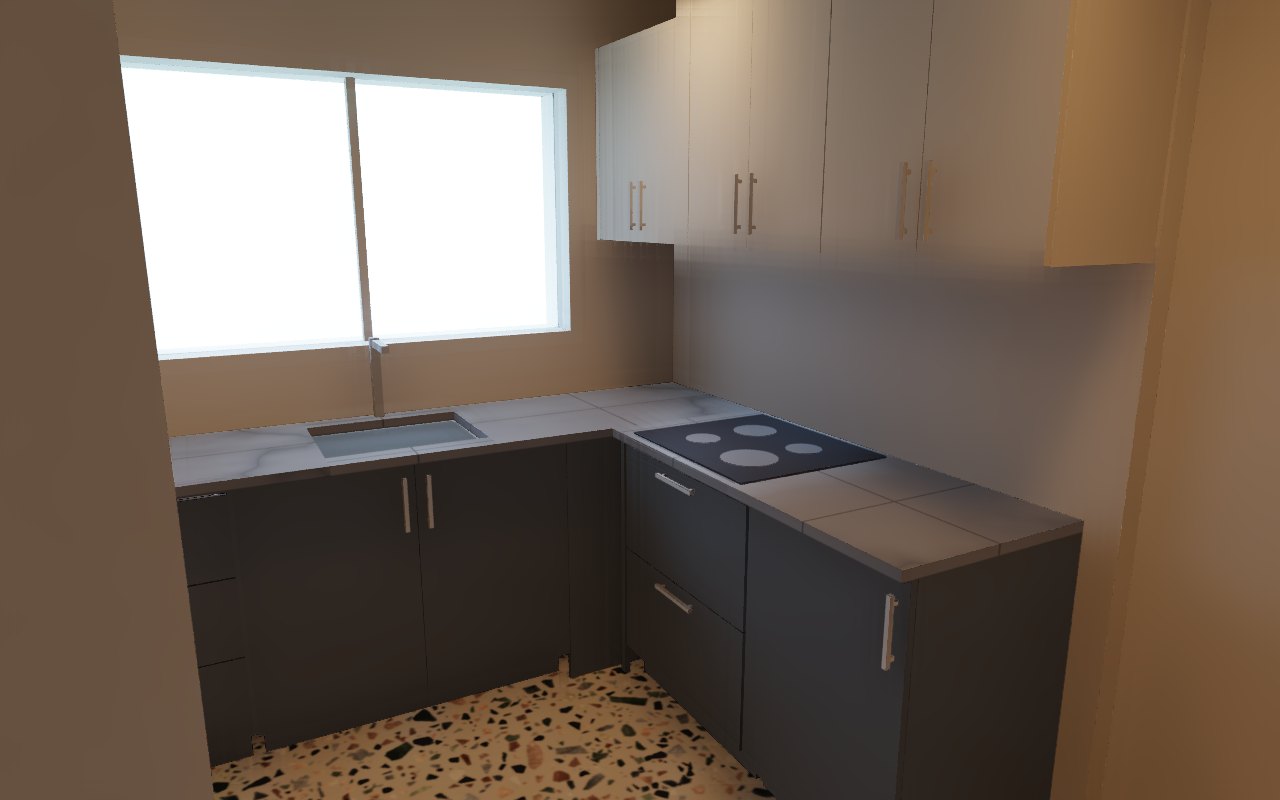
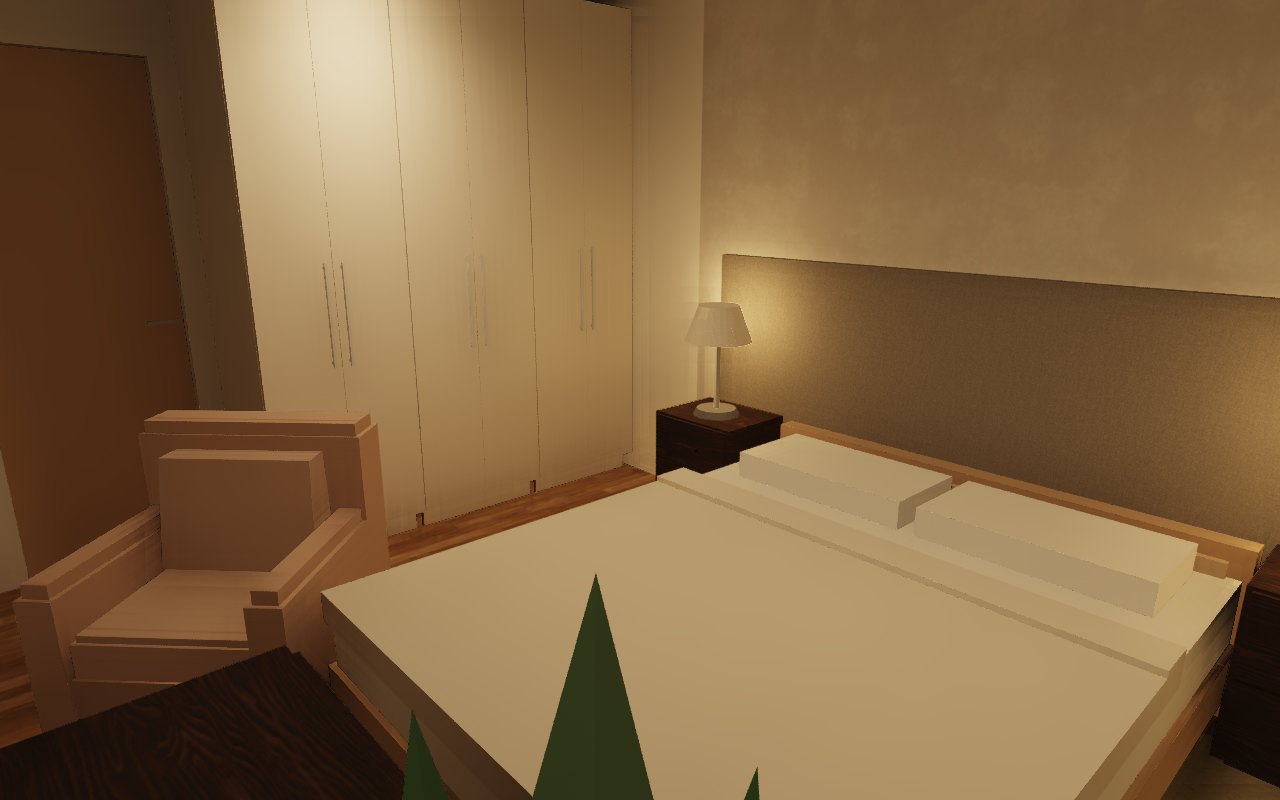
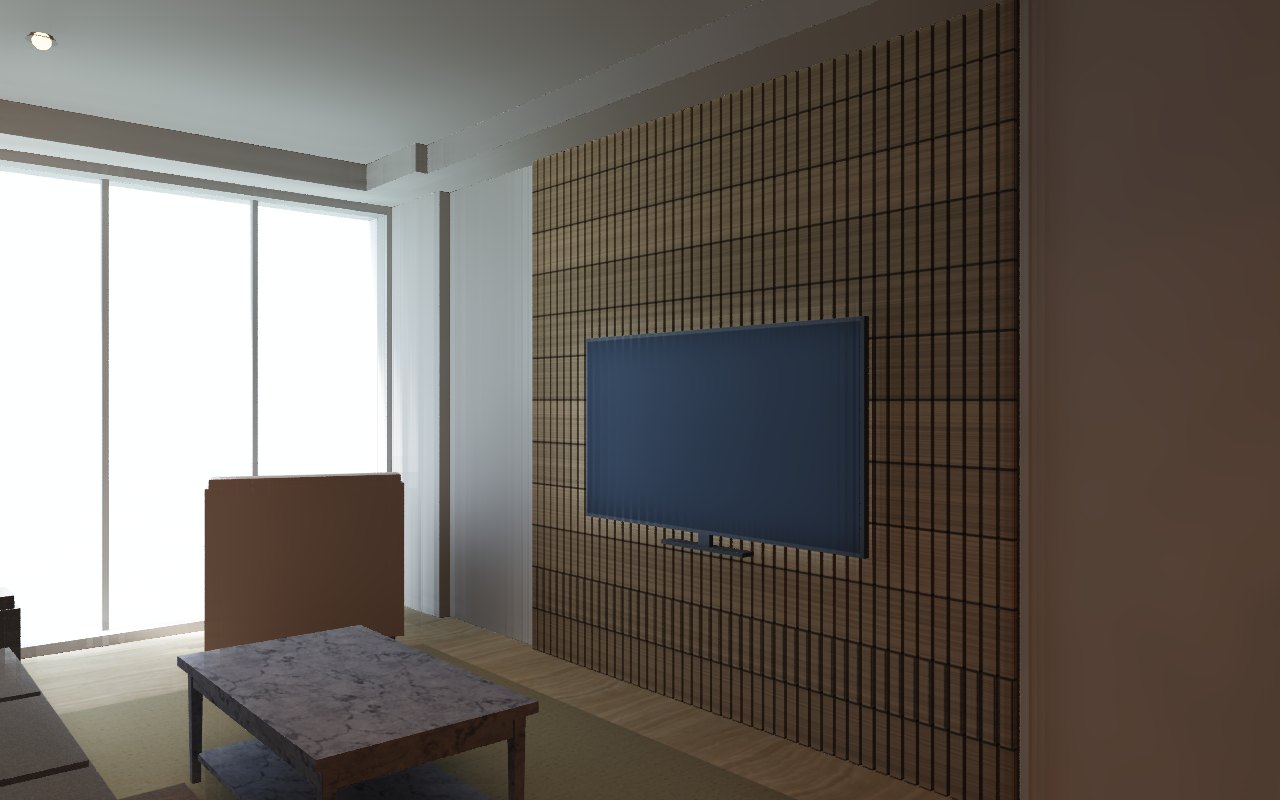
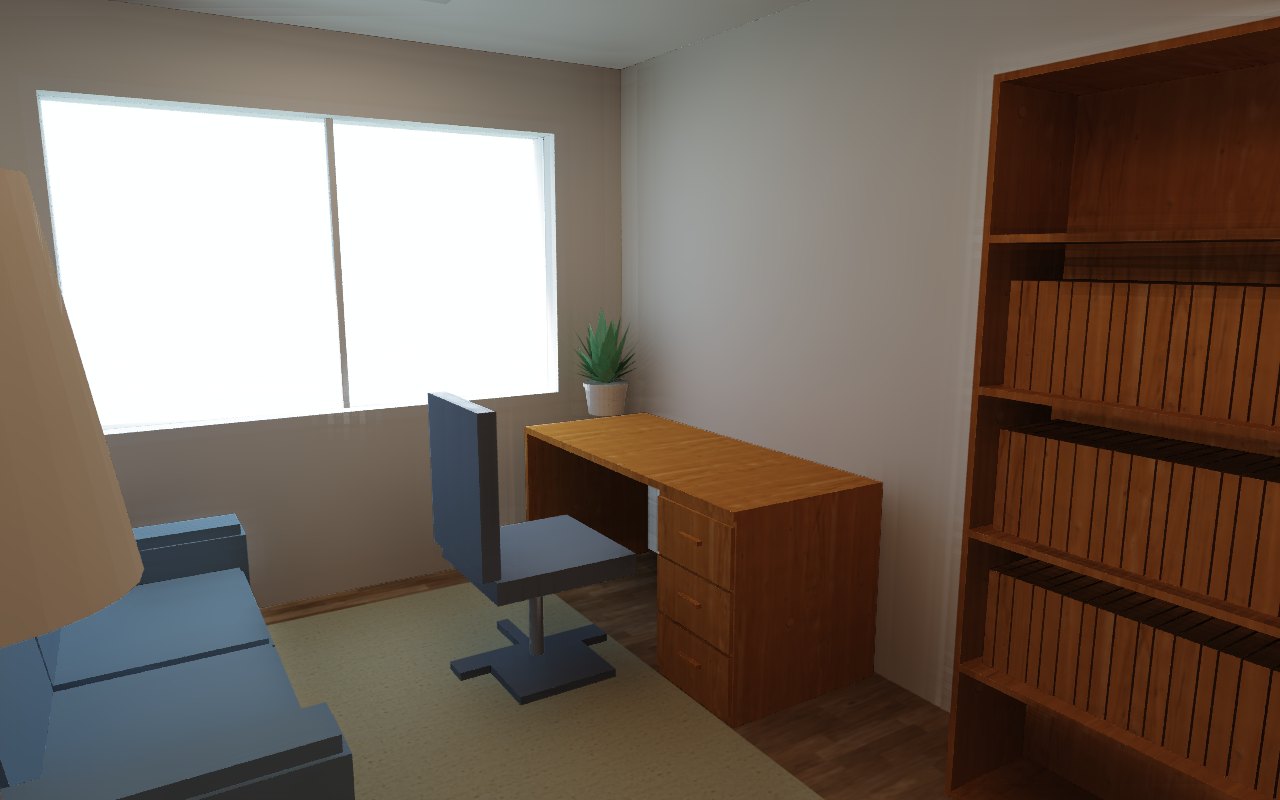
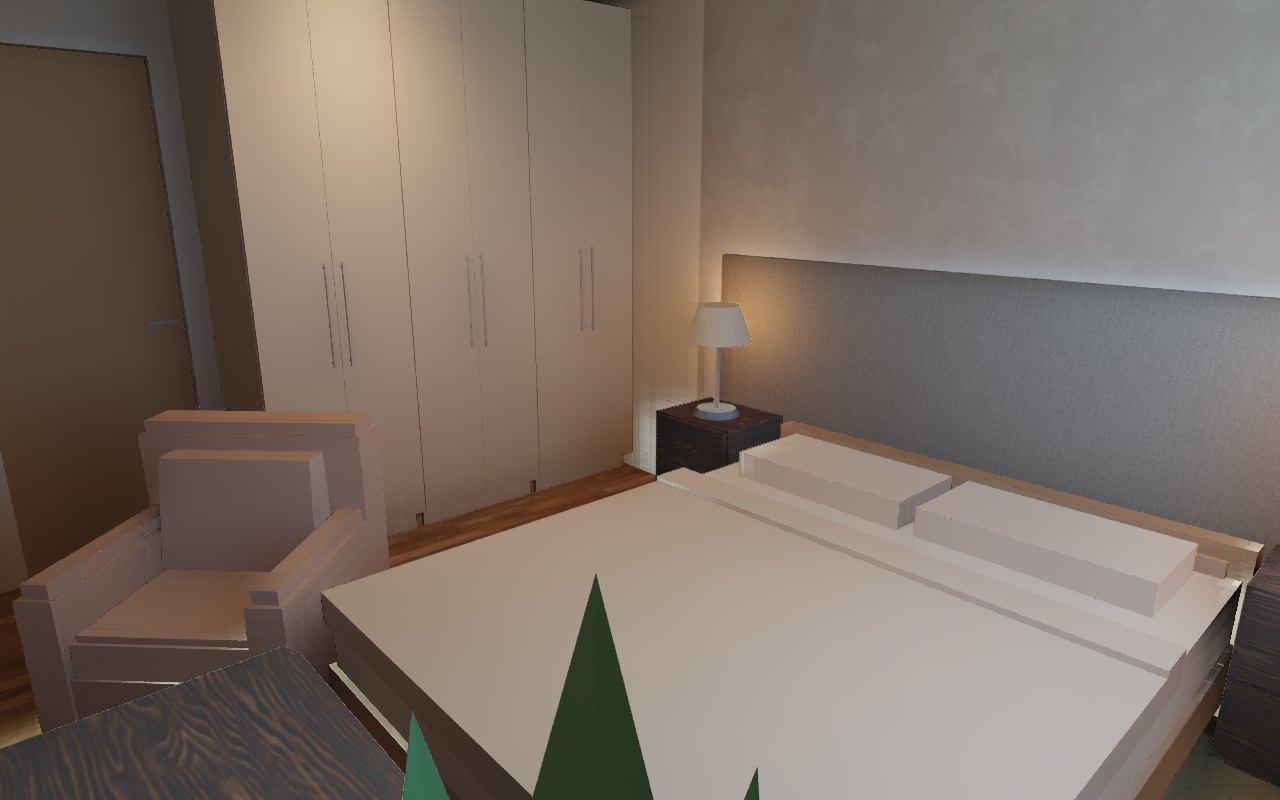
A real 105 m² apartment, traced from an openly licensed floor plan and furnished, lit
and photographed by an AI agent through MCP alone: walls from the scan, doors that swing
the right way, a slatted TV wall, an L kitchen and wardrobes from cabinet_run,
downlights sized by photometry against NBR ISO/CIE 8995-1, and path-traced photos. Every
image below came out of the editor. See how it was built →
| Floor plan with real finishes | Aerial cutaway |
|---|---|
 |  |
| Daylight | At dusk, lamps on |
|---|---|
 |  |
 |  |
 |  |
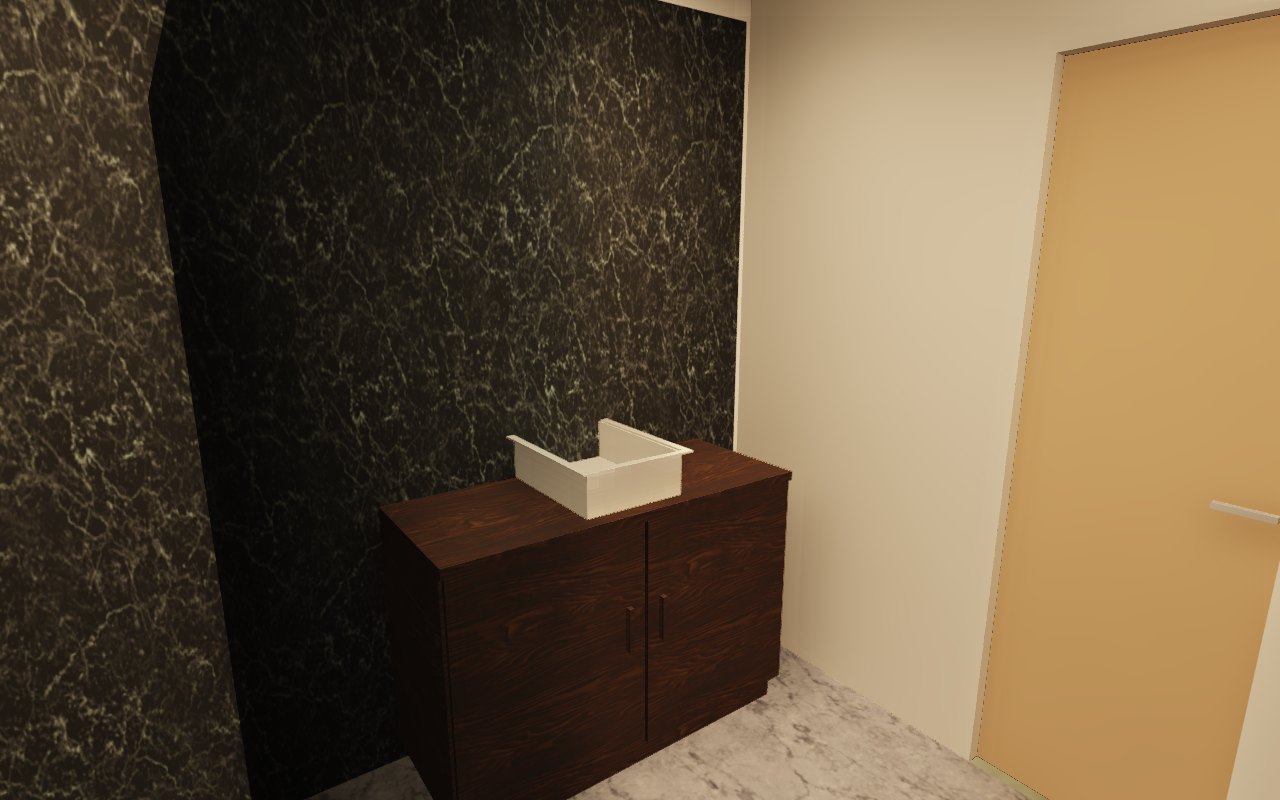
| Joinery and rooms | |
|---|---|
 |  |
 |  |
Features
- Plans from anything. Draw walls, arcs and sloping walls, or drop in a scanned plan
at real scale and let
backgroundfind the walls. Opens Sweet Home 3D (.sh3d) projects as they are. - Joinery a workshop can build. Parametric cabinets, wardrobes, slatted panels,
countertops with exact sink and cooktop cutouts, plaster coves with LED and modular
sofas.
cabinet_runfills a wall with even modules around doors, windows and corners;cut_listexports the boards as CSV or DXF/SVG sheets. - Checked against the people who live there. An ergonomics review (circulation, beds and bathrooms per person, the kitchen triangle, wheelchair turning space) and lux per room by photometry, each finding tied to its source and with the fix ready to apply.
- Electrical and plumbing plans over the same floor plan: circuits and panel, Wi-Fi coverage, runs and checks against NBR 5410, NBR 5626 and NBR 8160.
- Pictures that sell the project. Rendered floor plans with real finishes, elevations and sections, aerial cutaways, path-traced photos with the sun from the compass and the lamps you placed, and videos along a camera path. They render on the CPU, so a headless server can take them too.
- Roofs and structure. Pitched roofs with skylights, walls and glass that follow the roof above, beams, storeys, pools and decks.
- Furniture always true to size. The catalog is generated by code, so a 158 × 208 cm bed is exactly that in the plan, in 3D and in collision checks.
- Try alternatives safely. Duplicate the plan into a new tab, change it and compare versions side by side; name checkpoints and come back to them.
- Built for agents. People and agents go through the same undoable commands. Short
ids (
w12),[x, y]points in centimeters, compact reads and one-line write replies keep token use low. - Open and extensible. Plugins in any language over the HTTP API, several people on the same project with named cursors, and exports to PDF, SVG, PNG, GLB and OBJ.
MCP tools
Reads and changes are separate tools: a read never changes the plan, so an AI client can run it without asking, and asks before each change.
| Tool | What it does |
|---|---|
home | Compact state (detail=summary for counts, bounds and room areas) |
create | Walls (polylines, arcs, sloping), rooms (polygon or detected from walls), dimensions, labels, roofs with skylights and solids, in one atomic call |
update / move / delete | Edit any element by id |
arrange | Copies in a row, rotate, mirror, group/ungroup, drawing order |
edit_walls | Split a wall in two, or join walls on one line |
edit_home | Project name, compass (north), the city whose building code applies and who lives there |
background / edit_background | Scanned plan at real scale (calibration, X/Y scale, rotation); find the walls in it, and create them |
catalog / place | Search the parametric catalog; place furniture, doors and windows (snapped into walls), beams, finishes and glass |
joinery | Parametric cabinets, slatted panels, countertops with cutouts, plaster coves, shadow gaps and modular sofas |
cabinet_run | Fill a wall with cabinets sized for it: even modules around corners, doors, windows, fridge and stove |
embed | Set a sink or cooktop into a countertop (exact cutout) or an oven into a cabinet niche |
fit_roof | Walls, glass and panels take the shape of the roof above and keep following it |
cut_list | Boards, edge banding and hardware of the joinery, as CSV or DXF/SVG sheets |
layout | Overlaps, pieces in walls, blocked doors, pieces outside rooms, areas against references |
ergonomics | Review for the people living there: circulation, occupancy, kitchen, doors, ceiling heights, windows, wheelchair use |
lighting / edit_lighting | Lux per room by photometry against NBR ISO/CIE 8995-1; place the fixtures a room needs |
electrical / plumbing | Electrical and plumbing projects over the plan, changed through edit_electrical / edit_plumbing |
measure | Free floor around a piece, the gap between two, what a straight probe runs into, how far a piece can grow |
model | What an imported OBJ/glTF/GLB became: unit taken, size, triangles, materials, named parts, and what is not drawn; check=clashes finds parts passing through one another |
edit_model | Swap the file of placed pieces in one undo step (keeping ids, size, finishes and links), change a material or a part by name, or give a lighter file for distant views |
library / edit_library | A library of approved model versions, with their photos, measurements and source, placed in any project as library:<name>@<v> |
accept | Mark findings of any review as seen, with the reason |
rules | What a review checks against: the standards' tables, what each layout problem means, how ergonomics scores |
materials / disciplines / annotations | Finishes, visible projects and layers, dimension chains and schedules; stale finds notes that no longer match the drawing |
levels / cameras / variants / video | Storeys, points of view, plan versions and camera-path videos, each changed through its edit_* tool |
render_plan / show_plan | PNG of the plan as the user sees it; the plan inside the chat as an interactive viewer (MCP Apps) |
render_3d / render_photo | Software 3D views (aerial, visitor, cameras, elevations, sections); path-traced photos with sun and lamps |
export | PDF, SVG or PNG plan; GLB or OBJ model; the cut list as CSV or DXF/SVG sheets |
file | New, open and save: projects (.newera) and Sweet Home 3D import (.sh3d) |
edit_history / history | Undo and redo, shared with the user, and named checkpoints to come back to |
plugins / run_plugin / sessions | External plugins and the people working on the project |
feedback | A note to the developers about what a tool could do better (desktop only) |
The hosted connector adds projects, to list and switch between the projects in your
account, and leaves out feedback, the plugin tools and library / edit_library (the
library is a folder on your machine), which only make sense on your own machine; the
browser tab leaves out the library tools too.
Command line
newera [FILE]           # desktop editor with the embedded HTTP + MCP server
newera --demo           # start with a sample house
newera gui --no-server  # editor only
newera serve [FILE]     # headless HTTP + MCP server
newera mcp              # MCP over stdio (attaches to the open window, if any)
Options: --addr 127.0.0.1:7878 (or NEWERA_ADDR); --token (or NEWERA_TOKEN),
required to listen beyond loopback; NEWERA_LOG for the log filter;
NEWERA_RENDER_THREADS for photo renders (half the cores by default). The server binds to
loopback by default and validates the Host header. On Windows, newera-gui.exe opens
the editor without a console window.
Build from source
You need Rust 1.95 or newer (rustup). On Linux, also
libxkbcommon-dev libwayland-dev libx11-dev libxcursor-dev libxrandr-dev libxi-dev.
git clone https://github.com/leandrodaf/3d-new-era-ai
cd 3d-new-era-ai
make run          # editor + HTTP + MCP, with a sample house
make release      # optimized binary in target/release/newera
make web-serve    # browser editor and viewer at http://127.0.0.1:8790
Run make to list every command. To host the browser editor yourself, serve web/ as
static files, with .wasm sent as application/wasm and compressed (about 15 MB raw,
a quarter of that gzipped). No backend or special headers are needed. The public site is
built by scripts/site-build.sh and deployed on every push to main.
Browsers: Chrome, Edge and Safari 26 use WebGPU. Where it is missing (Firefox today) the editor falls back to WebGL 2 and still draws everything; a browser with neither gets a message pointing at the download.
Project layout
crates/
  newera-core        domain model, commands, undo/redo, geometry, standards — no UI, no I/O
  newera-catalog     parametric furniture and fixtures at exact sizes; OBJ/glTF import
  newera-joinery     parametric joinery and interiors, workshop rules, cut lists
  newera-ergonomics  habitability review: clearances, occupancy, kitchens, accessibility
  newera-draw        plan scene shared by the editor, PNG renders and SVG/PDF export
  newera-render      3D meshes, software renderer, path-traced photos, videos
  newera-sh3d        Sweet Home 3D (.sh3d) import
  newera-mcp         the MCP tools, over stdio and Streamable HTTP
  newera-server      REST API + MCP endpoint, sessions (axum)
  newera-plugins     external programs that edit the home over the HTTP API
  newera-app         desktop editor (egui + wgpu)
  newera-editor-web  the editor in the browser (WebGPU or WebGL)
  newera-web         lightweight WebAssembly viewer
  newera-relay       lets an AI reach the editor in a browser tab
  newera-cloud       the hosted service: accounts, OAuth, cloud projects, billing
  newera-telemetry   crash reports and usage notes
  newera             the binary that wires everything together
Documentation
- Architecture: crates, the command model, MCP design and security
- Standards and sources: where every rule in the reviews comes from
- Showcase: a full apartment built by an agent
- Distribution: channels, releases and the hosted service
- Roadmap and changelog
Privacy and telemetry
The app sends crash reports through Sentry, along with the notes agents leave with the MCP
feedback tool. It is on by default and off with one click in
Help → Send error reports, or newera telemetry off; NEWERA_TELEMETRY=0 turns it off
for a single run. Nothing of the project is sent, nor the IP address or the machine's name,
and the MCP token is removed from every report. Notes are always kept locally in the config
folder (notes.jsonl).
Under the same switch, opening the app counts one app_open — a random installation id, the
version, the operating system, the architecture and the mode — and the installers count one
install and one uninstall, saying which system and whether the app came from a release or was
compiled on the machine. Both go to 3dneweraai.com/ping, an endpoint of the site that holds
the Google Analytics secret and forwards the count without passing the IP address on: the
country Cloudflare already knows goes instead. A build made without the project's keys reports
through the same endpoint, so installing from source counts like any other install;
cargo build on a clone and CI count nothing. The hosted service keeps only what it needs:
your email, your projects and usage, never the conversation. See the
privacy policy.
Support the project
Everything above is free and stays free. If it saves you time, the Supporter plan (US$ 5/month or US$ 48/year) raises the cloud quotas for your account and pays for the server.
Contributing
Contributions are welcome. See CONTRIBUTING.md; make check runs the
same checks as CI.
License
Licensed under either of Apache License 2.0 or MIT license, at your option.
Related MCP servers

3DOptix
Optical design, simulation and analysis with GPU-powered ray tracing. Import from Zemax and CAD.

3D Texel
Search/download 7,000+ PBR materials, HDRIs, decals, 3D assets; generate PBR materials and HDRIs.

3GPP Scout
Hosted 3GPP MCP server for Rel-15–20 TS/TR search. Index stays current.

402cron
Paid cron for AI agents: we call your https URL on schedule, signed. No account, paid with x402.
Signed verification attestations for agent decisions: business, price, freshness, claim checks.
Free agent tests (no account or payment); paid ping.