GitDiagram MCP Server
com.gitdiagram/gitdiagram
Turn any GitHub repository into interactive architecture diagrams and AI-explained videos
What is the GitDiagram MCP server?
GitDiagram is an MCP server that generates architecture diagrams, explanations, and Mermaid source code for public and private GitHub repositories. AI agents can use it to visualize codebases, explore component connections, and access narrated explainer videos without authentication.
GitDiagram helps you understand any codebase by automatically generating interactive architecture diagrams with AI explanations. You can explore repository structure, jump to source files, export diagrams as PNG or Mermaid, and watch one-minute narrated videos explaining how projects work. It works as a web tool, Markdown export, or MCP server for AI agents.
How to install GitDiagram
Copy-paste configuration for popular MCP clients.
Tools & capabilities
Tools this server exposes to the agent.
get_diagram— Retrieve architecture diagram, explanation, components, and connections for a GitHub repositoryget_mermaid_source— Export diagram as Mermaid source codeget_explainer_video— Access narrated video explaining a repository's architecture and purposesearch_diagrams— Search stored diagrams by repository name or ownerexport_diagram— Export diagram as PNG image
Use cases
- Understand a new codebase quickly by viewing its architecture diagram and AI explanation
- Generate documentation for a GitHub repository as interactive diagrams or Markdown
- Watch a one-minute narrated video explaining how a project is structured
- Export architecture diagrams as PNG or Mermaid source for presentations or documentation
- Analyze private repositories by providing a GitHub token to the MCP server
GitDiagram MCP server FAQ
GitDiagram automatically generates architecture diagrams and AI explanations for any public or private GitHub repository. It visualizes how code components connect and can produce narrated explainer videos.
Yes, GitDiagram is free to use. The MCP server requires no API key or sign-in for public repositories; private repositories need a GitHub token.
Add the remote MCP server at https://gitdiagram.com/mcp in Claude's custom connector settings or Cursor's MCP configuration. No authentication required for public repos.
Yes, provide a GitHub token via the 'Private Repos' option in the web interface or configure it in your MCP client to access private repositories.
You can export diagrams as PNG images, copy Mermaid source code, or access Markdown versions at gitdiagram.com/owner/repo.md for use in documentation.
No, GitDiagram is a remote MCP server hosted at gitdiagram.com/mcp. You can also run it locally with Bun if you have Cloudflare R2, Upstash Redis, and an OpenAI API key.
README (reference)
Source of truth, from the repository.
GitDiagram
Visualize any codebase: turn any public or private GitHub repository into an interactive architecture diagram, or watch it explained in a one-minute narrated video. AI agents can use it too, through the MCP server or the Markdown version of any diagram (gitdiagram.com/owner/repo.md).
Try GitDiagram → · Or replace hub with diagram in any GitHub repository URL.


<!-- sponsor:end --><a href="https://gitdiagram.com/out/sent-2026-09?placement=readme"><picture><source media="(prefers-color-scheme: dark)" srcset="./public/sponsors/sent-logo-dark.svg" /><img src="./public/sponsors/sent-logo.png" alt="Sent" width="104" align="middle" /></picture></a> <sub>Sponsored</sub>
SMS, WhatsApp, and RCS through one API. Try Sent →
New: explainer videos
GitDiagram can now turn a repository into a narrated video of about a minute. The video starts with what the project is for and what people do with it, then shows briefly how its main parts fit together and one decision under the hood.
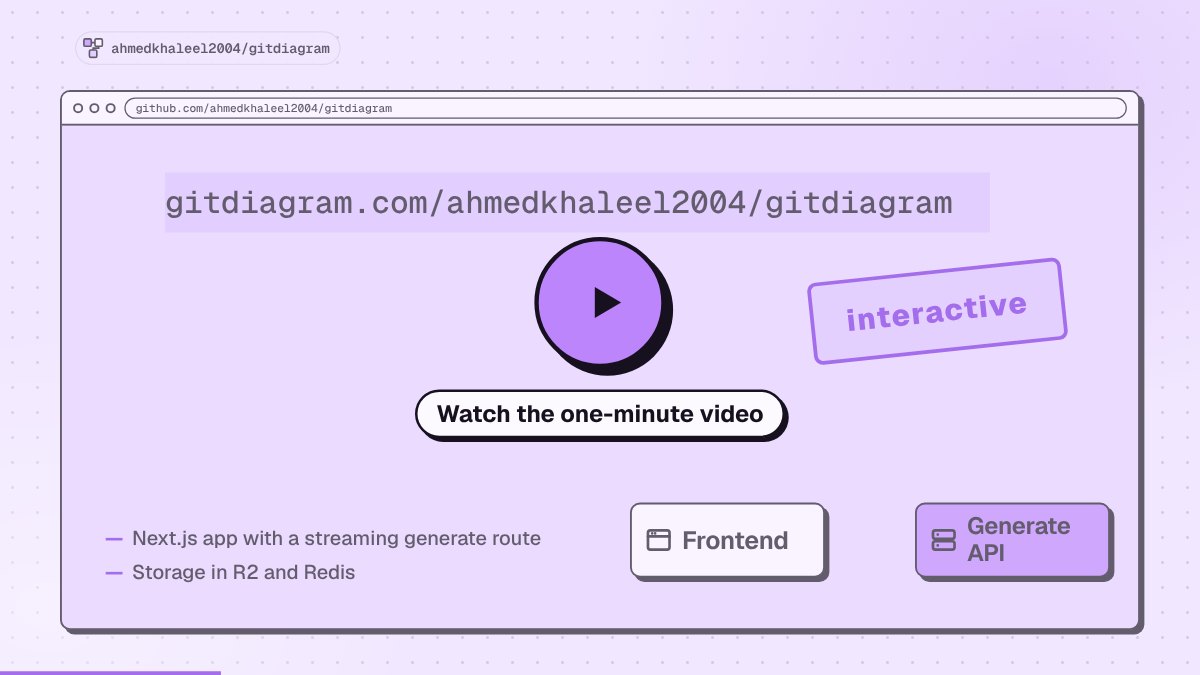
- Watch the gallery → or add
/videoto any diagram URL, such asgitdiagram.com/owner/repo/video. - Download an MP4 in landscape or vertical (9:16), with captions burned in.
- Making new videos is in early access. Anyone can watch videos that already exist.
Features
- Watch a repository explained in a narrated video, or press Video on any diagram page.
- Explore the architecture with an AI-generated diagram and streamed explanation.
- Jump to the code by clicking any component's linked file or directory.
- Use private repositories with a GitHub token via Private Repos in the header.
- Export diagrams as PNG or copy the Mermaid source.
Use GitDiagram from AI agents
GitDiagram is a remote MCP server at https://gitdiagram.com/mcp (no key or sign-in). Agents can read a public repository's architecture explanation, components, connections and Mermaid source, search the stored diagrams, and get explainer videos.




# Claude Code: the plugin adds the MCP server and a /gitdiagram skill
claude plugin marketplace add ahmedkhaleel2004/gitdiagram
claude plugin install gitdiagram@gitdiagram
# ...or just the MCP server
claude mcp add --transport http gitdiagram https://gitdiagram.com/mcp

# Codex
codex mcp add gitdiagram --url https://gitdiagram.com/mcp

# Gemini CLI
gemini extensions install https://github.com/ahmedkhaleel2004/gitdiagram

# GitHub Copilot CLI
copilot mcp add --transport http gitdiagram https://gitdiagram.com/mcp
In other clients (ChatGPT, Windsurf, Zed, LM Studio, Goose and more), add a remote MCP server with the URL https://gitdiagram.com/mcp. Then ask something like "how is fastapi/fastapi structured?".
Run locally
Requires Bun, Cloudflare R2, Upstash Redis, and an OpenAI or OpenRouter API key. See the setup guide for prerequisites and configuration.
git clone https://github.com/ahmedkhaleel2004/gitdiagram.git
cd gitdiagram
bun install
cp .env.example .env
Fill in .env using the configuration guide, then start the app:
bun run dev
Open localhost:3000.
Explainer videos are off by default. To turn them on, set VIDEO_EXPLAINER_ENABLED=1, NEXT_PUBLIC_VIDEO_EXPLAINER=1, ANTHROPIC_API_KEY, OPENAI_API_KEY and OPENROUTER_API_KEY (for the voice) in .env. See .env.example for the other video settings.
Development
Built with Next.js, React, TypeScript, Tailwind CSS, and Mermaid. Videos use Claude or GPT for the script and scenes and OpenRouter (Gemini 3.8 Flash TTS) for the voice. Deployed on Vercel.
- Architecture — generation pipeline, storage, and API
- Development guide — setup, checks, and deployment
- Deployment recovery — Railway/Docker fallback
Contributions are welcome. Open an issue or pull request with a focused description and verification notes.
Inspired by Romain Courtois's Gitingest.
Related MCP servers

GitHits
Search public open-source code, docs, and package metadata to give AI coding agents real-world context.

com.gitkraken/gk-cli
GitKraken CLI as an MCP server for managing repos, PRs, and issues across GitHub, GitLab, Bitbucket and more.

com.gitscrum/mcp
MCP server for GitScrum — manage tasks, sprints, time tracking, and client workflows via AI
Search, order, and manage eSIM data packages for 190+ countries.
On-demand GPU nodes for agents: create nodes, run commands, and submit jobs, billed by the minute.