io.github.Ataraxy-Labs/sem MCP Server
io.github.Ataraxy-Labs/sem
Entity-level code intelligence for AI agents: semantic diffs, impact analysis, blame, and context.
What is the io.github.Ataraxy-Labs/sem MCP server?
The sem MCP server is a semantic version control tool that parses code with tree-sitter to extract functions, classes, and methods as entities, then diffs and analyzes at the entity level instead of lines. It provides AI agents with tools for semantic diff, impact analysis, blame tracking, and token-budgeted context across 32+ programming languages, working on top of Git with no setup required.
sem gives AI agents precise, entity-level understanding of code changes instead of line-based diffs. It extracts functions, classes, methods, and other entities from 32+ languages, then answers questions like "what breaks if I change this function?" (impact analysis), "who last modified this?" (blame), and "what context do I need to refactor this?" (context with token budgets). It works in any Git repo locally for free, with optional cloud acceleration for large teams and monorepos.
How to install io.github.Ataraxy-Labs/sem
Copy-paste configuration for popular MCP clients.
Tools & capabilities
Tools this server exposes to the agent.
sem_diff— Entity-level diff showing which functions, classes, and methods changed, with rename detection and structural hashing.sem_impact— Cross-file dependency graph analysis showing what breaks if an entity changes, with filtering for direct dependencies, dependents, or tests.sem_context— Token-budgeted context for LLMs: the target entity, its dependencies, and dependents, fitted to a strict content token budget.sem_entities— List all entities (functions, classes, methods, etc.) under a file or directory path.sem_blame— Entity-level blame showing who last modified each function, class, or method.sem_log— Track how a single entity evolved through git history, or analyze repo hotspots and co-change pairs.
Use cases
- Get precise entity-level diffs in pull requests instead of line-based changes
- Analyze impact of a function change across the codebase to see what breaks
- Retrieve token-budgeted context for refactoring a specific function or class
- Track the evolution of a function through git history and see who modified it
- Identify hotspots (most-changed functions) and co-change pairs in recent commits
io.github.Ataraxy-Labs/sem MCP server FAQ
sem is a semantic version control tool that works on top of Git. Instead of showing line-level diffs, it parses code with tree-sitter to extract entities (functions, classes, methods) and diffs at the entity level. The MCP server exposes 6 tools for AI agents to query semantic diffs, impact analysis, blame, context, entities, and history.
Yes. Local computation is always free. Cloud acceleration is optional for large monorepos and teams; small repos see no benefit from cloud and remain fast locally.
Run `claude mcp add sem -- sem mcp` to register the MCP server. You must first install sem via npm (`npm install --save-dev @ataraxy-labs/sem`), Homebrew (`brew install sem-cli`), or the install script.
sem parses 32 programming languages including TypeScript, JavaScript, Python, Go, Rust, Java, C, C++, C#, Ruby, PHP, Swift, Kotlin, and many others. It also handles structured data formats like JSON, YAML, TOML, Markdown, and CSV.
No. sem works locally in any Git repo with no setup or login. Cloud-backed queries are opt-in per repo; logging in does not upload a repo or send queries unless you explicitly request cloud acceleration.
Yes. sem uses three-phase entity matching: exact ID match, structural hash match (same AST structure, different name), and fuzzy similarity (>80% token overlap). This detects renames and moves, not just additions and deletions.
README (reference)
Source of truth, from the repository.
<p align="center"> <img src="assets/banner.svg" alt="sem" width="600" /> </p> <p align="center"> <a href="https://trendshift.io/repositories/25348" target="_blank"><img src="https://trendshift.io/api/badge/repositories/25348" alt="Ataraxy-Labs%2Fsem | Trendshift" style="width: 250px; height: 55px;" width="250" height="55"/></a> </p> <p align="center"> <strong>Semantic version control built on Git.</strong><br> Instead of lines changed, sem tells you what entities changed: functions, methods, classes. </p> <p align="center"> <a href="https://ataraxy-labs.com/blogs/code-is-not-text">Why sem?</a> · <a href="#install">Install</a> · <a href="#commands">Commands</a> · <a href="#use-with-ai-agents-mcp">Agents (MCP)</a> · <a href="docs/cloud-consent.html">Cloud consent</a> · <a href="https://github.com/Ataraxy-Labs/sem/releases/latest">Releases</a> </p> <p align="center"> <a href="https://github.com/Ataraxy-Labs/sem/releases/latest"><img src="https://img.shields.io/github/v/release/Ataraxy-Labs/sem?color=blue&label=release" alt="Release"></a> <img src="https://img.shields.io/badge/rust-stable-orange" alt="Rust"> <img src="https://img.shields.io/badge/tests-133_passing-brightgreen" alt="Tests"> <a href="LICENSE"><img src="https://img.shields.io/badge/license-MIT-yellow" alt="License"></a> <img src="https://img.shields.io/badge/languages-31-blue" alt="Languages"> </p>Part of the Ataraxy Labs stack — agent-native infrastructure for software development. See also: weave (entity-level git merge driver) · inspect (semantic code review) · opensessions (tmux sidebar for coding agents).
Read the manifesto: https://ataraxy-labs.com/#thesis · Essays: https://ataraxy-labs.com/blogs · LLMs: https://ataraxy-labs.com/llms.txt
sem is a semantic version control tool that works on top of Git. It parses your code with tree-sitter, extracts every function, class, and method as an entity, and diffs at the entity level instead of lines. This means you see "function blahh was modified" instead of "lines x-y changed."
It works in any Git repo with no setup.
Cloud-backed queries are opt-in per repo: logging in does not upload a repo or send a query. See the cloud consent flow for the public/private repo states, preview screen, local audit log, and forget controls.
<p align="center"> <img src="assets/terminal.svg" alt="sem diff" width="800" /> </p>Install
curl -fsSL https://raw.githubusercontent.com/Ataraxy-Labs/sem/main/install.sh | sh
Or via Homebrew:
brew install sem-cli
Or via winget on Windows:
winget install AtaraxyLabs.sem
Or install the npm wrapper into node_modules:
npm install --save-dev @ataraxy-labs/sem
With Bun, trust the package so its postinstall script can download the binary:
bun add -d @ataraxy-labs/sem
bun pm trust @ataraxy-labs/sem
Once installed, update to the latest release any time:
sem update
Or build from source (requires Rust):
cargo install --git https://github.com/Ataraxy-Labs/sem sem-cli
Or grab a binary from GitHub Releases.
Or run via Docker:
docker build -t sem .
docker run --rm -it -u "$(id -u):$(id -g)" -v "$(pwd):/repo" sem diff
Name conflict with GNU Parallel
GNU Parallel ships a sem binary (/usr/bin/sem) as a symlink to parallel. If you have both installed, they'll collide. Run sem --version to check which one you're using. (#77)
Quick fixes:
# Option 1: alias in your shell profile (~/.bashrc, ~/.zshrc)
alias sem="$HOME/.cargo/bin/sem"

# Option 2: make sure cargo bin comes first in PATH
export PATH="$HOME/.cargo/bin:$PATH"

# Option 3: if installed via Homebrew
export PATH="$(brew --prefix)/bin:$PATH"
If you installed via npm/bun, the binary lives in node_modules/.bin/sem and is invoked through npx sem or bunx sem, which avoids the conflict entirely.
Commands
Works in any Git repo. No setup required. Also works outside Git for arbitrary file comparison.
sem stores its SQLite entity cache outside the repository, under the OS cache directory by default. Set SEM_CACHE_DIR=/path/to/cache to override the cache root; repo-local overrides are ignored so cache files do not dirty the working tree.
sem diff
Entity-level diff with rename detection, structural hashing, and word-level inline highlights.
# Semantic diff of working changes
sem diff

# Staged changes only
sem diff --staged

# Specific commit
sem diff --commit abc1234

# Commit range
sem diff --from HEAD~5 --to HEAD

# Verbose mode (word-level inline diffs for each entity)
sem diff -v

# Plain text output (git status style)
sem diff --format plain

# JSON output (for AI agents, CI pipelines)
sem diff --format json

# Markdown output (for PRs, reports)
sem diff --format markdown

# Compare any two files (no git repo needed)
sem diff file1.ts file2.ts

# Read file changes from stdin (no git repo needed)
echo '[{"filePath":"src/main.rs","status":"modified","beforeContent":"...","afterContent":"..."}]' \
  | sem diff --stdin --format json

# Only specific file types
sem diff --file-exts .py .rs
sem impact
Cross-file dependency graph shows what breaks if an entity changes.
# Full impact analysis
sem impact authenticateUser

# Direct dependencies only
sem impact authenticateUser --deps

# Direct dependents only
sem impact authenticateUser --dependents

# Affected tests only
sem impact authenticateUser --tests

# JSON output
sem impact authenticateUser --json

# Disambiguate by file
sem impact authenticateUser --file src/auth.ts

# Include default-excluded paths such as generated, fixture, vendor, benchmark, and build trees
sem impact authenticateUser --no-default-excludes
sem blame
Entity-level blame showing who last modified each function, class, or method.
sem blame src/auth.ts

# JSON output
sem blame src/auth.ts --json
sem log
Track how a single entity evolved through git history.
sem log authenticateUser

# Verbose mode (show content diff between versions)
sem log authenticateUser -v

# Limit commits scanned
sem log authenticateUser --limit 20

# JSON output
sem log authenticateUser --json
With no entity, sem log analyzes recent repo history at the entity level:
hotspots (most-changed functions/classes, with author counts) and
co-change pairs (entities that repeatedly change in the same commits —
"if you touch one, don't forget the other"):
sem log                 # repo hotspots + co-change pairs (last 50 commits)
sem log --limit 200     # deeper history
sem log --file src/auth.ts   # scoped to one file
sem log --json          # full data
sem entities
List all entities under a file or directory path. No path is the same as ..
sem entities

sem entities .

sem entities src/auth.ts

# JSON output
sem entities --json
sem entities src/auth.ts --json

# Include default-excluded paths such as generated, fixture, vendor, benchmark, and build trees
sem entities --no-default-excludes
sem context
Token-budgeted context for LLMs: the entity, its dependencies, and its dependents, fitted to a strict content token budget.
When the target signature itself does not fit, JSON output reports target_omitted: true.
sem context authenticateUser

# Custom token budget
sem context authenticateUser --budget 4000

# JSON output
sem context authenticateUser --json

# Include default-excluded paths such as generated, fixture, vendor, benchmark, and build trees
sem context authenticateUser --no-default-excludes
Use as default Git diff
Replace git diff output with entity-level diffs. Agents and humans get sem output automatically without changing any commands.
sem setup
Now git diff shows entity-level changes instead of line-level. No prompts, no agent configuration needed. Everything that calls git diff gets sem output automatically. Also installs a pre-commit hook that shows entity-level blast radius of staged changes.
On macOS and Linux, sem setup also wires sem into your Claude Code sessions (free, local, no login): a warm resident graph so structural queries answer in single-digit milliseconds instead of rebuilding each time, and prompt-time context so the code an agent would otherwise forage for arrives at the start of the turn. It edits ~/.claude/settings.json idempotently, backs it up first, and leaves any hooks you already have untouched.
To disable and go back to normal git diff (also removes the session hooks):
sem unsetup
Entity-level diffs on every pull request
Add the GitHub Action and every PR gets one sticky comment showing which functions, classes, and methods changed — updated in place on each push, and calling out cosmetic-only PRs (formatting/comments) explicitly:
# .github/workflows/entity-diff.yml
name: Entity diff
on: pull_request
permissions:
  contents: read
  pull-requests: write
jobs:
  entity-diff:
    runs-on: ubuntu-latest
    steps:
      - uses: actions/checkout@v4
      - uses: Ataraxy-Labs/sem/action@v0.15.1
No config, no API keys, never fails your build. See action/ for details.
Cloud acceleration (for scale and teams)
Local is always free and, after sem setup, always warm — the resident graph keeps your repo hot on your own machine, so day-to-day queries are instant with no login. You do not pay to make your laptop fast.
Cloud is for what a laptop can't do. On a very large monorepo the first local graph build can take a few seconds; a shared team graph shouldn't be rebuilt per developer; and CI wants the graph without checking anything out. sem login connects those cases to sem cloud, which keeps a warm, pre-built graph for your registered repos and serves the heavy queries from it (on a large repo like deno, an impact query is ~86ms from the cloud vs ~573ms rebuilt locally).
sem login                              # GitHub device flow, one time
sem impact myFunc --file src/foo.rs    # served from the cloud's warm graph
It is fully optional and transparent:
- Not logged in, or the cloud is unreachable? sem computes locally and prints the exact same output. No failures, no difference in results.
SEM_LOCAL=1forces local computation even when logged in.- Small repos see no change, local is already fast. The win is for large codebases where rebuilding the graph each time is the bottleneck.
What it parses
32 programming languages with full entity extraction via tree-sitter:
| Language | Extensions | Entities |
|---|---|---|
| TypeScript | .ts .tsx .mts .cts | functions, classes, interfaces, types, enums, exports |
| JavaScript | .js .jsx .mjs .cjs | functions, classes, variables, exports |
| Python | .py | functions, classes, decorated definitions |
| Go | .go | functions, methods, types, vars, consts |
| Rust | .rs | functions, structs, enums, impls, traits, mods, consts |
| Java | .java | classes, methods, interfaces, enums, fields, constructors |
| C | .c .h | functions, structs, enums, unions, typedefs |
| C++ | .cpp .cc .hpp | functions, classes, structs, enums, namespaces, templates |
| C# | .cs | classes, methods, interfaces, enums, structs, properties |
| Ruby | .rb | methods, classes, modules |
| PHP | .php | functions, classes, methods, interfaces, traits, enums |
| Swift | .swift | functions, classes, protocols, structs, enums, properties |
| Elixir | .ex .exs | modules, functions, macros, guards, protocols |
| Bash | .sh | functions |
| Fish | .fish | functions |
| Lua | .lua | functions (global, local, table, and method forms) |
| HCL/Terraform | .hcl .tf .tfvars | blocks, attributes (qualified names for nested blocks) |
| Kotlin | .kt .kts | classes, interfaces, objects, functions, properties, companion objects |
| Fortran | .f90 .f95 .f | functions, subroutines, modules, programs |
| Vue | .vue | template/script/style blocks + inner TS/JS entities |
| XML | .xml .plist .svg .csproj | elements (nested, tag-name identity) |
| ERB | .erb .html.erb | blocks, expressions, code tags |
| Svelte | .svelte .svelte.js .svelte.ts | component blocks + rune JS/TS modules |
| Perl | .pl .pm .t | subroutines, packages |
| Dart | .dart | classes, mixins, extensions, enums, type aliases, functions |
| OCaml | .ml .mli | values, modules, types, classes, externals |
| Scala | .scala .sc .sbt | classes, objects, traits, enums, functions, vals, extensions |
| Nix | .nix | bindings, inherit declarations |
| Haskell | .hs | functions, signatures, data types, newtypes, classes, instances, type synonyms |
| Elm | .elm | value declarations, type aliases, type declarations, port annotations, infix declarations |
| Clojure | .clj .cljs .cljc | vars, functions, macros, multimethods, protocols, records, types |
| D | .d .di | modules, functions, classes, structs, interfaces, unions, enums, templates, aliases, unittests |
| Zig | .zig | functions, tests, variables |
| SQL | .sql .psql .pgsql .ddl | tables, views, functions, indexes, types, schemas, triggers, sequences |
Plus structured data formats:
| Format | Extensions | Entities |
|---|---|---|
| JSON | .json | properties, objects (RFC 6901 paths) |
| YAML | .yml .yaml | sections, properties (dot paths) |
| TOML | .toml | sections, properties |
| EDN | .edn | top-level map entries (keyword keys) |
| CSV | .csv .tsv | rows (first column as identity) |
| Markdown | .md .mdx | heading-based sections |
Everything else falls back to chunk-based diffing.
Custom extensions and extensionless files
For files with non-standard extensions, create a .semrc in your project root:
.xyz = cpp
.j = json
.mypy = python
sem also reads .gitattributes patterns (diff= and linguist-language=) if you already have those set up. .semrc takes priority when both define the same extension.
For files with no extension at all, sem detects the language automatically from content (imports, declarations, shebang lines, vim modelines). This covers 19 languages with no config needed.
How matching works
Three-phase entity matching:
- Exact ID match — same entity in before/after = modified or unchanged
- Structural hash match — same AST structure, different name = renamed or moved (ignores whitespace/comments)
- Fuzzy similarity — >80% token overlap = probable rename
This means sem detects renames and moves, not just additions and deletions. Structural hashing also distinguishes cosmetic changes (whitespace, formatting) from real logic changes.
Use with AI agents (MCP)
sem mcp starts a Model Context Protocol server over stdin/stdout. It's not a command you run and read yourself: it's a server your coding agent launches in the background so it can ask sem questions while it works. That's the reason mcp lives alongside the normal commands. The agent gets 6 tools, all entity-level: sem_impact, sem_context, sem_diff, sem_entities, sem_blame, sem_log.
Why an agent wants these: instead of reading whole files and burning tokens, it can ask "what breaks if I change submitOrder" (sem_impact) or "give me just the context to refactor this function" (sem_context) and get a precise answer from the dependency graph.
Add it once, then talk to your agent normally. It calls the tools on its own.
Claude Code:
claude mcp add sem -- sem mcp
Or one command that also installs the skill, so the agent knows when to reach for sem:
npx @ataraxy-labs/sem-skill
Cursor, Claude Desktop, or any client with an mcpServers config:
{
  "mcpServers": {
    "sem": {
      "command": "sem",
      "args": ["mcp"]
    }
  }
}
If sem isn't on the agent's PATH, use the absolute path to the binary. No separate install is needed: sem mcp ships in the same binary as every other command.
JSON output
sem diff --format json
{
  "summary": {
    "fileCount": 2,
    "added": 1,
    "modified": 1,
    "deleted": 1,
    "moved": 0,
    "renamed": 0,
    "reordered": 0,
    "binary": 0,
    "orphan": 0,
    "total": 3
  },
  "changes": [
    {
      "entityId": "src/auth.ts::function::validateToken",
      "changeType": "added",
      "entityType": "function",
      "entityName": "validateToken",
      "startLine": 12,
      "endLine": 18,
      "oldStartLine": null,
      "oldEndLine": null,
      "filePath": "src/auth.ts"
    }
  ],
  "binaryChanges": []
}
The named change-type buckets (added, modified, deleted, moved, renamed, reordered) always sum to total. orphan is a cross-cutting metadata count for module-level changes, and those changes are already included in the named change-type buckets.
As a library
sem-core can be used as a Rust library dependency:
[dependencies]
sem-core = { git = "https://github.com/Ataraxy-Labs/sem", version = "0.5" }
Used by weave (semantic merge driver) and inspect (entity-level code review).
Architecture
- tree-sitter for code parsing (native Rust, not WASM)
- git2 for Git operations
- rayon for parallel file processing
- xxhash for structural hashing
- Plugin system for adding new languages and formats
Telemetry
sem collects anonymous usage data: the command name (e.g. diff, impact), CLI version, and operating system. Nothing else — no code, file paths, repo names, or user identity. Events are batched locally and sent in the background, so commands never wait on the network.
Disable it any time:
export SEM_NO_TELEMETRY=1 # or DO_NOT_TRACK=1
Contributing
Want to add a new language? See CONTRIBUTING.md for a step-by-step guide.
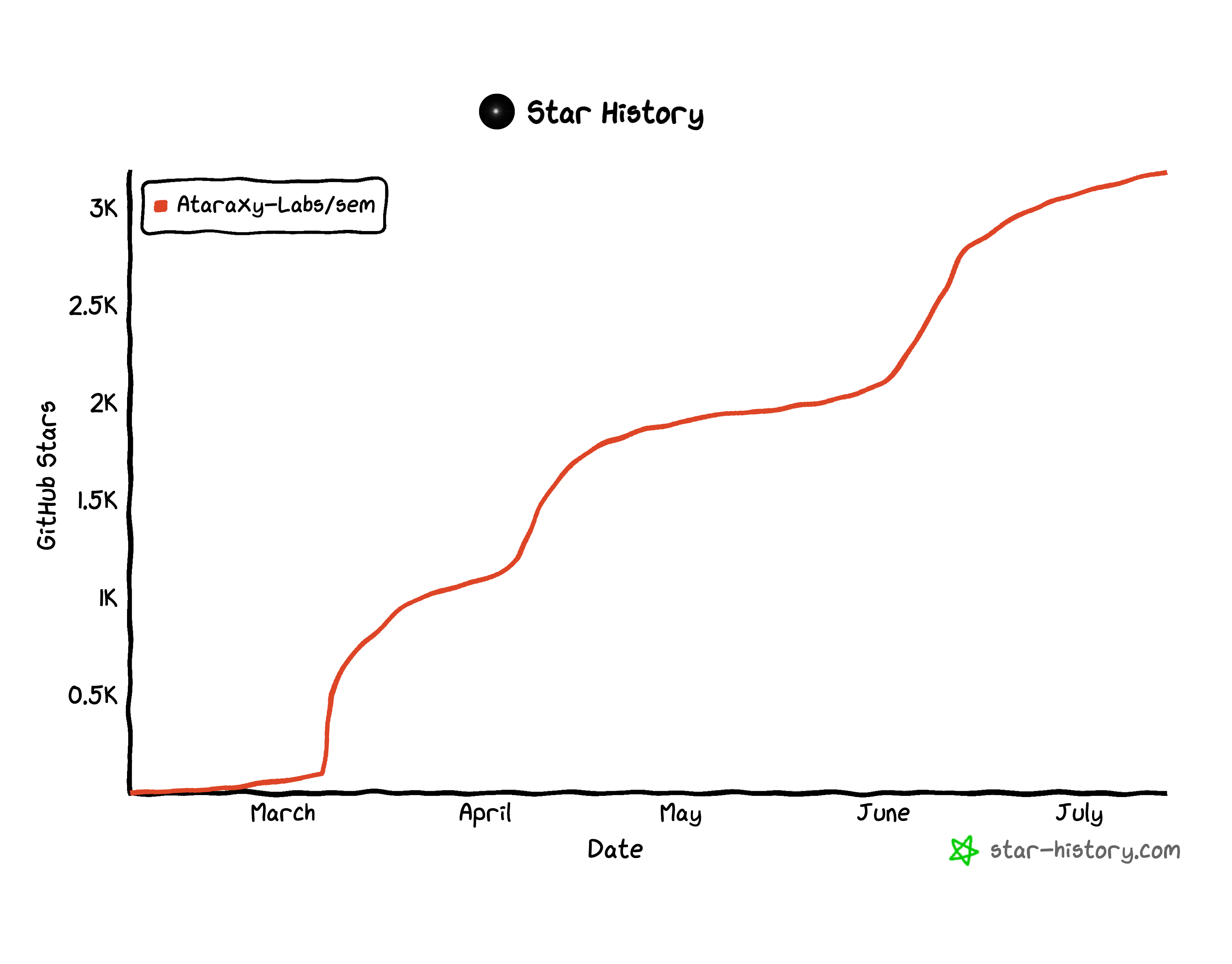
Star History
License
MIT OR Apache-2.0
Related MCP servers

AI fashion design — product photos, videos, tech packs, colorways & fabric sims.
View repository →
Contextual blast-radius scoring for shell commands an AI agent is about to run

Atlas
Atlas is a YAML-defined semantic layer for analytics — authored by humans, consumed by AI agents.

AtlaSent MCP Server
Atlasent for AI agents: with an API key, actions wait for approval with signed proof. No key: demo.

Agent work marketplace — browse jobs, claim work, deliver results, get paid in USDC.
View repository →184 MCP tools for field-service CRM, scheduling and double-entry accounting. Hosted; BYO agent.