Three.js DevTools MCP MCP Server
io.github.DmitriyGolub/threejs-devtools
Inspect and edit Three.js scenes, materials, shaders, and lights in real time from AI agents.
What is the Three.js DevTools MCP MCP server?
The Three.js DevTools MCP server is an MCP server that provides 59 tools for inspecting and modifying Three.js scenes in real time, including objects, materials, shaders, textures, animations, and performance monitoring. It works with vanilla Three.js, React Three Fiber, and any framework without requiring project changes, using a WebSocket bridge to communicate between the AI agent and your running Three.js application.
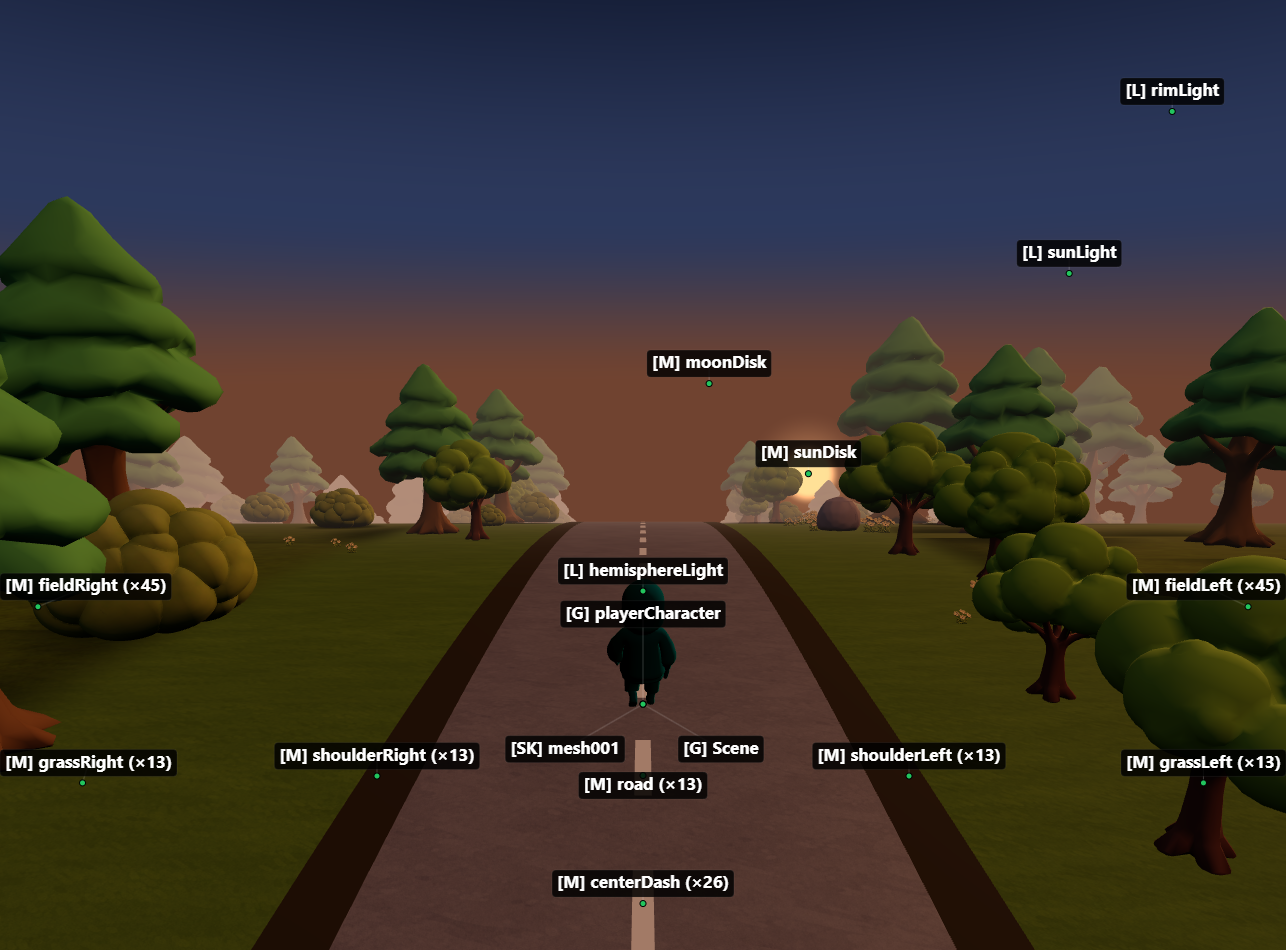
This server lets you interact with Three.js scenes directly from Claude, Cursor, or other AI agents. You can inspect the scene tree, modify materials and objects, check performance metrics, diagnose memory issues, and generate code—all without touching your project files. A built-in browser overlay provides live stats and an interactive scene graph.
How to install Three.js DevTools MCP
Copy-paste configuration for popular MCP clients.
DEV_PORTDev server port to proxy (auto-detected from package.json if not set)
BRIDGE_PORTBridge proxy port (default: 9222)
BROWSERSet to 'none' to disable auto-opening browser
HEADLESSSet to 'true' for headless browser mode (CI)
CHROME_PATHCustom Chrome/Edge executable path
Tools & capabilities
Tools this server exposes to the agent.
Scene inspection— View and navigate the Three.js scene tree, inspect object properties, materials, and hierarchiesMaterial editing— Modify material properties, colors, textures, and shaders in real timeShader inspection and editing— View and edit vertex and fragment shadersTexture management— Inspect and manage textures applied to objectsAnimation control— Inspect and control animations and keyframe dataPerformance monitoring— Check FPS, render time, and other performance metricsMemory diagnostics— Detect memory leaks and monitor memory usageCode generation— Generate React components from loaded modelsOverlay toggle— Activate/deactivate the built-in devtools panel with live stats and scene graph
Use cases
- Debug why 3D models or objects are invisible or not rendering correctly
- Modify material colors, textures, and properties on live scenes without restarting
- Monitor frame rate and performance metrics to identify bottlenecks
- Detect and diagnose memory leaks in Three.js applications
- Generate React Three Fiber components from loaded 3D models
Three.js DevTools MCP MCP server FAQ
It's an MCP server that connects your AI agent to a running Three.js application, exposing 59 tools to inspect and modify scenes, materials, shaders, textures, animations, and performance in real time.
Yes, it's open source under the MIT license and available on npm.
Add to `.cursor/mcp.json`: {"mcpServers": {"threejs-devtools-mcp": {"command": "npx", "args": ["-y", "threejs-devtools-mcp"]}}}. Alternatively, use the HTTP transport—see the Cursor setup guide in the docs.
Add to `claude_desktop_config.json`: {"mcpServers": {"threejs-devtools-mcp": {"command": "npx", "args": ["-y", "threejs-devtools-mcp"]}}}
No, it auto-detects your dev server port and injects a WebSocket bridge into your browser. Keep the browser tab open for the tools to work.
Yes, it works with vanilla Three.js, React Three Fiber, and any framework. No project changes needed.
README (reference)
Source of truth, from the repository.
threejs-devtools-mcp


MCP server for inspecting and modifying Three.js scenes in real time — 59 tools for objects, materials, shaders, textures, animations, performance monitoring, memory diagnostics, and code generation.
Zero changes to your project. Works with vanilla Three.js, React Three Fiber, and any framework.
Setup
1. Add the MCP server
<details open> <summary><strong>Claude Code</strong></summary>claude mcp add threejs-devtools-mcp -- npx threejs-devtools-mcp
Add to claude_desktop_config.json:
{
  "mcpServers": {
    "threejs-devtools-mcp": {
      "command": "npx",
      "args": ["-y", "threejs-devtools-mcp"]
    }
  }
}
Add to .cursor/mcp.json in your project:
{
  "mcpServers": {
    "threejs-devtools-mcp": {
      "command": "npx",
      "args": ["-y", "threejs-devtools-mcp"]
    }
  }
}
Or use the HTTP transport — see Cursor setup guide.
</details> <details> <summary><strong>Windsurf</strong></summary>Add to ~/.codeium/windsurf/mcp_config.json:
{
  "mcpServers": {
    "threejs-devtools-mcp": {
      "command": "npx",
      "args": ["-y", "threejs-devtools-mcp"]
    }
  }
}
Add to .vscode/mcp.json:
{
  "servers": {
    "threejs-devtools-mcp": {
      "command": "npx",
      "args": ["-y", "threejs-devtools-mcp"]
    }
  }
}
Add to opencode.json in your project:
{
  "$schema": "https://opencode.ai/config.json",
  "mcp": {
    "threejs-devtools-mcp": {
      "type": "local",
      "command": ["npx", "-y", "threejs-devtools-mcp"],
      "enabled": true
    }
  }
}
2. Start your dev server and open the browser
Start your Three.js dev server as usual (npm run dev). The MCP server auto-detects the port from package.json and opens a browser at localhost:9222 with the devtools bridge injected.
Keep the browser tab open. The MCP server talks to your scene through a WebSocket bridge. Close the tab = tools stop working.
3. Ask the AI about your scene
"show me the scene tree"
"why is my model invisible?"
"make the car red"
"check for memory leaks"
"what's my FPS?"
"generate a React component from character.glb"
In-browser overlay
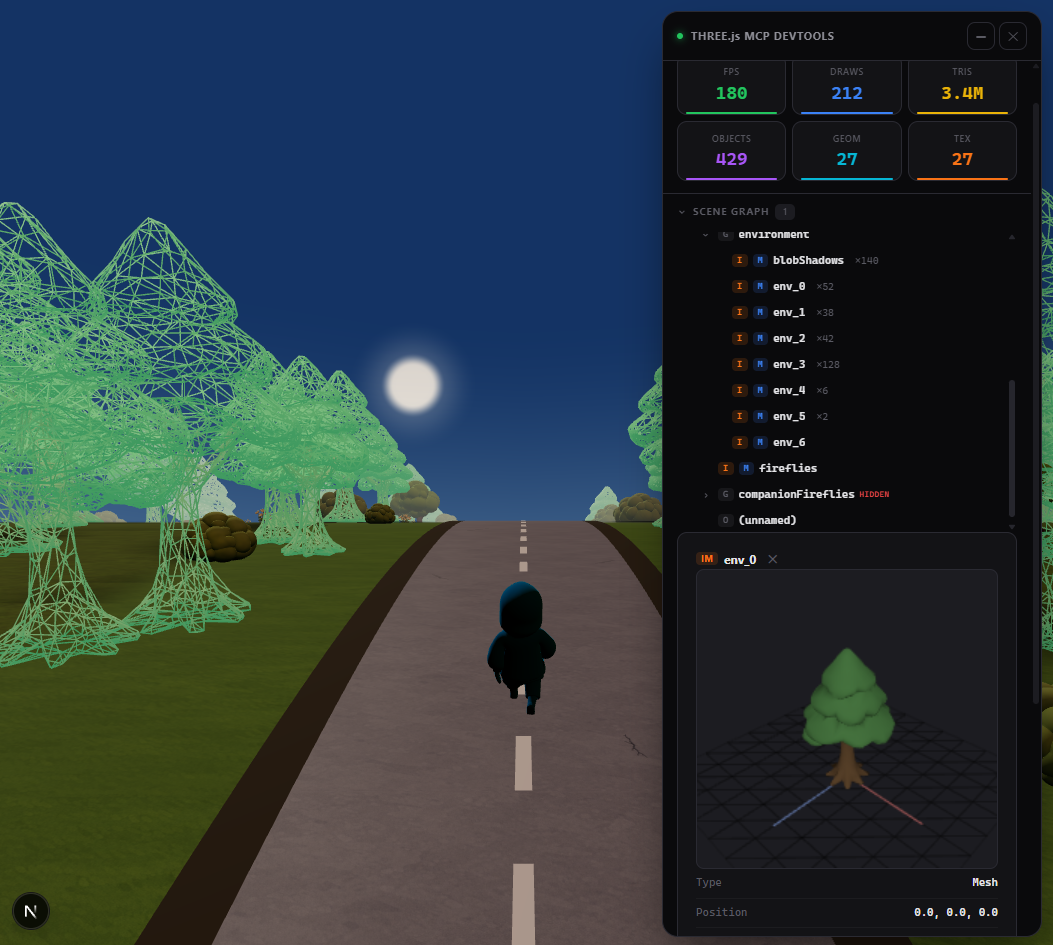
A built-in devtools panel with live performance stats, interactive scene graph, material editor, and 3D object preview. Activated automatically or via the toggle_overlay tool.
Tip: name your objects
Unnamed objects show as (unnamed) in the scene tree. Named objects are easier to find and modify:
// Three.js
mesh.name = "player";
// React Three Fiber
<mesh name="player" geometry={geometry} material={material} />
Documentation
- Tools reference — all 59 tools with parameters
- Advanced setup — animations, scene export, configuration, transports
- Cursor setup — step-by-step guide for Cursor
- Token-efficient workflow — best practices for saving context
License
MIT
Related MCP servers
Job application tracker for developers - AI agents write over MCP, you review in a dashboard.

io.github.Doc-API-LLC/docapi
Generate PDFs, screenshots, and documents via any MCP-compatible AI agent.

DECIMER MCP Server
MCP server for DECIMER image-to-SMILES chemical structure recognition

DocSlicer
Answer questions from documents too large to fit in context, reading only the sections you need.

io.github.Docat0209/graphql
Turn any GraphQL API into MCP tools. Zero config, zero code.
io.github.Docat0209/openapi
Turn any OpenAPI/Swagger spec into MCP tools. Zero config, zero code.