io.github.Intina47/context-sync MCP Server
io.github.Intina47/context-sync
Local-first persistent memory for AI coding tools—sync context across Claude, Cursor, VS Code, and more.
What is the io.github.Intina47/context-sync MCP server?
Context Sync is an MCP server that provides persistent project memory for AI coding agents. It stores and retrieves project identity, tech stack, active work, decisions, and codebase structure across sessions, enabling continuity without relying on model memory alone.
Context Sync solves session continuity by maintaining a local-first memory layer for your codebase. Instead of re-explaining your project each session, it stores project context, decisions, and constraints, then makes them retrievable through MCP tools. It works across Claude Desktop, Cursor, VS Code, Continue, Zed, Windsurf, and other AI tools, with optional read-only Notion integration and git-aware context capture.
How to install io.github.Intina47/context-sync
Copy-paste configuration for popular MCP clients.
Tools & capabilities
Tools this server exposes to the agent.
set_project— Initialize project context with absolute path; installs git hooks for automatic context capture if in a git repositoryremember— Store persistent context about project decisions, constraints, and caveats for future sessionsrecall— Retrieve previously stored project context and memoriesread_file— Read and inspect specific files in the projectsearch— Search across project files and contextstructure— Explore project structure with configurable depthgit— Git-aware tools including status, context, hotspots, coupling, blame, and analysisnotion— Optional read-only Notion integration for searching and reading pages
Use cases
- Start each coding session by recalling project context and structure instead of re-explaining your codebase
- Store architectural decisions and constraints that persist across multiple AI conversations
- Explore project structure and search files through AI agents without manual context switching
- Automatically capture git context (commits, branches, hotspots) for better code understanding
- Integrate project documentation from Notion as read-only reference material for AI agents
io.github.Intina47/context-sync MCP server FAQ
Context Sync is an MCP server that provides persistent, local-first memory for AI coding tools. It stores project identity, tech stack, decisions, and codebase structure, making them retrievable across sessions and AI tool switches.
Yes, Context Sync is open-source and free to use. It stores data locally on your machine.
Install globally via npm: `npm install -g @context-sync/server`. Auto-configuration runs during install. After install, restart your AI tool and verify that context-sync appears in your MCP tool list.
No authentication is required for core features. Notion integration is optional and requires setup via `context-sync-setup` if you want read-only Notion lookup.
Data is stored locally by default at `~/.context-sync/data.db`. You can customize the database path via CLI flag `--db-path` or environment variable `CONTEXT_SYNC_DB_PATH`.
Context Sync works with Claude Desktop, Cursor, VS Code + GitHub Copilot, Continue.dev, Zed, Windsurf, Codeium, TabNine, Codex CLI, Claude Code, and Antigravity.
README (reference)
Source of truth, from the repository.
Context Sync
Local-first project memory for AI coding tools over MCP.
Context Sync gives an agent a persistent memory layer for a codebase:
- project identity and tech stack
- active work, decisions, constraints, and caveats
- structured file exploration
- git-aware context
- optional read-only Notion lookup
What It Does
Context Sync is built for session continuity. Instead of relying on a model to remember earlier conversations, it stores the project context that matters and makes it retrievable through a small MCP tool surface.
The current core tools are:
set_projectrememberrecallread_filesearchstructuregitnotion
Install
Install globally:
npm install -g @context-sync/server
Auto-configuration runs during global install. After install, restart your AI tool.
If you install locally instead of globally, auto-config does not run. Use the manual config guide in docs/CONFIG.md.
Verify
Check that context-sync appears in your MCP tool list:
- Claude Desktop: open the tools list
- Cursor: open the tools list
- VS Code / Copilot Chat Agent mode: check tools
- Continue.dev: open the Continue panel
- Codex CLI:
codex mcp list - Claude Code:
claude mcp list
If auto-config fails, use docs/TROUBLESHOOTING.md and docs/CONFIG.md.
Optional Notion Setup
Run the setup wizard if you want Notion integration:
context-sync-setup
or:
npx context-sync-setup
Notion support is intentionally read-only at the tool surface:
notion({ action: "search", query: "..." })notion({ action: "read", pageId: "..." })
First-Time Workflow
Start every new session by setting the project first:
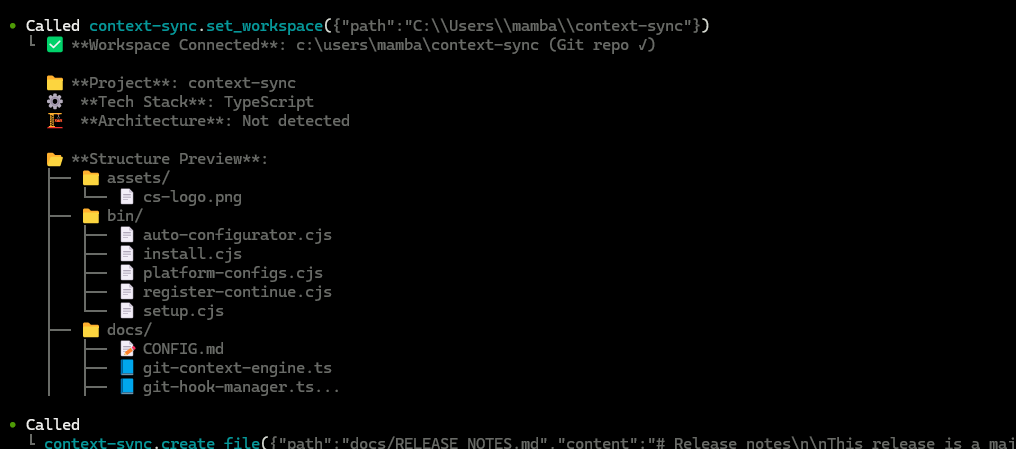
1. set_project({ path: "/absolute/path/to/project" })
2. recall()
3. structure({ depth: 2 })
4. read_file({ path: "src/index.ts" })
5. remember({ type: "decision", content: "Use SQLite for local storage" })
Recommended pattern:
set_projectonce per project/session startrecallto recover contextstructureandsearchto exploreread_filefor focused inspectionrememberwhen something should survive the current session
Git Integration
When you run set_project inside a git repository, Context Sync can install hooks for automatic context capture.
Installed hooks:
post-commitpre-pushpost-mergepost-checkout
Hooks are marked with Context Sync Auto-Hook, and existing hooks are backed up first.
The git tool supports:
statuscontexthotspotscouplingblameanalysis
Data And Config
Default locations:
- Database:
~/.context-sync/data.db - Config:
~/.context-sync/config.json - Install status:
~/.context-sync/install-status.json
Custom database options:
- CLI:
context-sync --db-path /absolute/path/to/db - Env var:
CONTEXT_SYNC_DB_PATH
See docs/DATA.md for storage details.
Supported Platforms
- Claude Desktop
- Cursor
- VS Code + GitHub Copilot
- Continue.dev
- Zed
- Windsurf
- Codeium
- TabNine
- Codex CLI
- Claude Code
- Antigravity
Docs
Related MCP servers

Lemon Squeezy SDK as MCP server. Give your AI assistant access to payment and subscription data.

Persome
Local-first personal memory and model server for trusted MCP agents on macOS.
Verifiable US tax oracle for AI agents: cited, machine-checkable federal and state tax computation
Forensic FX audit. Detects hidden bank markups in real time. Returns spread bps + audit score 1-10.

Run synthetic research studies from any MCP client. 25+ SKUs + cross-study insights.

Stellaroid Earn
Read-only MCP server: verify credentials and browse escrows on the Stellar testnet contract.