Wayfinder MCP Server
io.github.WBXWHT/wayfinder
Visual history of AI collaboration—see how your coding, research, and design projects evolved with AI.
What is the Wayfinder MCP server?
Wayfinder is a local-first desktop app that creates a visual map of AI collaboration work, showing goals, branches, failures, and decisions across coding, research, writing, and design projects. It connects conversations and file changes from AI tools like Codex and Claude Code into a reviewable project history, without requiring accounts or cloud sync.
Wayfinder turns fragmented AI tool sessions into a unified voyage map showing how a project actually evolved. Instead of losing context across separate chats, you see alternative attempts, failed branches, validation steps, and the decisions that shaped your work. It's designed for anyone collaborating with AI on coding, research, writing, or design—keeping the full path reviewable and connected.
How to install Wayfinder
Copy-paste configuration for popular MCP clients.
Tools & capabilities
Tools this server exposes to the agent.
Codex session history collector— Collects and normalizes session history from Codex AI tool sessionsClaude Code session history collector— Collects and normalizes session history from Claude Code sessionsVoyage grouping and branching— Groups related sessions into project-level voyages and visualizes branches and failed attemptsFile-change replay— Replays real file changes from source sessions when edits are recordedSource-linked details— Links conversations, tool activity, files, and validation back to their original sources
Use cases
- Review how a coding project evolved across multiple AI sessions, including failed approaches and pivots
- Visualize research or writing work as a branching tree showing which evidence or arguments changed direction
- Track design iterations with AI, seeing which feedback led to successful outcomes
- Understand decision points in a project by seeing when and why you switched approaches
- Replay file changes to see exactly what the AI produced at each step of development
Wayfinder MCP server FAQ
Wayfinder is a local desktop app that creates a visual map of your AI collaboration work, showing how projects evolved across conversations, branches, and file changes—without requiring accounts or cloud sync.
Yes, Wayfinder is free and open-source. It is currently in early access.
Wayfinder currently collects session history from Codex and Claude Code. Support for additional tools may be added in the future.
All data is stored locally on your machine under ~/.wayfinder. There is no cloud sync, analytics, or telemetry.
Download the installer for your platform (macOS or Windows) from GitHub Releases and run it. No account or setup is required—open the app and start working normally with your AI tools.
Yes. Wayfinder is local-first with no cloud services, accounts, or telemetry. Read PRIVACY.md for details on how it handles confidential projects.
README (reference)
Source of truth, from the repository.
Wayfinder
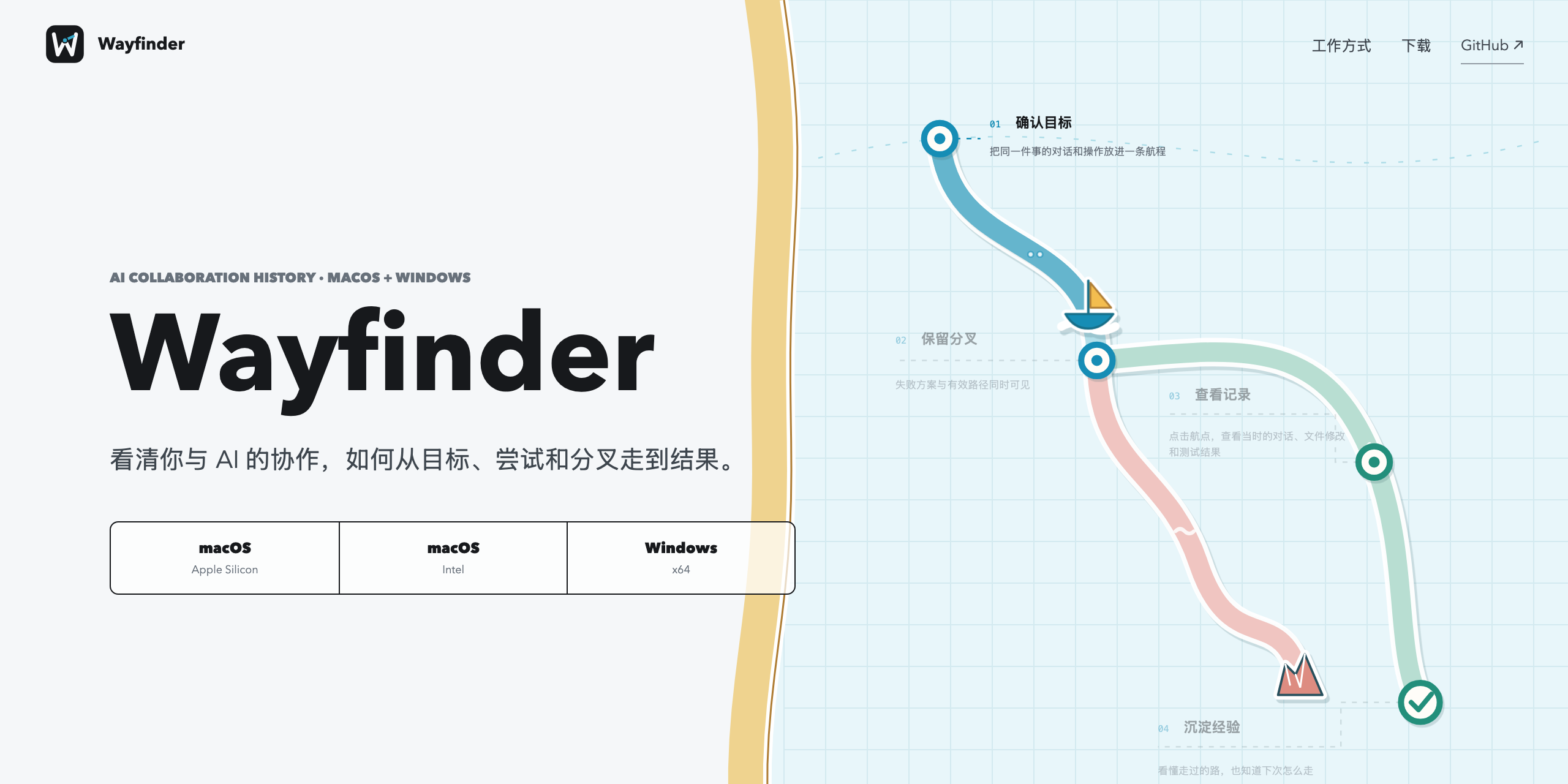
See how your work with AI actually evolved.
Wayfinder is a local-first desktop app that turns work with AI into a visual history of how a project reached its result. Goals, alternative attempts, failures, decisions, validation, and artifacts stay connected instead of disappearing into separate chats.
Wayfinder is designed for AI collaboration across coding, research, writing, design, and other project work. The current early-access collectors support Codex and Claude Code.


Download Wayfinder · Website · Get started · AI collaboration history · Integrations · Updates · Security · Privacy · Report an issue
No account. No telemetry. No cloud sync.
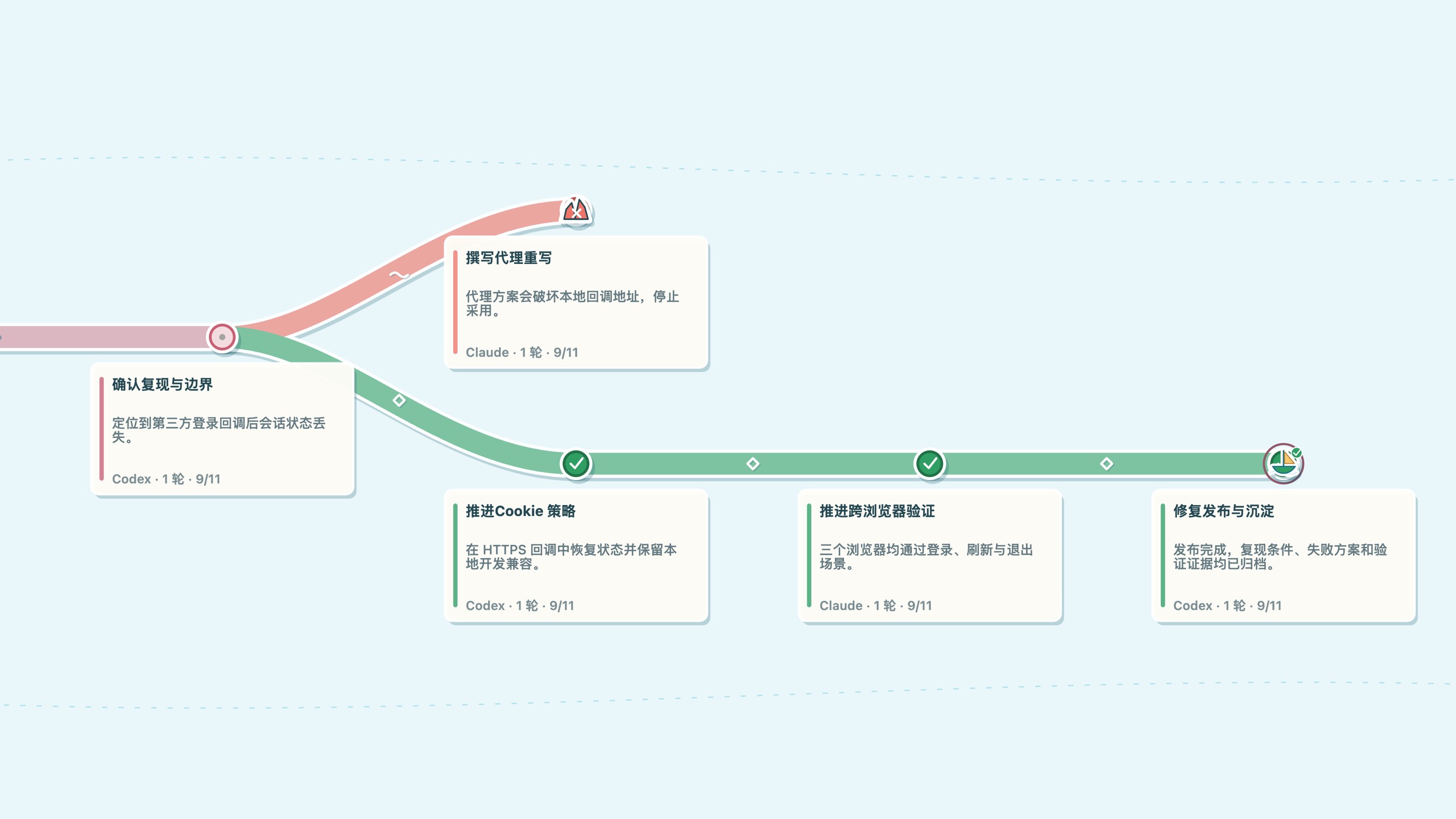
Why Wayfinder
AI tools are good at producing the next answer. They are less useful at showing why one approach worked, why another failed, or which evidence changed the direction of a project.
Wayfinder keeps that path reviewable:
- One project map across AI tools.
- Separate voyages for unrelated goals in the same workspace.
- Visible branches and failures instead of a cleaned-up success story.
- Real file-change replay when the source session contains an edit.
- Source-linked details for conversations, tool activity, files, and validation.
How It Works
- Install and open the desktop app.
- Keep working normally with your AI tools.
- Return to Wayfinder to review how the project evolved.
Related sessions are grouped locally. Every recorded turn retains its original source, and Wayfinder does not invent missing history or historical diffs.
Current collector details:
Downloads
Wayfinder early access is available for:
| Platform | Build | Download |
|---|---|---|
| macOS | Apple Silicon | DMG |
| macOS | Intel | DMG |
| Windows | x64 | EXE |
Download the latest installers and checksums from GitHub Releases. The current early-access builds are not store-signed; read the install guide before first launch.
Local By Default
Wayfinder stores normalized history, collection cursors, and project maps under
~/.wayfinder. There is no Wayfinder account, analytics service, advertising,
cloud sync, or cloud analysis in the current build.
Read PRIVACY.md before using confidential projects.
Current Scope
- Standalone desktop application for macOS and Windows.
- AI collaboration model spanning conversations, research, writing, design, coding, and other project work.
- Current public early-access collection from Codex and Claude Code.
- Project-level voyage grouping, branches, source details, and file-change replay.
- Early access: data formats and grouping behavior may continue to evolve.
Historical plugins, MCP bundles, IDE extensions, package-manager taps, and standalone CLI artifacts are not current product surfaces.
Development
npm ci
npm run check
npm run companion:prepare
npm run companion:build
The test suite covers collection, voyage grouping, the desktop renderer, trackpad pan and zoom, detail inspection, and narrow-screen behavior.
Read CONTRIBUTING.md before opening a pull request. Public copy and screenshot rules live in docs/PUBLIC-PRESENTATION.md.
Related MCP servers

Deterministic axe-core accessibility scans (WCAG 2.1 AA, EN 301 549, PDF/UA) via your account.

WinstonRedGuard monorepo bridge for MCP agents: governance, pipelines, memory, OSINT tools.
View repository →
Abnormal Security
MCP server for Abnormal Security — AI-powered email threat detection, cases, and remediation.
Action1
Action1 MCP server — endpoint inventory, patch visibility, and policy automation via REST API.
Alloy Navigator
MCP server for Alloy Navigator's REST API - IT asset management and ITSM data for MSPs.