io.github.formulahendry/code-runner MCP Server
io.github.formulahendry/code-runner
Run code snippets in 40+ programming languages directly from Claude or Cursor.
What is the io.github.formulahendry/code-runner MCP server?
The Code Runner MCP Server is an MCP server that executes code snippets in multiple programming languages including JavaScript, Python, Ruby, Go, PHP, and 35+ others, returning the execution results. It enables AI agents to run and test code directly within conversations.
This server lets Claude and Cursor execute code in dozens of languages and show results instantly. Use it to run quick scripts, verify code logic, check system information, or test algorithms without leaving your chat interface. Requires the relevant language interpreters/compilers installed on your system.
How to install io.github.formulahendry/code-runner
Copy-paste configuration for popular MCP clients.
Tools & capabilities
Tools this server exposes to the agent.
run-code— Execute code snippets in supported programming languages and return the output
Use cases
- Run JavaScript, Python, or other code snippets to verify logic or test algorithms
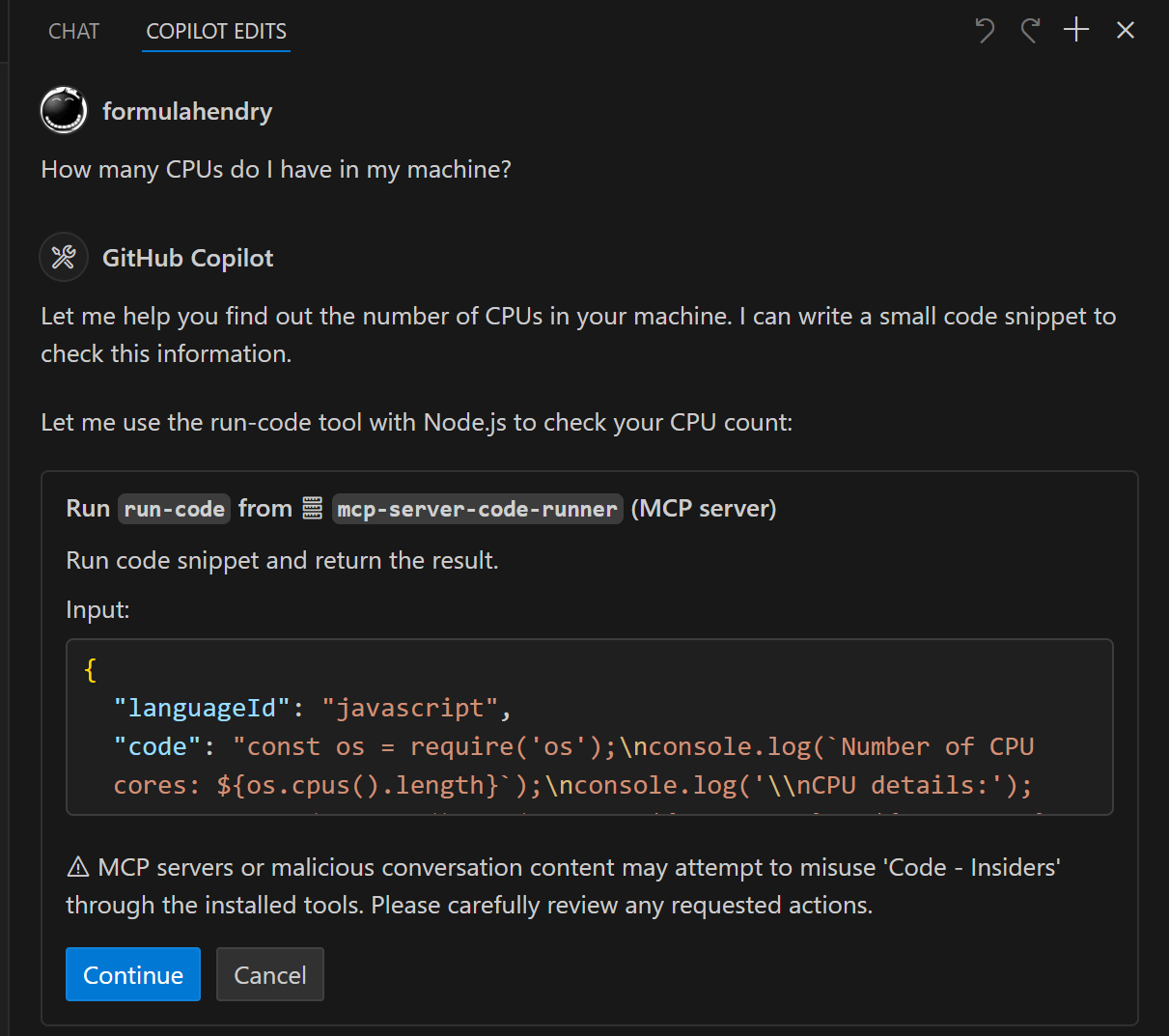
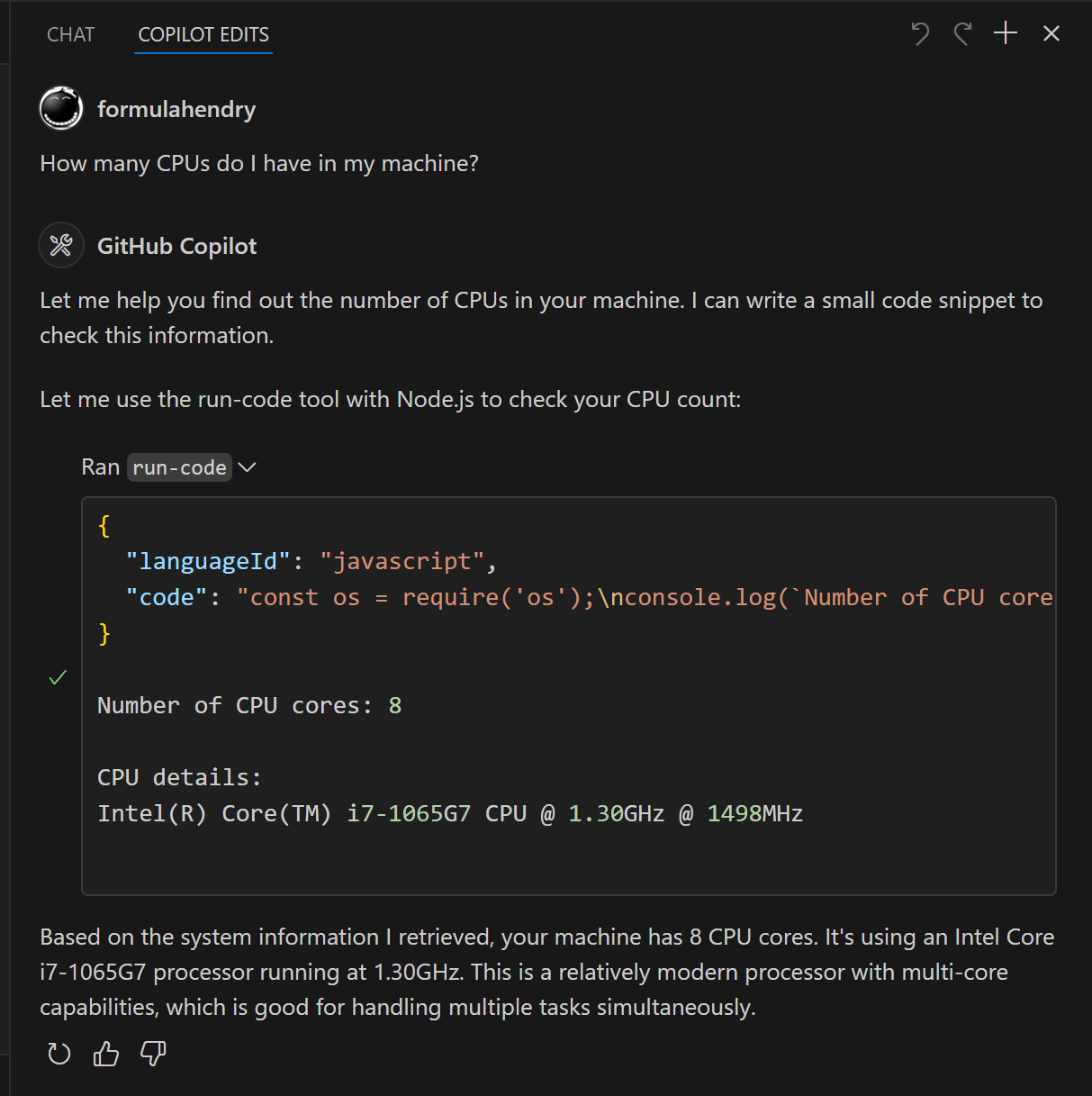
- Check system information like CPU count or temporary folder location
- Execute quick scripts to solve problems or perform calculations
- Test code in multiple languages without switching tools
- Validate syntax or behavior of code before deployment
io.github.formulahendry/code-runner MCP server FAQ
It's an MCP server that executes code snippets in 40+ programming languages (JavaScript, Python, Ruby, Go, PHP, Perl, Lua, Scala, Swift, Julia, Kotlin, Dart, Haskell, and many more) and returns the results.
Use the one-click install buttons in the README, or manually add the configuration to settings.json with the command 'npx' and args ['-y', 'mcp-server-code-runner@latest'].
Add the server configuration to claude_desktop_config.json with the npx command and the same arguments, or use the Docker image instead.
No, it's free and open-source. You only need the relevant language interpreters/compilers installed on your system.
The interpreter or compiler for that language must be installed and available in your system's PATH environment variable.
Yes, but if npx fails to connect on Windows, you can use bunx (after installing Bun) or wrap the command with cmd /c as a workaround.
README (reference)
Source of truth, from the repository.
Code Runner MCP Server


MCP Server for running code snippet and show the result.
It supports running multiple programming languages: JavaScript, PHP, Python, Perl, Perl 6, Ruby, Go, Lua, Groovy, PowerShell, BAT/CMD, BASH/SH, F# Script, C# Script, VBScript, TypeScript, CoffeeScript, Scala, Swift, Julia, Crystal, OCaml Script, R, AppleScript, Elixir, Clojure, Racket, Scheme, AutoHotkey, AutoIt, Kotlin Script, Dart, Haskell, Ni, Lisp, Kit, V, SCSS, Sass. Full list could be seen here in constants.ts.
<a href="https://glama.ai/mcp/servers/d3mluq4vy9"> <img width="380" height="200" src="https://glama.ai/mcp/servers/d3mluq4vy9/badge" alt="mcp-server-code-runner MCP server" /> </a>Setup
npx for VS Code
Install the Code Runner MCP server in VS Code using below buttons:
-VS_Code-0098FF)
-VS_Code_Insiders-24bfa5)
Alternatively, you can add configuration in settings.json:
{
  "mcp": {
    "inputs": [],
    "servers": {
      "mcp-server-code-runner": {
        "command": "npx",
        "args": [
          "-y",
          "mcp-server-code-runner@latest"
        ],
      }
    }
  }
}
npx for Claude Desktop
Configuration in claude_desktop_config.json:
{
  "mcpServers": {
    "mcp-server-code-runner": {
      "command": "npx",
      "args": [
        "-y",
        "mcp-server-code-runner@latest"
      ],
    }
  }
}
Docker
Use VS Code as example. Install the Code Runner MCP server in VS Code using below buttons:
-VS_Code-0098FF)
-VS_Code_Insiders-24bfa5)
Alternatively, you can add configuration in settings.json:
{
  "mcp": {
    "inputs": [],
    "servers": {
      "mcp-server-code-runner": {
        "command": "docker",
        "args": [
          "run",
          "--rm",
          "-i",
          "formulahendry/mcp-server-code-runner"
        ]
      }
    }
  }
}
npx issue on Widnows
On Windows, MCP servers may fail to connect with npx.
You could try below two workarounds:
use bunx
- Install Bun.
- In configuration, change
npxwithbunx.
use cmd
Below is VS Code configuration in settings.json:
{
  "mcp": {
    "inputs": [],
    "servers": {
      "mcp-server-code-runner": {
        "command": "cmd",
        "args": [
          "/c",
          "npx",
          "-y",
          "mcp-server-code-runner@latest"
        ],
      }
    }
  }
}
Run with Streamable HTTP Transport
npm install -g mcp-server-code-runner@latest
mcp-server-code-runner --transport http
Usage
Before using Code Runner MCP Server, please make sure interpreter or compiler of the programming language you want to run is set in PATH environment variable.
Try below prompts in the application which has configured Code Runner MCP Server:
Run the JavaScript Code: console.log(5+6)Where is temporary folder in my OS? Use run-code toolHow many CPUs do I have in my machine? Use run-code tool
Build your own MCP Server
Want to build your own MCP Server? Try Yeoman Generator for MCP Server to create your MCP Server project!
Related MCP servers

MCP Server for MCP Registry to discover and search for available MCP servers in the registry
Structured spec-driven development with requirements, design, and code generation workflows.

AgentiSend
Transactional email API for AI agents: verified domains, a per-sender budget, and a kill switch.
PostDashPro
Social post scheduling for AI agents: queue or draft posts to 12 connected networks.

x402 paywall layer for creator sites and agents: paid content, tips, pricing, reputation, ledger.

io.github.forum-labs/payfetch
x402 paying-fetch client for AI agents. Spending caps, approval, receipts. Non-custodial.