viznoir MCP Server
io.github.kimimgo/viznoir
Cinema-quality science visualization for AI agents — headless VTK rendering via MCP.
What is the viznoir MCP server?
The viznoir MCP server gives AI agents full access to VTK's rendering pipeline for headless visualization of scientific simulation data. It enables reading, filtering, rendering, and animating 3D data from 50+ file formats (OpenFOAM, VTK, CGNS, Exodus, STL, glTF, etc.) without a GUI or display server. The server produces publication-ready images, animations, and composite stories with physics-aware presets and cinematic lighting.
viznoir bridges AI agents and scientific visualization by exposing VTK's full rendering engine as MCP tools. Instead of manual ParaView workflows or Jupyter notebooks, your agent can inspect simulation metadata, apply filters (slice, contour, streamlines, isosurface), render high-quality images with custom colormaps and cameras, generate physics-aware animations, and compose multi-panel stories with LaTeX equations — all headless and scriptable.
How to install viznoir
Copy-paste configuration for popular MCP clients.
VIZNOIR_RENDER_BACKENDRendering backend: gpu, cpu, or auto
VIZNOIR_OUTPUT_DIROutput directory for rendered images
Tools & capabilities
Tools this server exposes to the agent.
render— Render a single frame with specified field, colormap, camera angle, and resolution.cinematic_render— High-quality render with advanced lighting, shadows, and material properties.batch_render— Render multiple frames or timesteps in parallel.volume_render— Direct volume rendering for scalar fields.slice— Extract a planar slice through the data.contour— Generate isosurface contours at specified values.clip— Clip geometry by a plane or threshold.streamlines— Compute and render particle pathlines or streamlines.pv_isosurface— Create isosurface geometry.inspect_data— Read file metadata: available fields, timesteps, bounds, and data types.inspect_physics— Analyze physics topology: vortex cores, stagnation points, shock detection.extract_stats— Compute statistics (min, max, mean, variance) over fields or regions.analyze_data— General data analysis and summary.plot_over_line— Extract and plot field values along a line.integrate_surface— Integrate scalar or vector quantities over a surface.probe_timeseries— Extract time-series data at specified points.animate— Create animation from timesteps with physics-aware presets (streamline_growth, clip_sweep, layer_reveal, iso_sweep, warp_oscillation, light_orbit, threshold_reveal).split_animate— Create split-screen or multi-panel animations.compare— Side-by-side or overlay comparison of two datasets.compose_assets— Assemble rendered frames into multi-panel stories (vertical narrative, grid, slides, or video) with optional LaTeX equations.
Use cases
- Render pressure, velocity, or temperature fields from CFD simulations with custom colormaps and cinematic lighting.
- Create physics-aware animations that bind rendering primitives to phenomena (e.g., clip-plane sweep for pressure gradients, streamline growth for advection).
- Inspect simulation metadata and extract statistics without opening ParaView or writing custom Python scripts.
- Compose publication-ready multi-panel stories with rendered frames, annotations, and LaTeX equations.
- Analyze medical imaging (CT/MRI), vascular geometry, or molecular structures with volume rendering and isosurface extraction.
viznoir MCP server FAQ
viznoir is an MCP server that exposes VTK's rendering pipeline to AI agents. It reads 50+ scientific file formats (OpenFOAM, VTK, CGNS, Exodus, STL, glTF, etc.), applies filters, renders high-quality images and animations, and exports results—all headless, no GUI required.
Yes. viznoir is open-source under the MIT license and available on PyPI.
Install via pip: `pip install viznoir` (or `pip install 'viznoir[all]'` for optional extras). Then add to your MCP config (claude_desktop_config.json or ~/.cursor/mcp.json) with command `mcp-server-viznoir` and environment variables VIZNOIR_DATA_DIR and VIZNOIR_OUTPUT_DIR pointing to your simulation data and output directories.
19 native formats (OpenFOAM, VTK, CGNS, Exodus, STL, glTF, etc.) plus 50+ via meshio (including Abaqus, Ansys, Nastran, Gmsh, and more).
No. viznoir uses headless rendering (EGL/OSMesa) and works on servers without X11 or a physical display. VTK wheels are auto-installed.
Yes. All 22 tools are importable as async functions (e.g., `from viznoir.tools.render import render_impl`). You provide a VTKRunner and await results.
README (reference)
Source of truth, from the repository.
viznoir
<!-- mcp-name: io.github.kimimgo/viznoir -->VTK is all you need. Cinema-quality science visualization for AI agents.





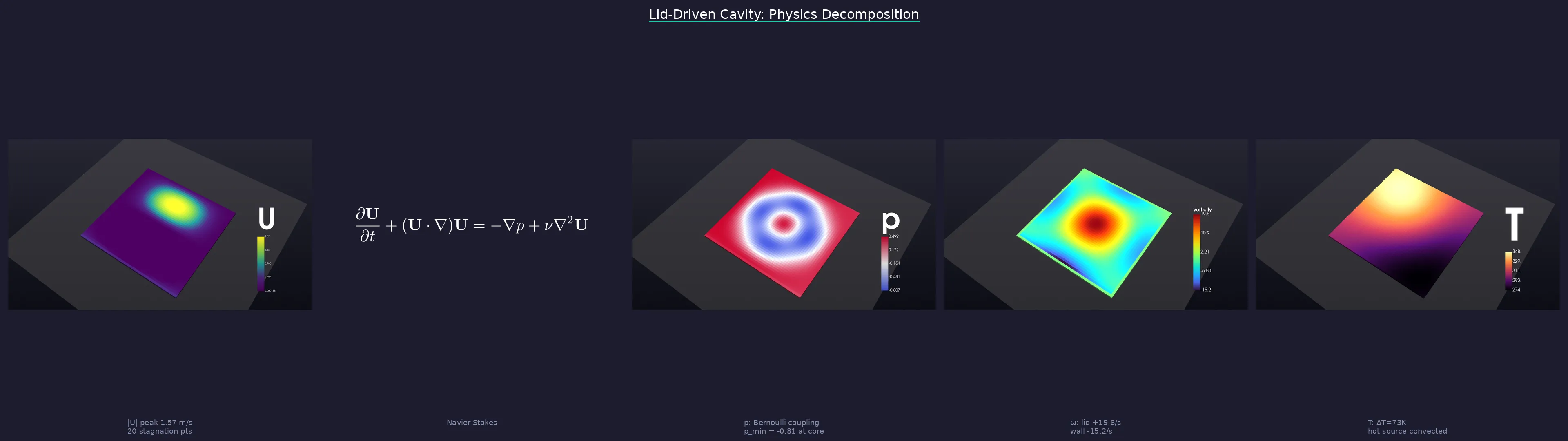
One prompt → physics analysis → cinematic renders → LaTeX equations → publication-ready story.
</div> <br>What it does
An MCP server that gives AI agents full access to VTK's rendering pipeline — no ParaView GUI, no Jupyter notebooks, no display server. Your agent reads simulation data, applies filters, renders cinema-quality images, and exports animations, all headless.
Works with: Claude Code · Cursor · Windsurf · Gemini CLI · any MCP client
Quick Start
1. Install
pip install viznoir

# With optional extras
pip install "viznoir[mesh]"       # meshio + trimesh (50+ formats)
pip install "viznoir[composite]"  # Pillow + matplotlib (split_animate)
pip install "viznoir[all]"        # everything
Requires Python ≥3.10. VTK wheel auto-installed (EGL headless rendering supported).
2. Verify
mcp-server-viznoir --help    # server entry point
python -c "import viznoir; print(viznoir.__version__)"
3. Use with an MCP client
Add to your MCP client config (claude_desktop_config.json, ~/.cursor/mcp.json, etc.):
{
  "mcpServers": {
    "viznoir": {
      "command": "mcp-server-viznoir",
      "env": {
        "VIZNOIR_DATA_DIR": "/path/to/your/simulation/data",
        "VIZNOIR_OUTPUT_DIR": "/path/to/output"
      }
    }
  }
}
Then ask your AI agent:
"Open cavity.foam, render the pressure field with cinematic lighting, then create a physics decomposition story."
4. Or use as a Python library (advanced)
All tool implementations are importable as async functions. You provide a VTKRunner and await the result:
import asyncio
from viznoir.core.runner import VTKRunner
from viznoir.tools.inspect import inspect_data_impl
from viznoir.tools.render import render_impl

async def main():
    runner = VTKRunner()

    meta = await inspect_data_impl(file_path="cavity.foam", runner=runner)
    print(meta["fields"], meta["timesteps"])

    result = await render_impl(
        file_path="cavity.foam",
        field_name="p",
        runner=runner,
        colormap="Cool to Warm",
        camera="isometric",
        width=1920, height=1080,
        output_filename="pressure.png",
    )
    print(result.file_path)

asyncio.run(main())
See docs for the full tool reference.
Capabilities
| Category | Tools |
|---|---|
| Rendering | render · cinematic_render · batch_render · volume_render |
| Filters | slice · contour · clip · streamlines · pv_isosurface |
| Analysis | inspect_data · inspect_physics · extract_stats · analyze_data |
| Probing | plot_over_line · integrate_surface · probe_timeseries |
| Animation | animate · split_animate |
| Comparison | compare · compose_assets |
| Export | preview_3d · execute_pipeline |
22 tools · 12 resources · 4 prompts · 50+ file formats (OpenFOAM, VTK, CGNS, Exodus, STL, glTF, …)
Showcase — 10 Domains, One Pipeline
Every frame below is a single MCP tool call. No GUI, no post-processing, no ParaView. Annotations are rendered inside the 3D scene via VTK-native text actors and leader lines — no Photoshop, no matplotlib overlay.
<div align="center">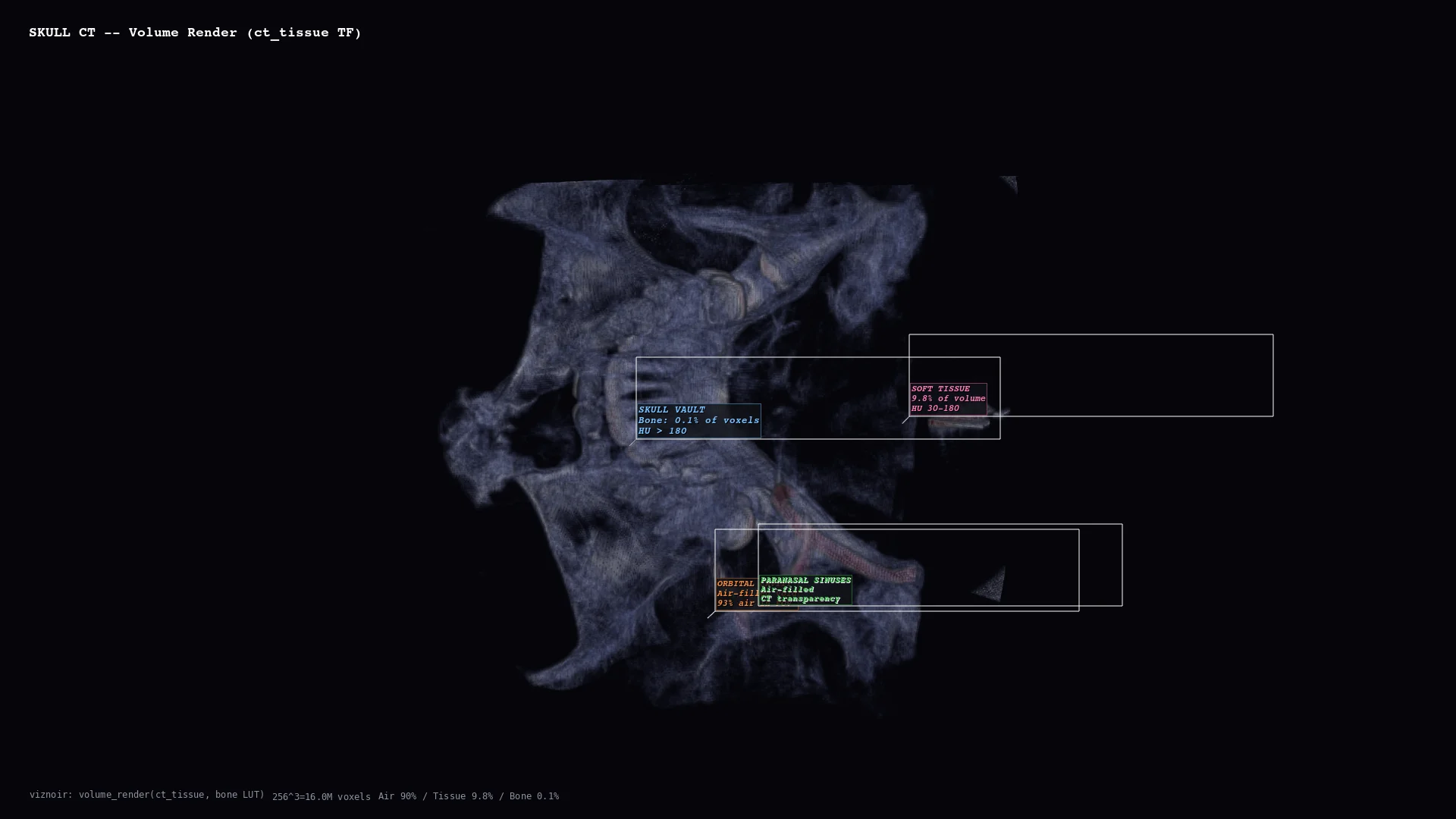 | 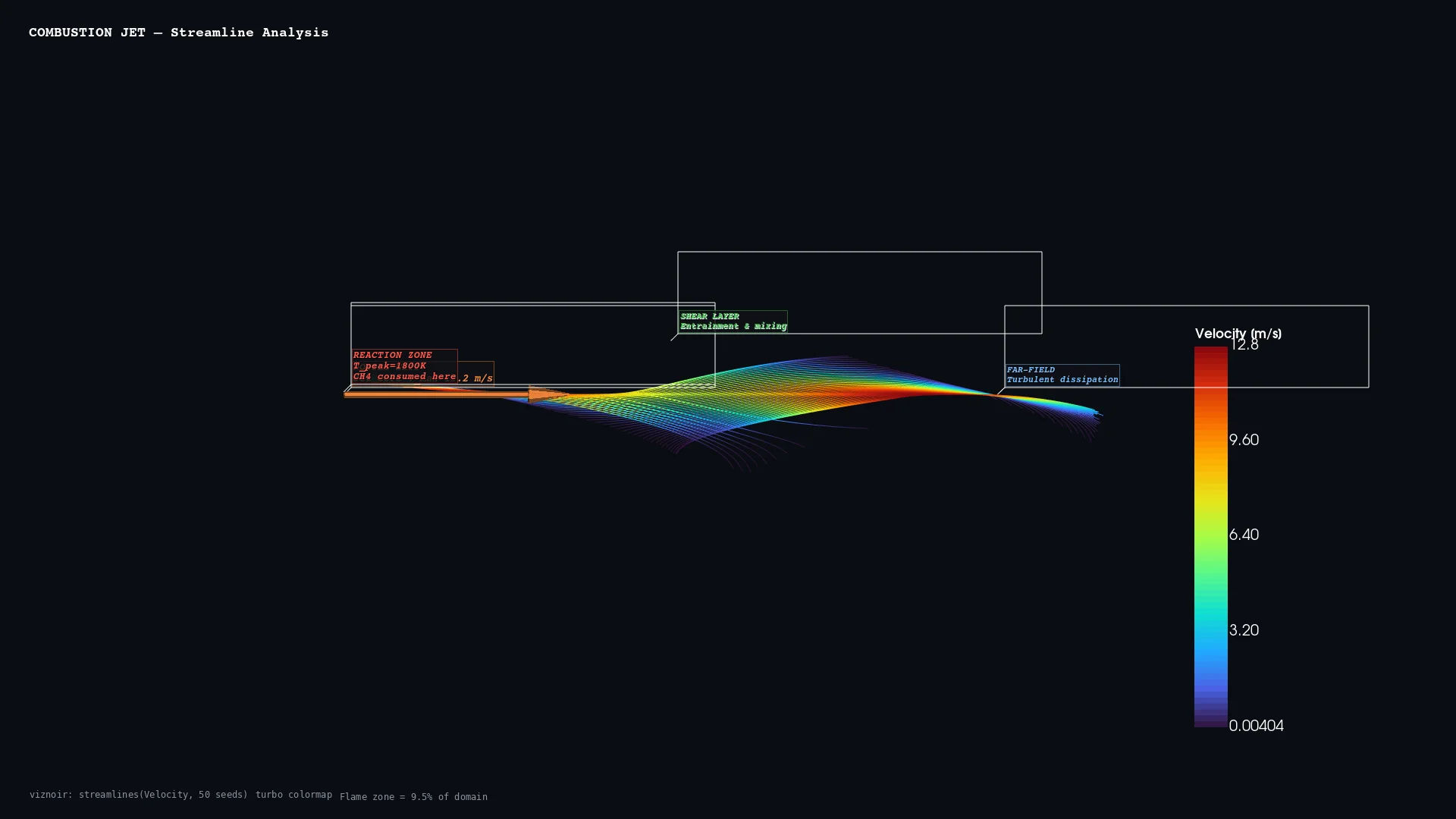 | 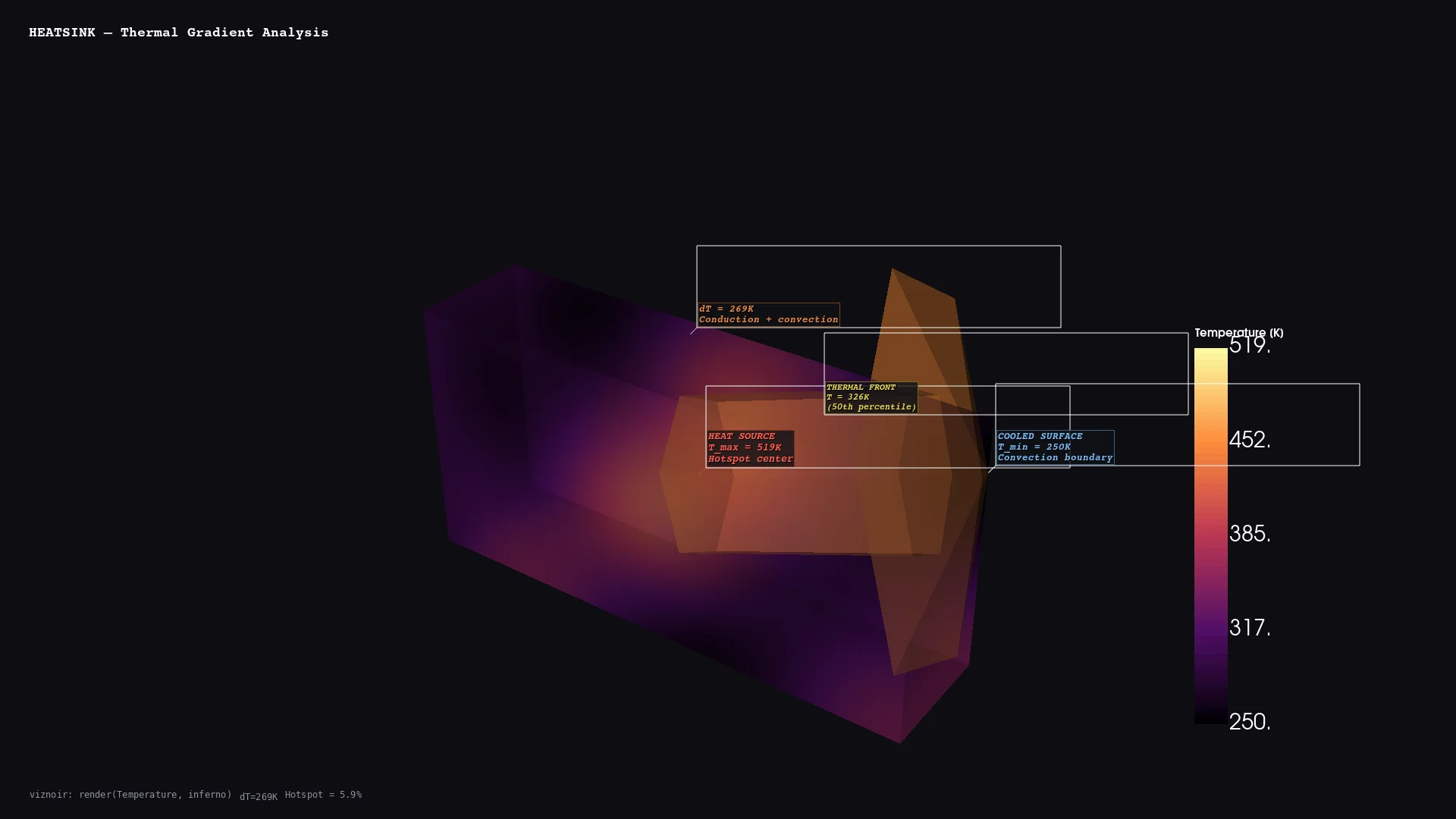 | 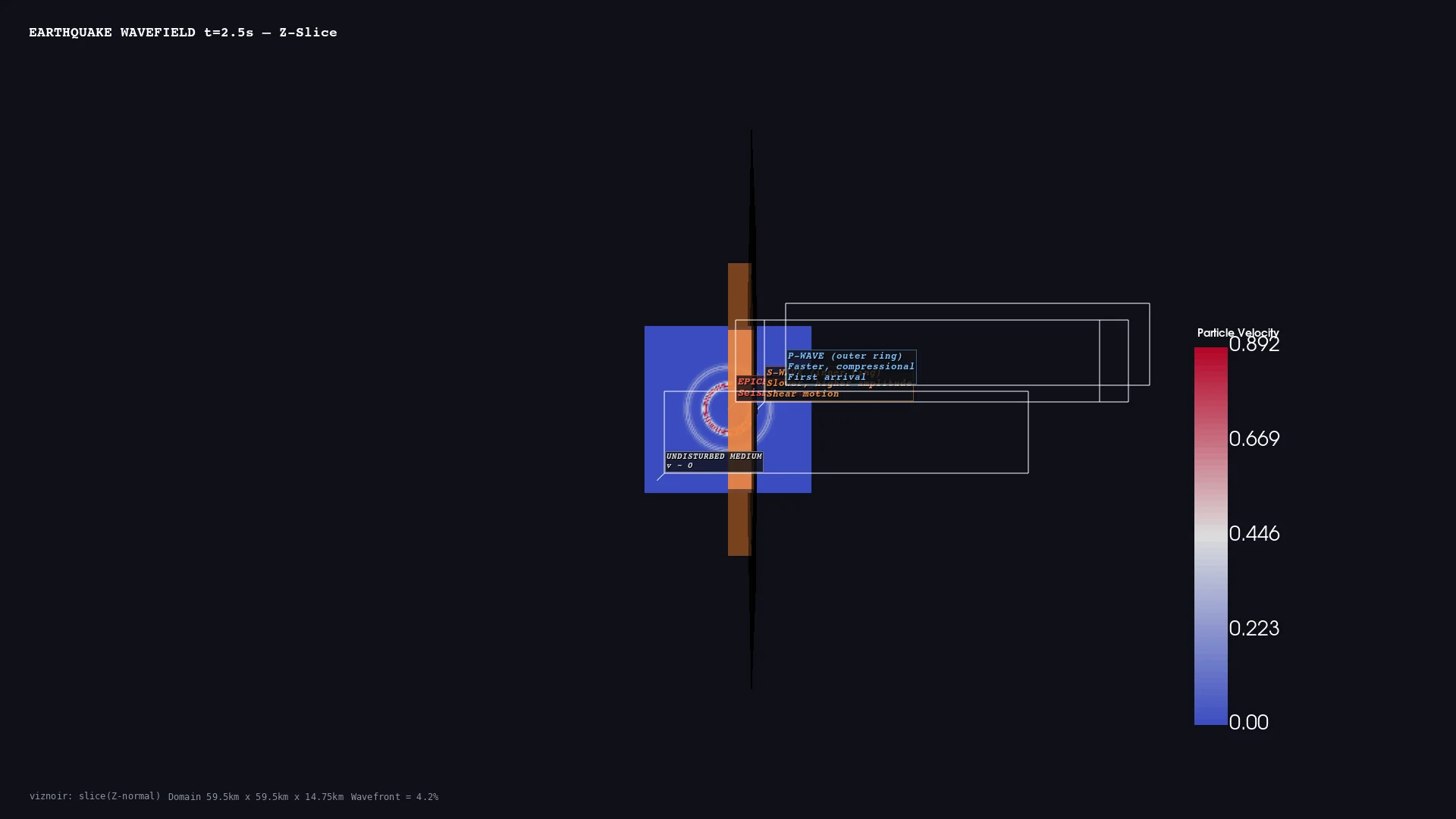 | 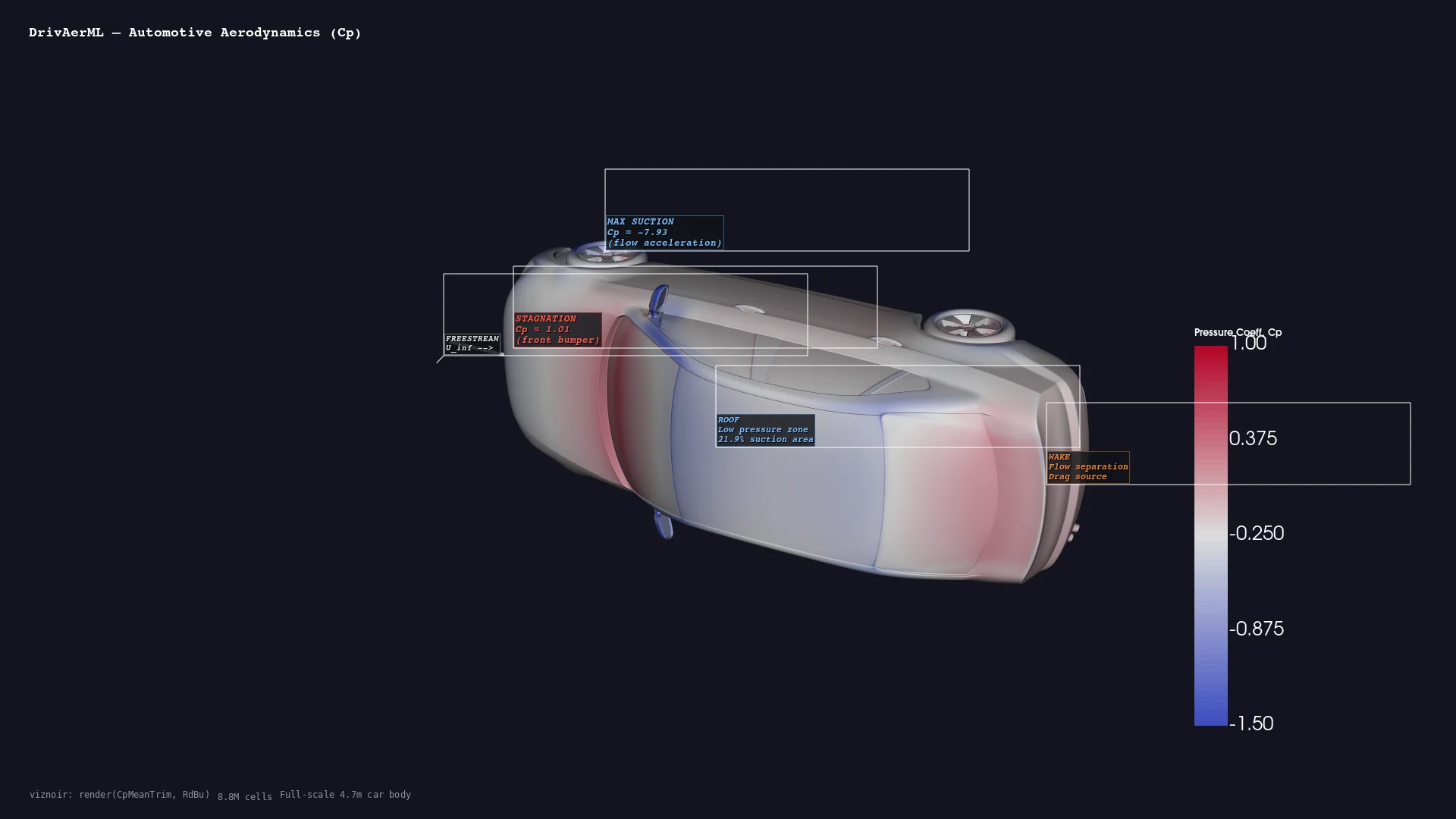 |
| Medical <br/> CT skull volume | CFD <br/> Combustion streamlines | Thermal <br/> Heatsink gradient | Geoscience <br/> Seismic wavefield | Automotive <br/> DrivAerML · 8.8M cells |
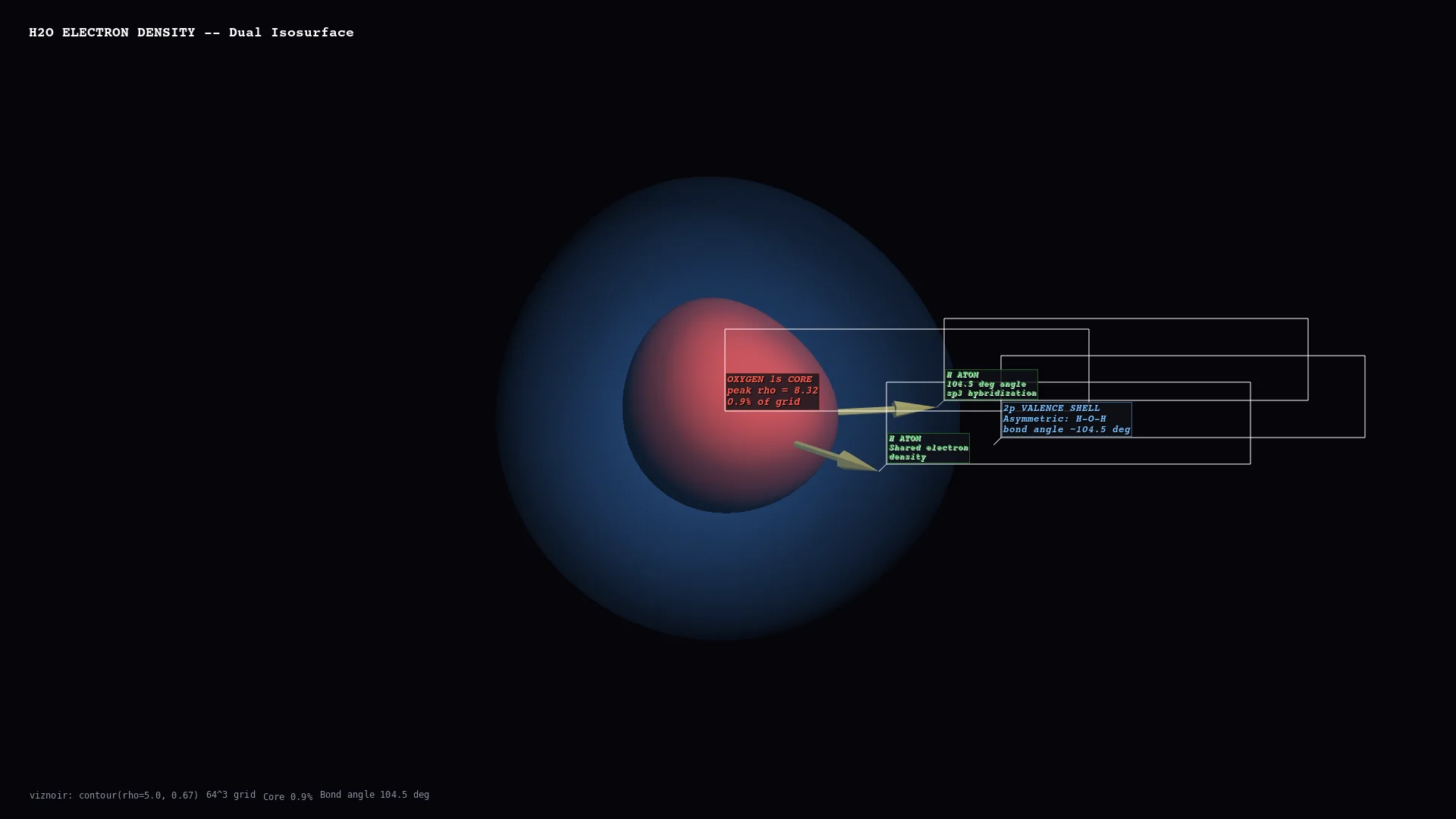 | 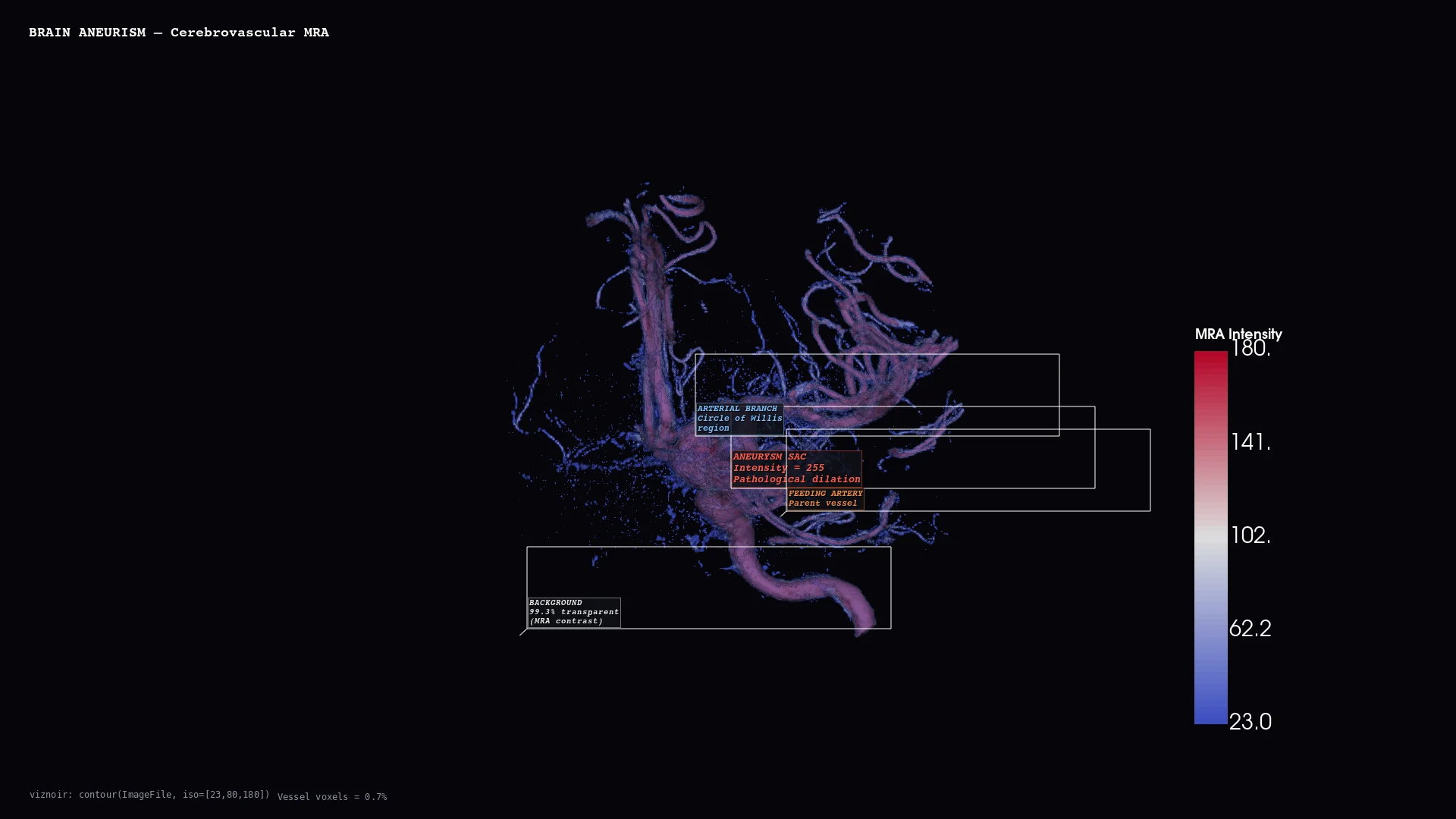 | 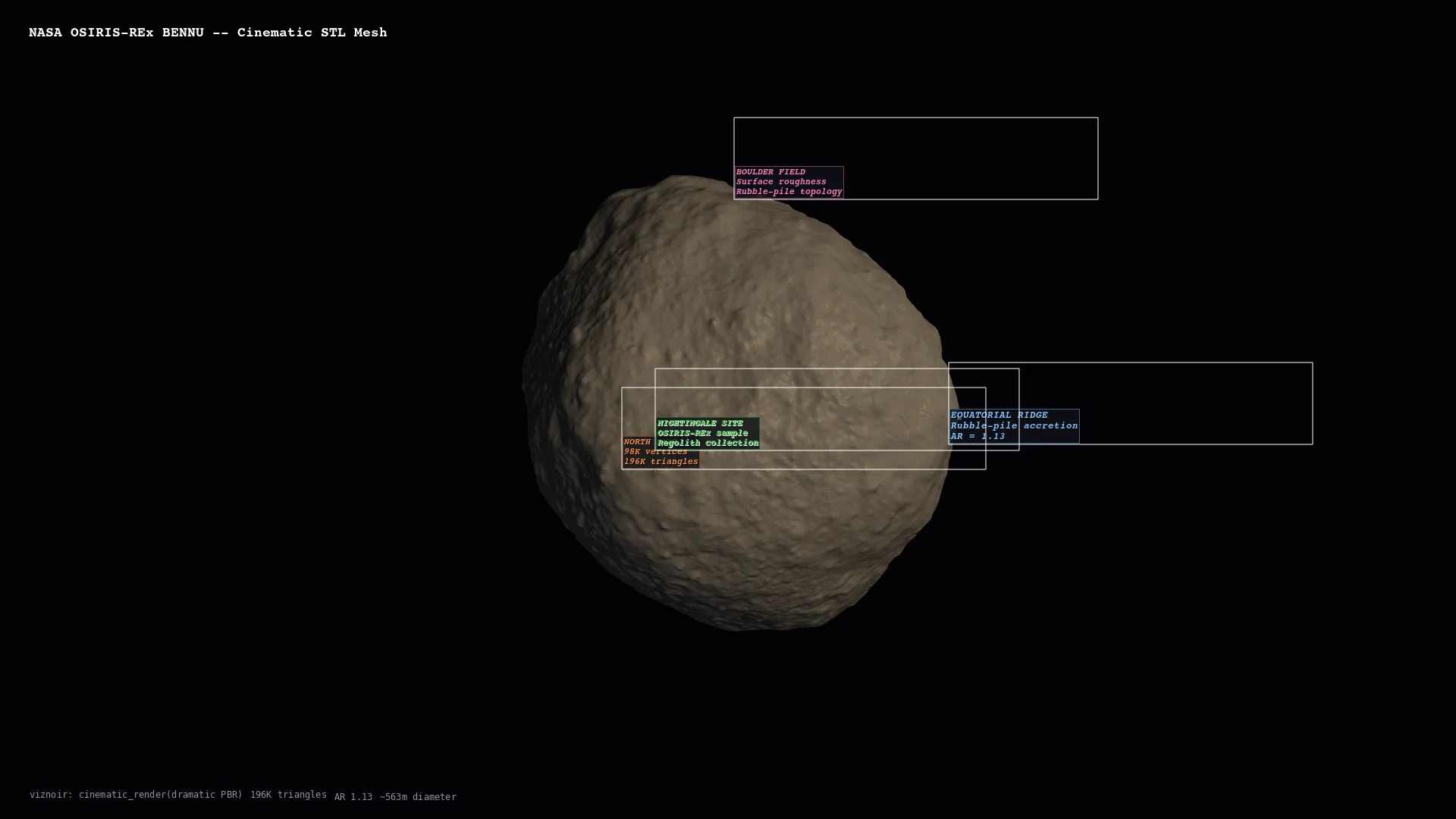 | 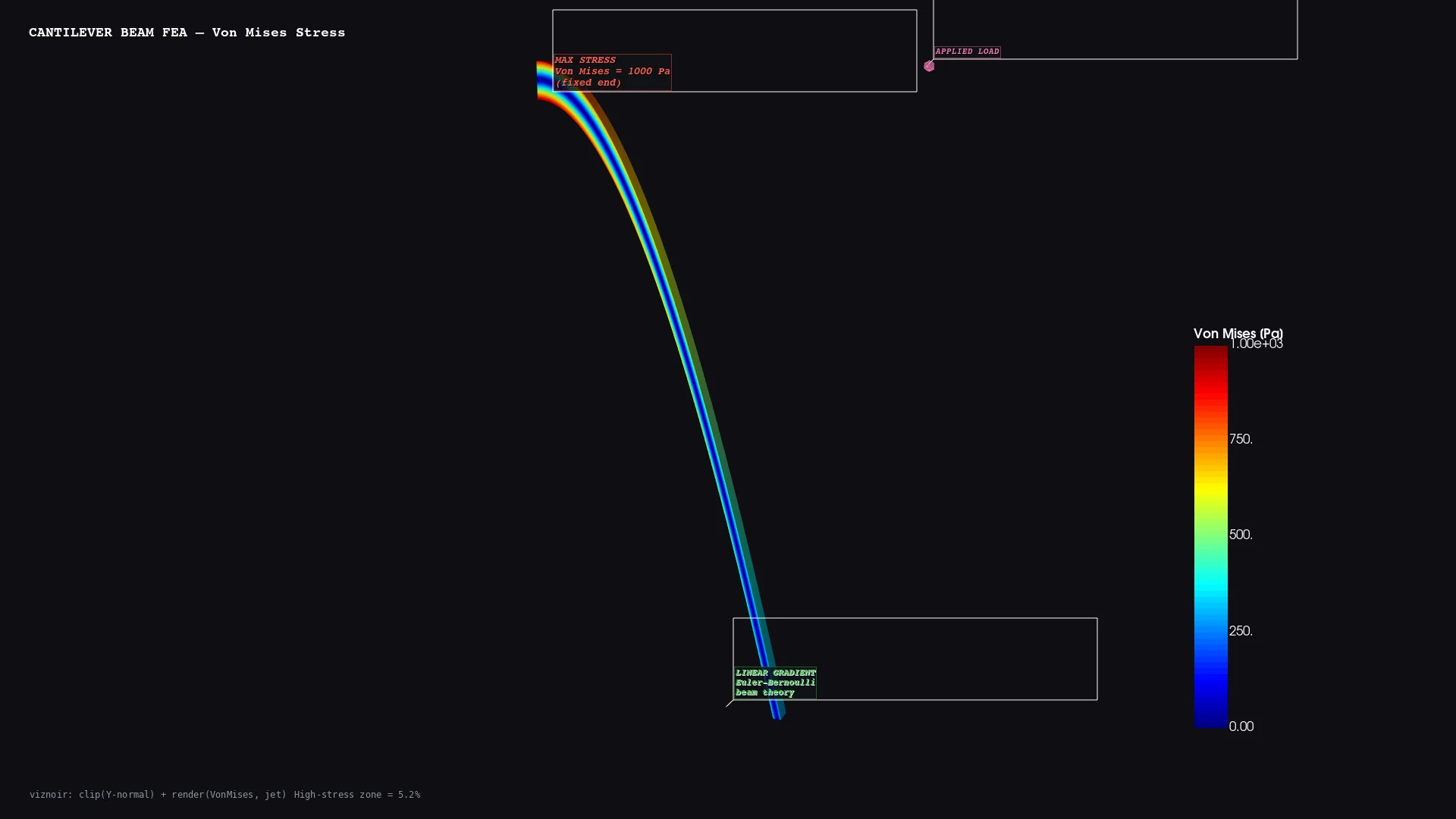 | 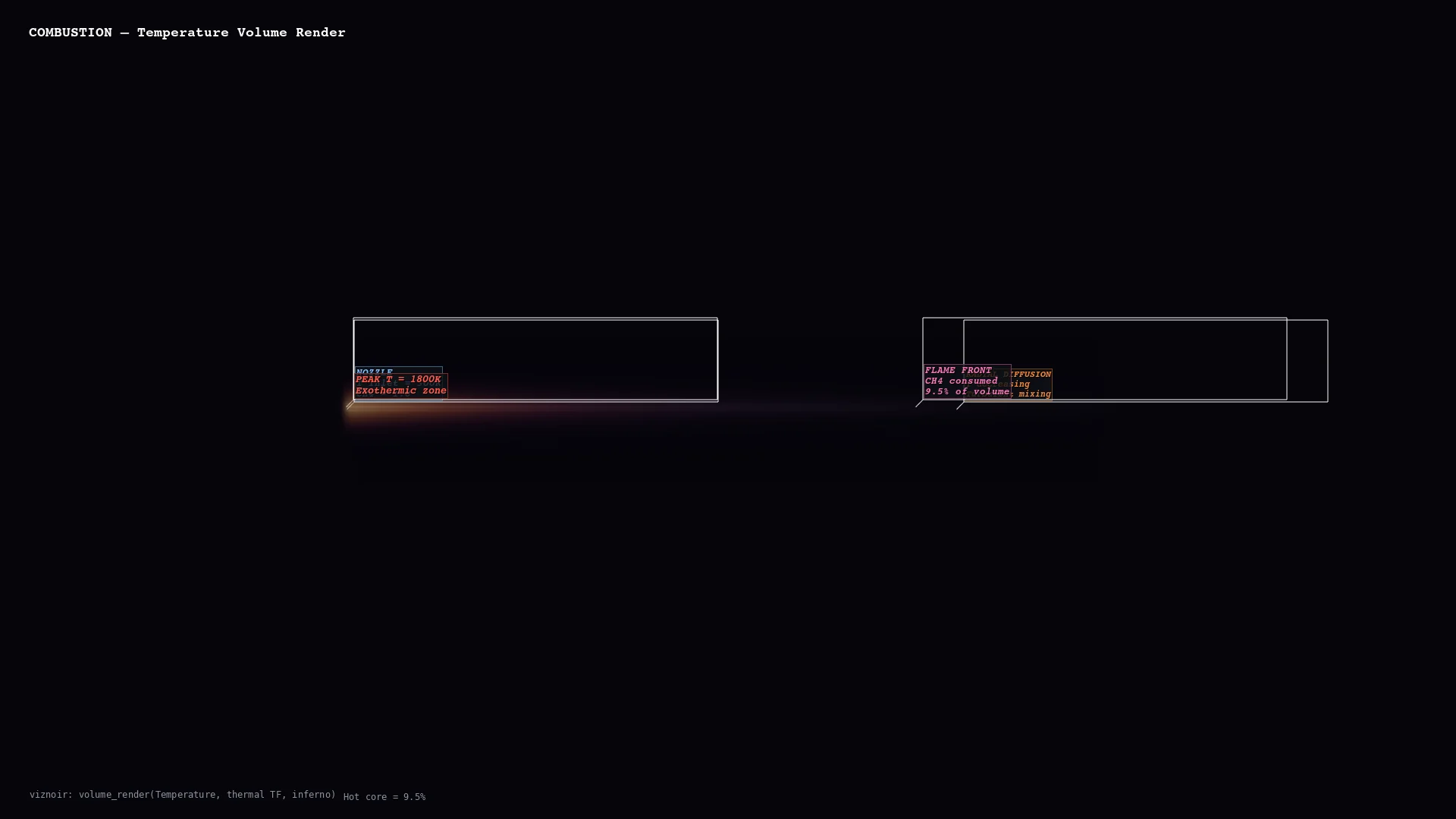 |
| Molecular <br/> H₂O electron density | Vascular <br/> Cerebral aneurysm MRA | Planetary <br/> Bennu · 196K triangles | Structural <br/> Cantilever FEA stress | Volume <br/> Thermal threshold |
Physics-Aware Animations
Seven presets convert raw simulation data into publication-ready motion — each binds a rendering primitive to a physical phenomenon.
| Preset | Physics | Rendering |
|---|---|---|
streamline_growth | Lagrangian advection | Particle path-line extension over time |
clip_sweep | Pressure gradient cross-section | Moving clip plane |
layer_reveal | CT density classification | Progressive isosurface stacking |
iso_sweep | Orbital topology | Isovalue sweep with camera orbit |
warp_oscillation | Structural mode shape | Warp-by-vector harmonic displacement |
light_orbit | Oblique illumination | Rotating key light for material reveal |
threshold_reveal | Feature hierarchy | Threshold peeling from outside → in |
Story Composition (compose_assets)
<div align="center">
Inspect → render → annotate → compose → narrate. One prompt produces a 4-panel physics decomposition with LaTeX-rendered governing equations.
</div>Layouts: story (vertical narrative) · grid (N×M comparison) · slides (16:9 keynote) · video (MP4 with transitions)
Full interactive gallery: https://kimimgo.github.io/viznoir/#showcase
Architecture
  prompt                    "Render pressure from cavity.foam"
    │
  MCP Server                22 tools · 12 resources · 4 prompts
    │
  VTK Engine                readers → filters → renderer → camera
    │                       EGL/OSMesa headless · cinematic lighting
  Physics Layer             topology analysis · context parsing
    │                       vortex detection · stagnation points
  Animation                 7 physics presets · easing · timeline
    │                       transitions · compositor · video export
  Output                    PNG · WebP · MP4 · GLTF · LaTeX
Numbers
| 22 MCP tools | 24 VTK filters |
| 10 domains | 19 native file formats |
| 6/6 VTK data types | 50+ formats via meshio |
Documentation
Homepage: kimimgo.github.io/viznoir
Developer docs: kimimgo.github.io/viznoir/docs — full tool reference, domain gallery, architecture guide
License
MIT
Related MCP servers

Give your AI agent a phone. Place outbound calls to US businesses to ask, book, or confirm.
View repository →Incheon Airport (ICN) transit: limo buses, internal shuttles, taxi queues, AREX train schedule.
14 Korean airports flight info + Incheon arrival/departure congestion + facility search.

AI music production assistant — audio profiling, AI mixing sessions, and service inquiries.
View repository →
Japanese open-data MCP server: corporate-number validation, zengin bank codes, national holidays

Production-ready RAG + MCP demo: eval-in-CI merge gate, Langfuse traces, structure-aware chunking.