Datawrapper MCP Server
io.github.palewire/datawrapper-mcp
Create and manage Datawrapper charts through AI conversation with Claude, Cursor, and other MCP clients.
What is the Datawrapper MCP server?
The Datawrapper MCP server enables AI assistants to create, update, publish, and export Datawrapper charts programmatically. It exposes tools for chart creation, configuration, data updates, and PNG export, allowing you to build visualizations through natural language conversation with Claude or other MCP-compatible clients.
This server bridges AI assistants with Datawrapper's charting platform, letting you describe a chart in plain language and have the assistant build it for you. You can create bar, line, area, scatter, and other chart types; update data and styling; publish to the web; and export as PNG—all without leaving your chat interface.
How to install Datawrapper
Copy-paste configuration for popular MCP clients.
DATAWRAPPER_ACCESS_TOKENrequiredsecretDatawrapper API Access Token
Tools & capabilities
Tools this server exposes to the agent.
list_chart_types— List available chart types with descriptionsget_chart_schema— Get the full configuration schema for a chart typecreate_chart— Create a new chart with data and configurationupdate_chart— Update an existing chart's data or stylingpublish_chart— Publish a chart to make it publicly accessibleget_chart— Retrieve a chart's configuration and metadatadelete_chart— Permanently delete a chartexport_chart_png— Export a chart as a PNG image
Use cases
- Create a line chart showing temperature trends by describing the data and desired visualization in chat
- Update an existing chart with new data points without leaving your conversation
- Publish a chart to a public URL and share it with others
- Export a chart as a PNG image for embedding in documents or presentations
- Explore chart configuration options and styling (colors, labels, etc.) through natural language
Datawrapper MCP server FAQ
It's an MCP server that lets you create and manage Datawrapper charts through AI assistants like Claude. You describe what chart you want, and the assistant builds it using the Datawrapper API.
You need a free Datawrapper account (sign up at datawrapper.de). The MCP server itself is open-source and free; Datawrapper's pricing depends on your usage and plan.
Add the server to your MCP config file (claude_desktop_config.json for Claude Desktop, .cursor/mcp.json for Cursor) with the command 'uvx datawrapper-mcp' and set your DATAWRAPPER_ACCESS_TOKEN environment variable.
You need a Datawrapper API token from https://app.datawrapper.de/account/api-tokens. Add it as the DATAWRAPPER_ACCESS_TOKEN environment variable in your MCP config.
Bar, line, area, arrow, column, multiple column, scatter, and stacked bar charts. Use the list_chart_types tool to see full descriptions and get_chart_schema to explore configuration options.
The project is early and experimental; behavior can change between releases. Plugin marketplace installation has known gaps, so manual config editing is the reliable path for now.
README (reference)
Source of truth, from the repository.



A Model Context Protocol (MCP) server and app for creating Datawrapper charts using AI assistants. Built on the datawrapper Python library.
<!-- mcp-name: io.github.palewire/datawrapper-mcp -->Status: early and experimental. This project — including its Claude Code/Desktop plugin and marketplace listing — is under active development, and behavior can change between releases. In particular, the plugin/marketplace install path has known gaps (see issue #78) — don't treat it yet as a finished, zero-maintenance install path for a wider rollout.
Example Usage
You can provide a data file and simply ask for the chart you want. The draft will soon appear in the panel.
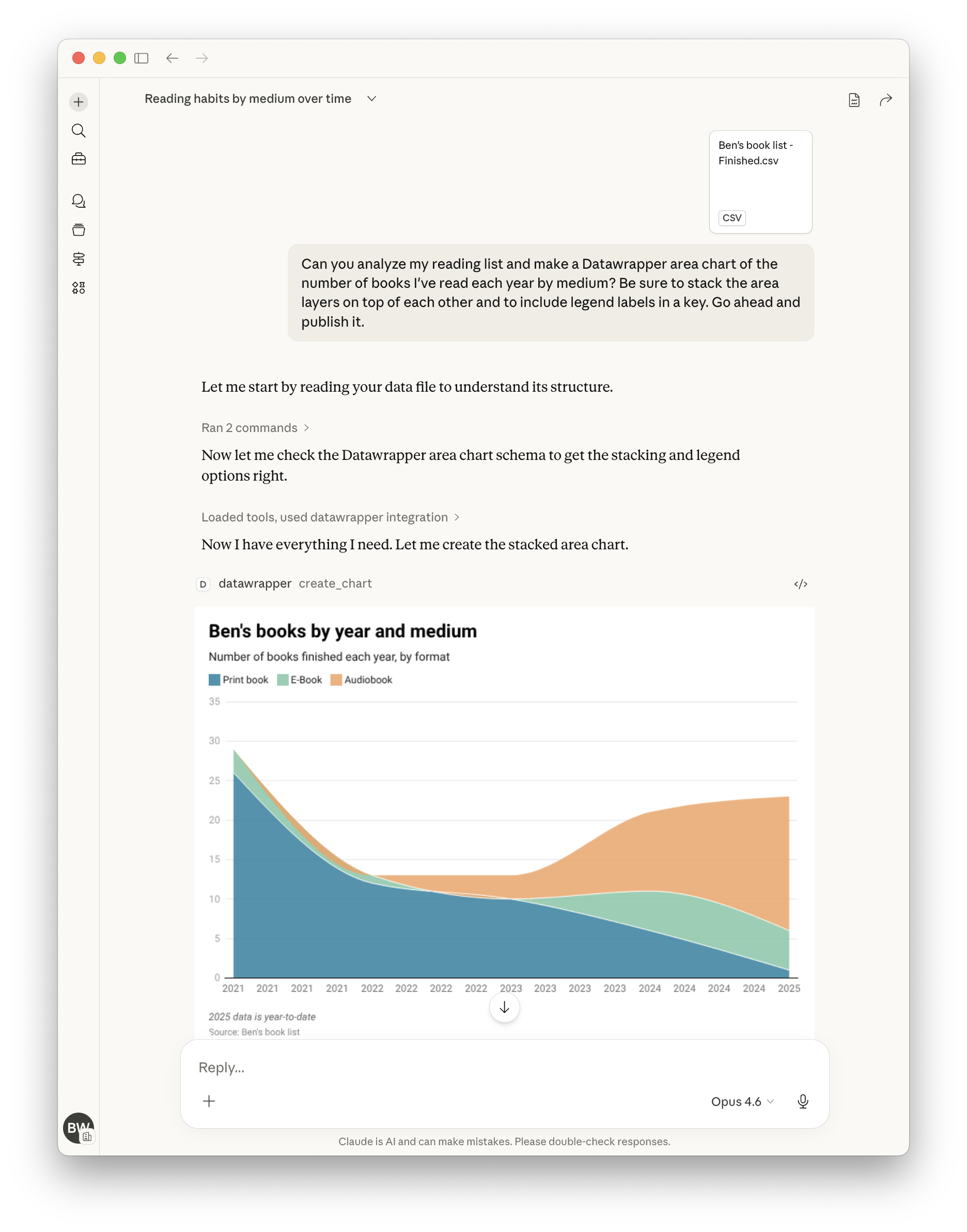
Here's a more complete example showing how to create, publish, update, and display a chart by chatting with the assistant:
"Create a datawrapper line chart showing temperature trends with this data:
2020, 15.5
2021, 16.0
2022, 16.5
2023, 17.0"
# The assistant creates the chart and returns the chart ID, e.g., "abc123"

"Publish it."
# The assistant publishes it and returns the public URL

"Update chart with new data for 2024: 17.2°C"
# The assistant updates the chart with the new data point

"Make the line color dodger blue."
# The assistant updates the chart configuration to set the line color

"Show me the editor URL."
# The assistant returns the Datawrapper editor URL where you can view/edit the chart

"Show me the PNG."
# The assistant embeds the PNG image of the chart in its contained response.

"Suggest five ways to improve the chart."
# See what happens!
Tools
| Tool | Description |
|---|---|
list_chart_types | List available chart types with descriptions |
get_chart_schema | Get the full configuration schema for a chart type |
create_chart | Create a new chart with data and configuration |
update_chart | Update an existing chart's data or styling |
publish_chart | Publish a chart to make it publicly accessible |
get_chart | Retrieve a chart's configuration and metadata |
delete_chart | Permanently delete a chart |
export_chart_png | Export a chart as a PNG image |
Chart Types
bar, line, area, arrow, column, multiple column, scatter, stacked bar
Use list_chart_types to see descriptions, then get_chart_schema to explore configuration options for any type.
Getting Started
Requirements
- A Datawrapper account (sign up at https://datawrapper.de/signup/)
- An MCP client such as Claude or OpenAI Codex
- Python 3.10 or higher
Get Your API Token
- Go to https://app.datawrapper.de/account/api-tokens
- Create a new API token
- Add it to your MCP configuration as shown in the installation guide
Quick Start (Claude Code)
{
  "mcpServers": {
    "datawrapper": {
      "command": "uvx",
      "args": ["datawrapper-mcp"],
      "env": {
        "DATAWRAPPER_ACCESS_TOKEN": "your-token-here"
      }
    }
  }
}
For other clients (Claude Desktop, Claude.ai, Cursor, VS Code Copilot, ChatGPT, OpenAI Codex, OpenClaw) and Kubernetes deployment, see the installation guide.
Installing via a plugin marketplace/directory (Claude Desktop's plugin browser, ClawHub, etc.) is still experimental. These interactive install flows currently have no working way to collect required environment variables like
DATAWRAPPER_ACCESS_TOKEN— see issue #78 for details. The manually-edited config shown above (and throughout the installation guide) is the reliable path today.
Using Your Own Token (Hosted Deployments)
When connecting to a hosted instance of the server over HTTP, you can authenticate
with your own Datawrapper API token by sending it in the Authorization header:
Authorization: Bearer <your-datawrapper-api-token>
This ensures charts are created under your account instead of the server operator's. The token is read from the header automatically — no need to include it in every tool call.
You can also pass access_token directly as a tool argument, which takes precedence
over the header. When neither is provided, the server falls back to its
DATAWRAPPER_ACCESS_TOKEN environment variable.
Custom Instructions
Set DATAWRAPPER_MCP_INSTRUCTIONS to have the server hand your own free-text
guidance to connecting MCP clients (many, including Claude, fold this into
the model's context). Use it for house style rules — required fields, naming
conventions, and the like — without forking the server:
"env": {
  "DATAWRAPPER_ACCESS_TOKEN": "your-token-here",
  "DATAWRAPPER_MCP_INSTRUCTIONS": "Every chart needs alt text and a CMS slug in its notes field."
}
Supported Clients
| Client | Config file | Transport |
|---|---|---|
| Claude Desktop | claude_desktop_config.json | stdio or streamable-http |
| Claude.ai | Personal or org connector | streamable-http |
| Claude Code | Plugin marketplace or .mcp.json | stdio |
| VS Code Copilot | .vscode/mcp.json | stdio |
| Cursor | .cursor/mcp.json | stdio or streamable-http |
| ChatGPT | Dev Mode settings | streamable-http only |
| OpenAI Codex | ~/.codex/config.toml | stdio |
| OpenClaw | ClawHub plugin or openclaw.json | stdio |
Related MCP servers

Offline SAP ABAP/RAP tools for AI agents: lint, Cloud readiness, released APIs, knowledge.
Paid x402 MCP utilities for AI agents on Base: JSON, HTML, CSV, hashing, attestations.

Pre-probate and inheritance real estate intelligence with Base L2 USDC settlement.
View repository →
Advisory governance checks for MCP hosts; enforcement runs in the Palveron remote MCP proxy.
Palveron MCP Server
Early access - AI governance gateway for MCP tool calls (policies, PII masking, audit).

io.github.pamela-0/boot-doctor-mcp
Deterministic PC no-boot/no-POST diagnostics: real beep-code tables, no LLM guessing.