meme-factory
softaworks/agent-toolkit
Generate memes using memegen.link API with 100+ templates and custom text styling.
What is meme-factory?
Meme Factory creates memes via the free memegen.link API, supporting 100+ popular templates with custom top/bottom text and styling options. Use it when users request memes, want to add humor to content, or need visual aids for social media.
- Generate memes from 100+ templates (buzz, drake, success, fine, fry, changemind, distracted, mordor, etc.)
- Customize text with proper encoding for spaces, newlines, special characters, and formatting
- Adjust image dimensions and formats (PNG, JPG, WebP, GIF) for different platforms
- Apply custom fonts, layouts (top/bottom/default), and background images
- Validate meme URLs and ensure text readability before delivery
How to install meme-factory
npx skills add https://github.com/softaworks/agent-toolkit --skill meme-factoryHow to use meme-factory
- 1.Identify the appropriate meme template based on context (e.g., drake for comparisons, success for wins)
- 2.Prepare top and bottom text (2-6 words per line recommended)
- 3.Encode special characters: spaces as `_` or `-`, newlines as `~n`, `?` as `~q`, `%` as `~p`, `/` as `~s`, `#` as `~h`
- 4.Construct URL: `https://api.memegen.link/images/{template}/{top_text}/{bottom_text}.png`
- 5.Optionally add query parameters for sizing (`?width=1200&height=630`) or custom styling
- 6.Test the URL in a browser to verify the image renders correctly and text is readable
Use cases
- Create comparison memes using drake template for code review discussions
- Generate success celebration memes for deployment announcements
- Make uncertainty/decision memes with fry template for feature discussions
- Produce ironic 'this is fine' memes for handling production issues
- Add humor to documentation or onboarding with contextual templates
- Developers adding humor to code reviews and team communications
- Social media managers creating shareable content
- Teams celebrating wins or acknowledging failures with levity
- Technical writers making documentation more engaging
meme-factory FAQ
Visit https://api.memegen.link/templates/ to see all 100+ available templates with examples.
Spaces use `_` or `-`, newlines use `~n`, question marks use `~q`, percent signs use `~p`, slashes use `~s`, and hashes use `~h`. Single and double quotes don't need encoding.
Use 1200x630 for social media (Open Graph), 800x600 for Slack/Discord, or default dimensions for GitHub. Add `?width=1200&height=630` to the URL.
No, memegen.link is free and open-source with no API key required or rate limiting for normal use.
Verify the template exists at the templates endpoint, ensure text is properly encoded with underscores for spaces, check that special characters use the correct encoding, and confirm the file extension (.png, .jpg, etc.) is included.
Full instructions (SKILL.md)
Source of truth, from softaworks/agent-toolkit.
name: meme-factory description: Generate memes using the memegen.link API. Use when users request memes, want to add humor to content, or need visual aids for social media. Supports 100+ popular templates with custom text and styling.
Meme Factory
Create memes using the free memegen.link API and textual meme formats.
Triggers
| Trigger | Description |
|---|---|
/meme-factory | Manual invocation |
/meme-factory {template} {top} {bottom} | Direct meme generation |
meme-factory: create a meme about X | Natural language request |
Quick Reference
| Action | Format |
|---|---|
| Basic meme | https://api.memegen.link/images/{template}/{top}/{bottom}.png |
| With sizing | ?width=1200&height=630 |
| Custom background | ?style=https://example.com/image.jpg |
| All templates | https://api.memegen.link/templates/ |
| Interactive docs | https://api.memegen.link/docs/ |
Additional Resources:
- Markdown Memes Guide - 15+ textual meme formats
- Examples - Practical usage examples
- meme_generator.py - Python helper script
Quick Start
Basic Meme Structure
https://api.memegen.link/images/{template}/{top_text}/{bottom_text}.{extension}
Example:
https://api.memegen.link/images/buzz/memes/memes_everywhere.png
Result: Buzz Lightyear meme with "memes" at top and "memes everywhere" at bottom.
Text Formatting
| Character | Encoding |
|---|---|
| Space | _ or - |
| Newline | ~n |
| Question mark | ~q |
| Percent | ~p |
| Slash | ~s |
| Hash | ~h |
| Single quote | '' |
| Double quote | "" |
Popular Templates
| Template | Use Case | Example |
|---|---|---|
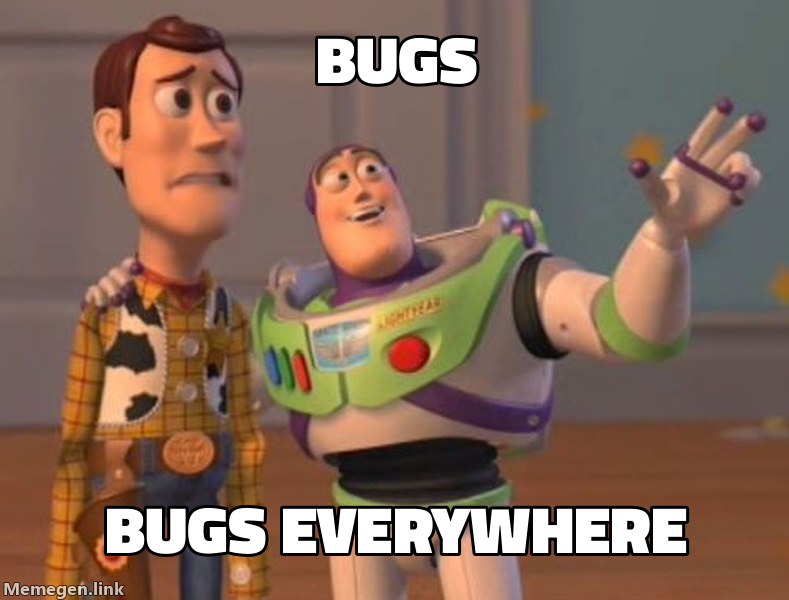
buzz | X, X everywhere | bugs/bugs_everywhere |
drake | Comparisons | manual_testing/automated_testing |
success | Victories | deployed/no_errors |
fine | Things going wrong | server_on_fire/this_is_fine |
fry | Uncertainty | not_sure_if_bug/or_feature |
changemind | Hot takes | tabs_are_better_than_spaces |
distracted | Priorities | my_code/new_framework/current_project |
mordor | One does not simply | one_does_not_simply/deploy_on_friday |
Template Selection Guide
| Context | Template | Why |
|---|---|---|
| Comparing options | drake | Two-panel reject/approve format |
| Celebrating wins | success | Positive outcome emphasis |
| Problems ignored | fine | Ironic "everything is fine" |
| Uncertainty | fry | "Not sure if X or Y" format |
| Controversial opinion | changemind | Statement + challenge |
| Ubiquitous things | buzz | "X, X everywhere" |
| Bad ideas | mordor | "One does not simply..." |
Validation
After generating a meme:
- URL returns valid image (test in browser)
- Text is readable (not too long)
- Template matches the message context
- Special characters properly encoded
- Dimensions appropriate for platform
Platform Dimensions
| Platform | Dimensions |
|---|---|
| Social media (Open Graph) | 1200x630 |
| Slack/Discord | 800x600 |
| GitHub | Default |
Anti-Patterns
| Avoid | Why | Instead |
|---|---|---|
| Spaces without encoding | URL breaks | Use _ or - |
| Too much text | Unreadable | 2-6 words per line |
| Wrong template | Message mismatch | Match template to context |
| Missing extension | Invalid URL | Always include .png, .jpg, etc. |
| Unencoded special chars | URL breaks | Use ~q, ~s, ~p, etc. |
| Assuming template exists | 404 error | Check templates list first |
Verification
Meme generation is successful when:
- URL is valid - Returns HTTP 200
- Image renders - Displays correctly in markdown
- Text is visible - Properly formatted on image
- Context matches - Template fits the message
Test command:
curl -I "https://api.memegen.link/images/buzz/test/test.png"
# Should return: HTTP/2 200
<details> <summary><strong>Deep Dive: Advanced Features</strong></summary>
Image Formats
| Extension | Use Case |
|---|---|
.png | Best quality, default |
.jpg | Smaller file size |
.webp | Modern, good compression |
.gif | Animated templates |
Dimensions
?width=800
?height=600
?width=800&height=600  (padded to exact)
Layout Options
?layout=top     # Text at top only
?layout=bottom  # Text at bottom only
?layout=default # Standard top/bottom
Custom Fonts
View available: https://api.memegen.link/fonts/
?font=impact (default)
Custom Images
Use any image as background:
https://api.memegen.link/images/custom/hello/world.png?style=https://example.com/image.jpg
Code Reviews
Template: fry
https://api.memegen.link/images/fry/not_sure_if_feature/or_bug.png
Deployments
Template: interesting
https://api.memegen.link/images/interesting/i_dont_always_test/but_when_i_do_i_do_it_in_production.png
Documentation
Template: yodawg
https://api.memegen.link/images/yodawg/yo_dawg_i_heard_you_like_docs/so_i_documented_the_documentation.png
Performance Issues
Template: fine
https://api.memegen.link/images/fine/memory_usage_at_99~/this_is_fine.png
Successful Deploy
Template: success
https://api.memegen.link/images/success/deployed_to_production/zero_downtime.png
Generating Memes in Response
Here's a relevant meme:
Dynamic Generation (Python)
def generate_status_meme(status: str, message: str):
    template_map = {
        "success": "success",
        "failure": "fine",
        "review": "fry",
        "deploy": "interesting"
    }

    template = template_map.get(status, "buzz")
    words = message.split()
    top = "_".join(words[0:3])
    bottom = "_".join(words[3:6])

    return f"https://api.memegen.link/images/{template}/{top}/{bottom}.png"
Using the Helper Script
from meme_generator import MemeGenerator

meme = MemeGenerator()
url = meme.generate("buzz", "features", "features everywhere")
print(url)
Endpoints
| Endpoint | Purpose |
|---|---|
/templates/ | List all templates |
/templates/{id} | Template details |
/fonts/ | Available fonts |
/images/{template}/{top}/{bottom}.{ext} | Generate meme |
API Characteristics
- Free and open-source
- No API key required
- No rate limiting (normal use)
- Stateless (all info in URL)
- Images generated on-demand
Error Handling
- Check template at https://api.memegen.link/templates/
- Verify text formatting (underscores for spaces)
- Check special character encoding
- Ensure valid extension
- Test URL in browser
References
| Document | Content |
|---|---|
| markdown-memes-guide.md | 15+ textual meme formats (greentext, copypasta, ASCII, etc.) |
| examples.md | Practical usage examples |
Scripts
| Script | Purpose |
|---|---|
| meme_generator.py | Python helper for meme generation |
Summary
Generate contextual memes to:
- Add humor to conversations
- Create social media visuals
- Make code reviews engaging
- Celebrate successes
Golden rule: Keep text concise, match template to context.
Related skills
More from softaworks/agent-toolkit and the wider catalog.

mermaid-diagrams
Create professional software diagrams from text using Mermaid syntax.
naming-analyzer
Suggest better variable, function, and class names based on context and conventions.
openapi-to-typescript
Convert OpenAPI 3.0 specs to TypeScript interfaces and type guards.
plugin-forge
Create and manage Claude Code plugins with proper structure, manifests, and marketplace integration.
professional-communication
Frameworks for clear, professional communication in technical contexts—emails, messages, meetings, and audience adaptation.
qa-test-planner
Generate test plans, test cases, regression suites, and bug reports with Figma design validation for QA engineers.